Just got an “Amazon account deactivated” notice with listings gone and funds frozen? Most sellers actually recover their accounts by submitting a solid Plan of Action that addresses Amazon’s concerns. This guide shows you how to investigate your suspension, write an appeal that works, and avoid mistakes that lead to rejection.
Quick Summary
- Immediate actions: Act within 24-72 hours. Read all notifications, export data, and never open new accounts. Investigate root causes, stop risky activities, and submit a POA with: root cause analysis, immediate fixes, and prevention measures.
- Reinstatement timeline: Performance issues: 3-10 days. Authenticity claims: 1-4 weeks. IP disputes/linked accounts: weeks to months. One strong appeal beats multiple weak ones.
- Prevention: Track metrics daily (ODR < 1%, Late Shipment < 4%), respond to customers within 24 hours, sell authentic products, use FBA or a reliable carrier, and address violations within 72 hours.
What Does Amazon Account Deactivation Mean?
Account deactivation means Amazon shuts down your seller account completely. You can’t sell, manage listings, or access your funds, usually because of policy violations, verification problems, or linked account issues.
These are the three policy categories responsible for most seller account deactivations:
- Seller Code of Conduct violations: Running multiple accounts without approval, buying fake reviews, filing bogus IP complaints against competitors, or using any shady tactics that mess with the marketplace
- Product authenticity and safety issues: Counterfeits, expired products, unsafe items, wrong ASIN listings, stolen product photos, or claiming to be a brand you’re not
- Performance metric failures: Your ODR hits 1% or higher, late shipments go past 4%, cancellation rate exceeds 2.5%, or tracking falls below 95% – especially after Amazon already warned you
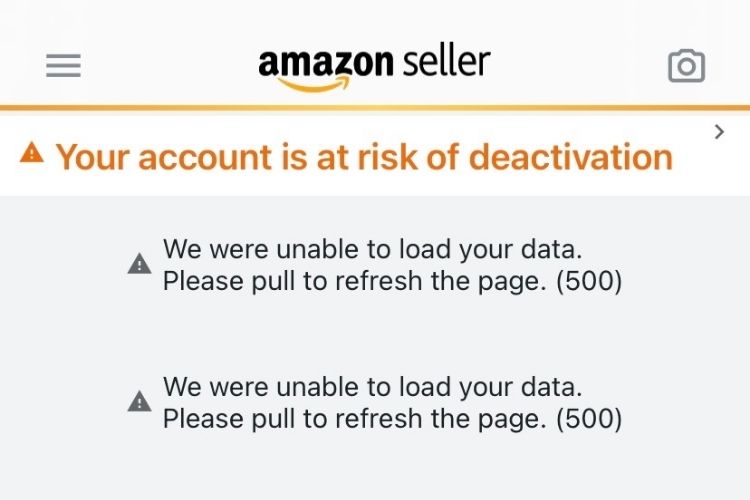
How To Check If Your Amazon Seller Account Is Deactivated?
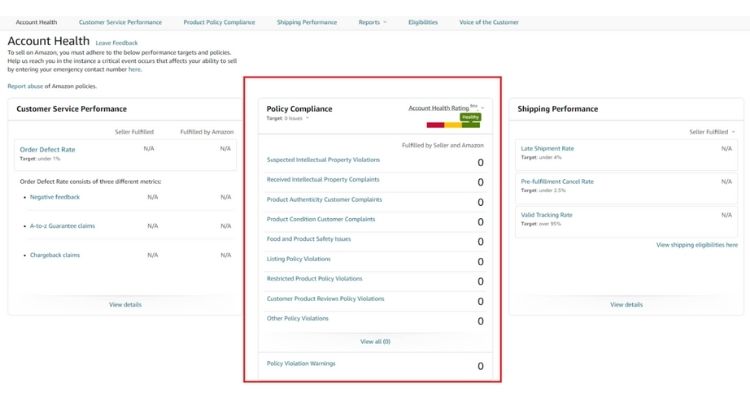
You can verify deactivation through three quick checks. Check your email for messages about “account suspension” or “Business Solutions Agreement violations” from Amazon. Alternatively, log in to Seller Central to see if a red or yellow “limited access” banner appears at the top. Additionally, review Performance > Account Health for a zero rating or active policy violations.
What To Do When Your Amazon Account Gets Deactivated?
You need to act within 24-72 hours for the best chance of reinstatement. First, you should read all Amazon notifications carefully, as they often send multiple messages detailing different violations.
Additionally, you must export your order history, performance metrics, and case logs immediately before losing further access. Most importantly, you should never open a new seller account during this period, as doing so typically results in permanent bans across all accounts.
Once you’ve secured your data, you need to investigate the root cause of each violation beyond Amazon’s surface-level explanation. For example, if you received IP complaints, you should determine whether the issue stems from supplier problems, catalog errors, or inadequate verification procedures.
After that, you must stop all risky activities immediately, including questionable sourcing or problematic listing practices that may have triggered the suspension.
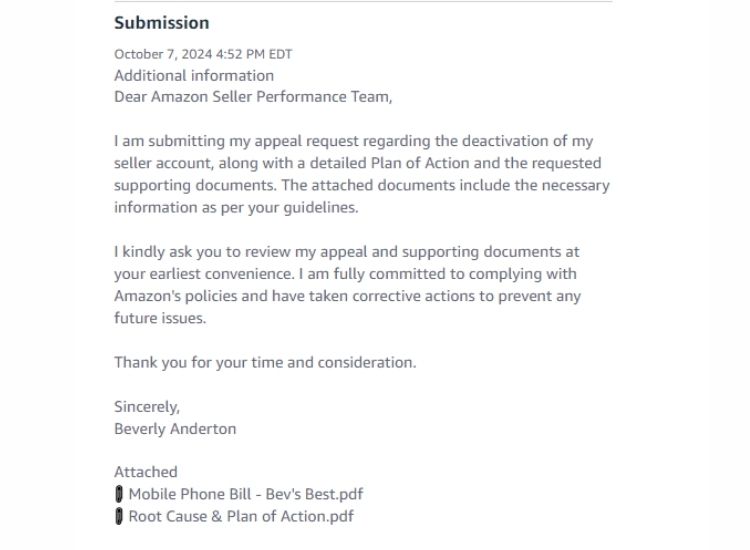
After identifying root causes, you should prepare a Plan of Action (POA) that addresses Amazon’s concerns in three structured parts:
- Root cause: Don’t just say “we made a mistake”. Explain exactly why it happened. Example: “We didn’t have a supplier verification checklist” instead of “We sold inauthentic items”
- Immediate fixes: List what you’ve already done – removed listings, refunded orders, cut ties with bad suppliers, relabeled inventory
- Prevention measures: New SOPs with dates, staff training assignments, system changes like software alerts or new protocols
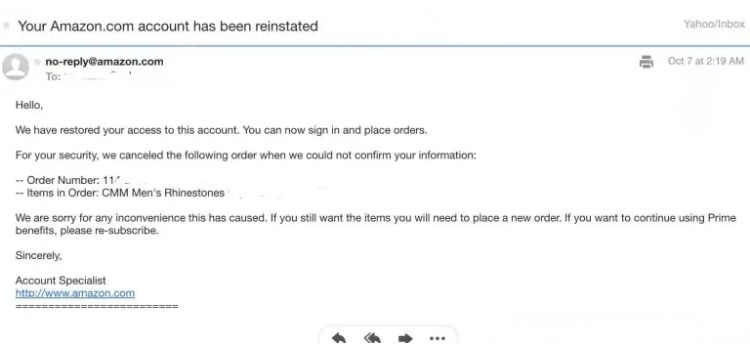
How Long Does Amazon Account Reinstatement Take?
Reinstatement timelines vary from 3 days to several months, depending on violation severity and appeal quality. You can expect different timeframes based on the type of violation:
- Performance or listing issues: 3-10 days with a strong initial Plan of Action
- Authenticity or safety complaints: 1-4 weeks for invoice and testing verification
- IP disputes, linked accounts, or verification failures: Several weeks to months, often requiring multiple submissions
Submitting the same weak appeal repeatedly will not speed up the process. Instead, craft one comprehensive, evidence-backed Plan of Action that addresses each violation thoroughly, as the fastest reinstatements come from well-documented first submissions.
Amazon Account Deactivated Vs Suspended: What’s The Difference?
While both statuses restrict your selling abilities, deactivated and suspended accounts differ significantly in severity and recovery options. Understanding these distinctions helps you determine the appropriate response strategy and timeline for reinstatement:
| Key Difference | Deactivated Account | Suspended Account |
|---|---|---|
| Severity Level | Complete shutdown requiring a formal appeal | Temporary restriction that’s usually fixable |
| Account Access | Extremely limited (only Appeal and Account Health sections accessible) | Partial access maintained (can view inventory, download reports) |
| Listing Status | All product listings have been completely removed from the marketplace | Listings become inactive or suppressed, but remain inthe system |
| Payment Status | Funds held for 90+ days pending resolution | Payouts are delayed or placed on rolling reserve until the issue is resolved |
| Common Triggers | Serious policy breaches, repeated violations, identity verification failures, or connections to banned accounts | Single policy violations, performance metric issues, or minor compliance problems |
| Recovery Difficulty | Requires a comprehensive Plan of Action with strong evidence | Often resolved with corrective actions and a brief explanation |
How To Keep Your Amazon Account Healthy And Avoid Deactivation
Proactive account management prevents deactivation by catching issues before they escalate. Focus on these three critical areas to maintain a healthy seller status:
Monitor Performance Metrics Consistently
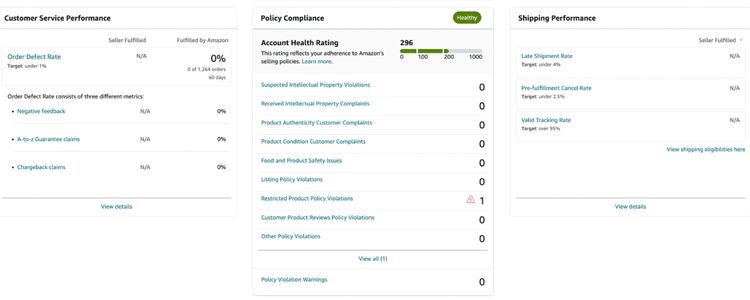
You must track key performance indicators daily to identify problems before Amazon issues warnings. Set up automated alerts to notify you when metrics approach violation thresholds:
- Track critical metrics: Monitor Order Defect Rate (under 1%), Late Shipment Rate (under 4%), and Cancellation Rate (under 2.5%) daily through your Account Health dashboard
- Enable automated alerts: Configure notifications for Account Health Rating changes to catch drops immediately
- Respond to customers within 24 hours: Address messages and resolve complaints quickly before they escalate to A-to-Z claims or damage your metrics
Maintain Product Quality and Policy Compliance
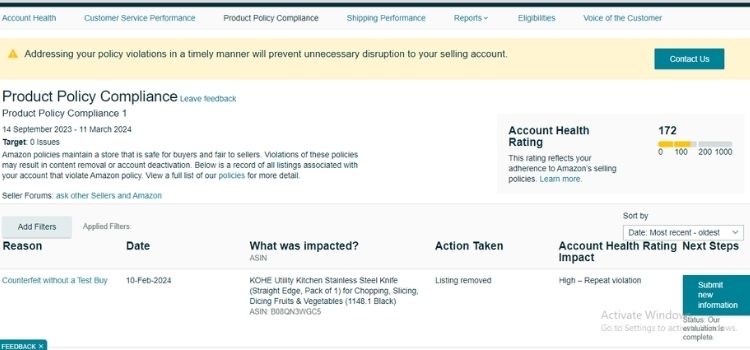
Selling authentic products and adhering strictly to Amazon’s policies protects your account from serious violations that trigger immediate deactivation. You should implement these quality control and compliance practices consistently:
- Sell only authentic products: Source from verified suppliers and keep invoices for at least two years to prove authenticity if challenged
- Keep listings accurate: Use clear titles, precise descriptions, and high-quality images that match actual products with correct inventory levels
- Stay policy compliant: Review Amazon policy updates regularly through Seller Central and never engage in prohibited practices like review manipulation or ranking abuse
- Use FBA or reliable carriers: Fulfillment by Amazon protects metrics with fast delivery, or choose trusted shipping partners with strong tracking for FBM
Address Issues Proactively
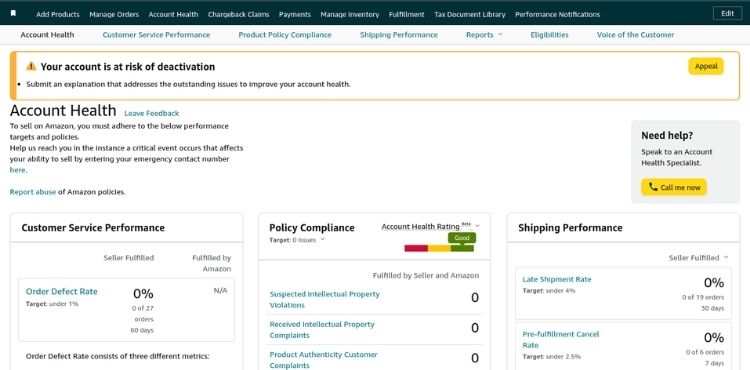
Amazon’s Account Health system provides early warnings before issuing suspensions, giving you opportunities to resolve problems before they escalate. When you receive any notifications or see metrics approaching thresholds, you need to respond immediately with corrective actions:
- Respond within 72 hours: Address any violation warnings or Account Health notifications immediately to prevent automatic escalation to suspension
- Use Account Health Assurance if eligible: Work with Amazon’s specialists to resolve flagged issues before they become serious violations requiring formal appeals
>>> Read more: Recover Your Income: Top Amazon Account Restricted Reasons
FAQs About Amazon Account Deactivation
Yes, most deactivated accounts can be reinstated by submitting a strong Plan of Action addressing the violations. However, permanent bans for counterfeits, multiple unauthorized accounts, or repeated violations are extremely difficult to reverse.
Simple issues are resolved in 3-10 days, authenticity claims take 1-4 weeks, while complex cases like IP disputes or linked accounts often require several weeks to months.
No, creating new accounts to bypass deactivation results in permanent bans across all accounts. You must resolve issues through proper appeal channels.
No, Amazon holds funds for 90 days to cover potential claims, then disburses the remaining balance to your bank account regardless of the reinstatement outcome.
Get Professional Help from Megaficus
Recovering from Amazon account deactivation requires quick action, thorough investigation, and a well-structured Plan of Action that directly addresses Amazon’s concerns. By understanding the differences between deactivation and suspension, acting within 24-72 hours, and crafting evidence-backed appeals, you can successfully reinstate your account and resume selling.
Preventing future deactivations demands consistent monitoring of performance metrics, strict policy compliance, and proactive responses to Account Health warnings. Maintaining authentic product sourcing, accurate listings, and strong customer service protects your account from violations that trigger shutdowns.
If you need expert guidance to navigate account deactivation appeals, optimize your seller performance, or strengthen your compliance strategy, the team at Megaficus is ready to help.