Have you ever logged into Seller Central and found your account flagged for review with no clear explanation? For many sellers, this is a stressful moment as listings get paused, funds go on hold, and business comes to a sudden stop. This guide walks you through what an Amazon account review actually means, why it happens, and exactly what you need to do to resolve it as quickly as possible.
Quick Summary
- An Amazon account review is a temporary suspension of your selling privileges while Amazon investigates potential policy violations, unusual activity, or customer complaints.
- Top reasons it happens: Unusual sales velocity, poor performance metrics, policy violations, verification issues, product authenticity complaints, suspicious activity, and new seller status.
- How the process works: Four steps, including notification, documentation request, internal investigation, and resolution, with timelines varying based on complexity.
- What to do during a review: Read the notification carefully, check Seller Central, submit accurate documents, address violations directly, write a strong Plan of Action, and consider professional help if needed.
- How to avoid it: Track performance metrics regularly, keep documentation current, maintain a healthy Order Defect Rate, and work with a professional account management service.
What Does An Amazon Account Review Mean For Sellers?
When Amazon places your account under review, your selling privileges are temporarily suspended until the investigation is complete. This usually happens due to policy violations, unusual account activity, or a spike in customer complaints. During this period, your listings may be paused and your funds placed on hold.
For sellers, that translates to lost revenue, disrupted cash flow, and potential reputational damage the longer it drags on. Amazon runs these reviews to protect marketplace integrity, prevent fraud, and ensure only legitimate sellers operate on the platform.
Top Reasons Amazon Places Your Account Under Review
Several factors can trigger an Amazon account review, and most of them come down to activity that falls outside what Amazon considers normal or compliant. Here are the 7 most common reasons sellers get flagged:
- Unusual sales velocity: A sudden spike in sales volume that does not align with your account’s established history can raise red flags, as Amazon may suspect artificial inflation or fraudulent activity.
- Poor performance metrics: Failing to meet Amazon’s thresholds for Order Defect Rate (ODR), Valid Tracking Rate (VTR), or Late Shipment Rate signals that your fulfillment standards are below what the platform requires.
- Policy violations: Selling restricted or prohibited products, creating duplicate listings, or breaching Amazon’s intellectual property guidelines are among the most direct triggers for an account review.
- Verification issues: Missing, outdated, or inconsistent documentation related to your identity, bank account, or tax information can prompt Amazon to pause your account until the details are confirmed.
- Product authenticity and customer complaints: A high volume of refund requests, A-to-z Guarantee claims, or complaints about product quality and non-delivery indicate potential fulfillment or sourcing problems.
- Suspicious account activity: Unusual login patterns, connections to previously suspended accounts, or IP and trademark complaints can all lead Amazon to flag your account for further investigation.
- New seller status: New accounts are sometimes reviewed early on to establish a transaction baseline, especially if sales volume grows unusually fast or complaints appear in the early stages.
How The Amazon Account Review Process Actually Works
Understanding how Amazon handles account reviews can help you stay prepared and respond faster when it happens. The process generally follows four key steps:
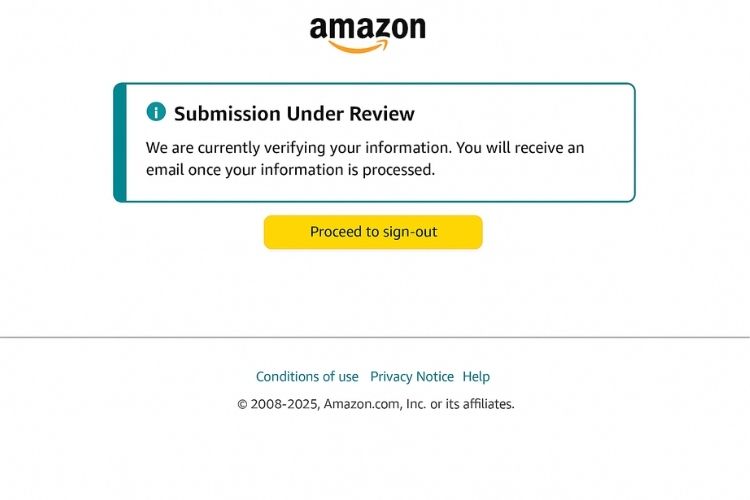
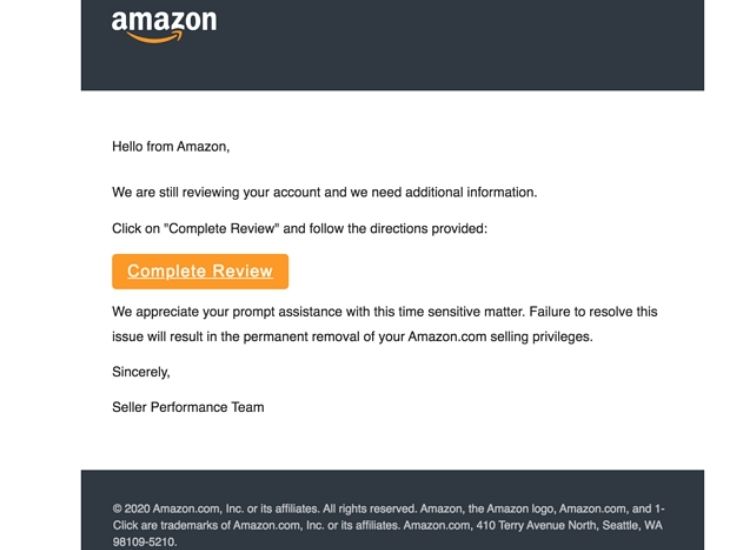
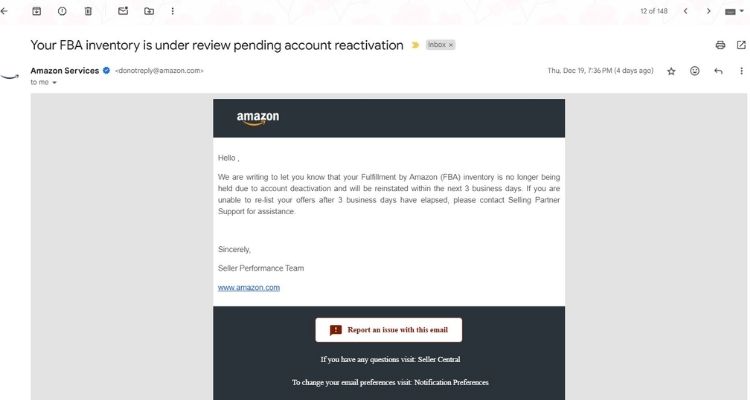
- Notification: Amazon will send an email informing you that your account is under review, along with a brief explanation of the issue and any immediate actions required. During this period, your listings may be paused and your funds placed on hold, so acting promptly is important.
- Documentation request: Depending on the nature of the issue, Amazon may ask you to submit supporting documents such as identity verification, supplier invoices, proof of inventory, or payment details. Make sure everything you provide is accurate and up to date.
- Internal investigation: Once your documents are submitted, Amazon will assess whether your account meets its policies. This stage typically takes a few business days, though more complex cases can stretch longer depending on the volume of information involved.
- Resolution: After completing the review, Amazon will either reinstate your account or outline additional steps you need to take. In more serious cases, your account may be suspended or permanently deactivated. If you disagree with the outcome, you have the option to file an appeal and submit a Plan of Action addressing the flagged issues.
What To Do When Your Amazon Account Is Under Review?
Getting an Amazon account review notification can feel stressful, but how you respond in the first few days makes all the difference. Follow these steps to handle the situation properly and improve your chances of a smooth reinstatement.
Step 1: Read the Notification Carefully
When Amazon flags your account, it will send an email outlining the reason for the review along with any immediate actions required. You should read it thoroughly and note every specific document or step mentioned, because missing even one request can delay the entire process.
Step 2: Check Your Performance Notifications in Seller Central
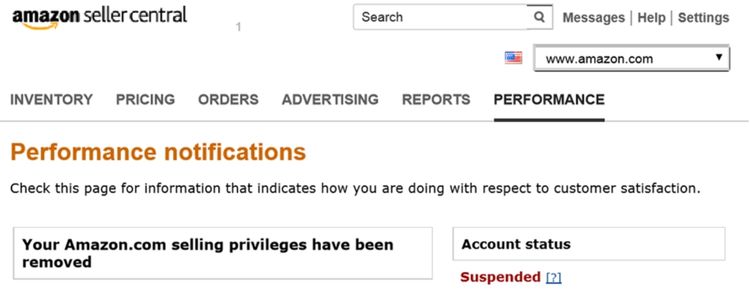
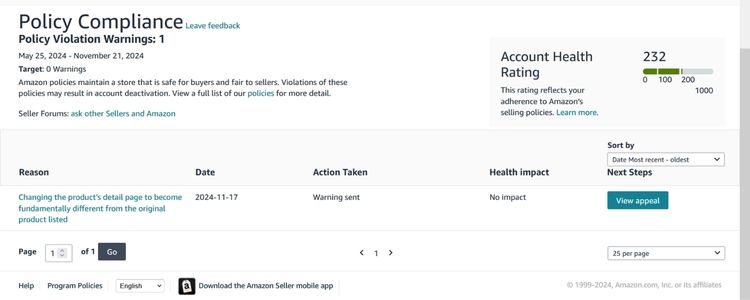
Once you have read the email, log in to Seller Central and navigate to the Performance Notifications section. This section gives you a clearer picture of what triggered the review, including any flagged metrics or policy issues that may not have been fully detailed in the original notification.
Step 3: Gather and Submit Accurate Documentation
If Amazon requests verification documents, you need to ensure that everything you submit is current, unedited, and matches the information already registered on your account. Common requests include business licenses, supplier invoices, and proof of inventory. Keep in mind that mismatched details are one of the most frequent reasons submissions get rejected.
Step 4: Address Any Policy Violations Directly
After reviewing the flagged issue, go back and check the relevant Amazon policies to identify exactly where the violation occurred. When you respond, acknowledge the issue clearly and explain the specific steps you are taking to correct it. Avoid vague or defensive language, as it tends to slow the process down rather than help your case.
Step 5: Write a Strong Plan of Action (POA)
A well-structured POA is often the deciding factor in whether your account gets reinstated. To make it effective, your POA should cover three things: the root cause of the issue, the corrective actions you have already taken, and the preventive measures you are putting in place to ensure it does not happen again. Throughout the document, keep your tone factual, concise, and solution-focused.
Step 6: Consider Working With a Professional Service
If the situation is complex or your initial response was rejected, bringing in an experienced Amazon account management service can be a smart move. These professionals deal with review cases regularly and understand exactly what Amazon is looking for. As a result, they can help you structure a response that addresses the right points without unnecessary back and forth.
How Long Does an Amazon Account Review Typically Take?
The timeline for an Amazon account review varies depending on the type and complexity of the issue involved. Standard verifications can be resolved anywhere from a few hours to two weeks, while more complex cases, such as suspensions or high-volume review periods, can stretch from 30 to 45 days or longer.
Simple cases like initial seller verification may wrap up within 1 to 3 business days, but backend issues or incomplete documentation on your end often cause significant delays. Throughout the process, responding to Amazon’s requests promptly and keeping all communication clear and professional is the most effective way to avoid unnecessary hold-ups.
How To Avoid Amazon Account Reviews In The First Place
Most Amazon account reviews are preventable if you have the right habits in place. Here are the key practices that keep your account healthy and off Amazon’s radar.
Track Your Seller Performance Metrics Regularly
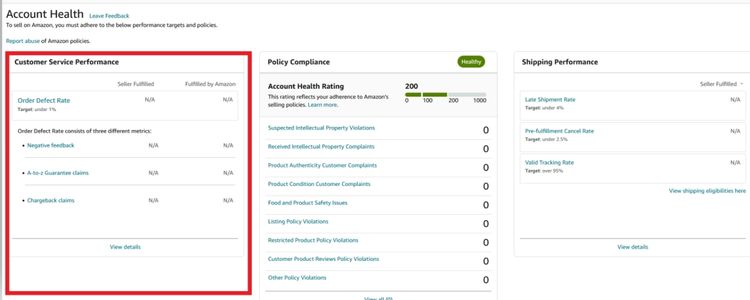
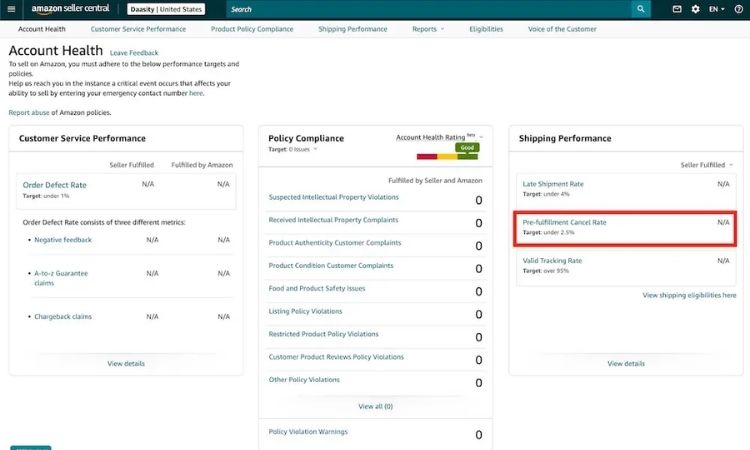
Monitoring your performance metrics before Amazon flags them is the most reliable way to stay ahead of a potential review. Inside Seller Central, the Account Health dashboard gives you a real-time view of where your account stands. Here are the specific metrics you need to keep a close eye on:
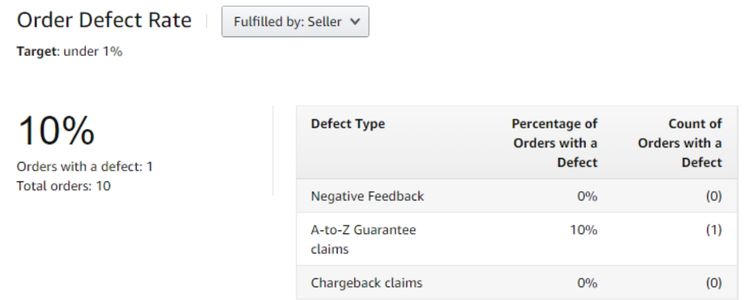
- Order Defect Rate (ODR): Amazon requires this to stay below 1%. Your ODR includes negative feedback, A-to-z Guarantee claims, and credit card chargebacks, so regularly checking each component helps you catch problems early before they push your rate above the threshold.
- Late Shipment Rate (LSR): This metric should remain below 4%. If you notice your LSR creeping up, review your fulfillment process immediately, whether that means adjusting handling times, switching carriers, or reconsidering your use of FBA versus FBM.
- Valid Tracking Rate (VTR): Amazon expects this to be at least 95% for seller-fulfilled orders. A low VTR signals unreliable shipping practices, which is a common trigger for account reviews among FBM sellers.
- Pre-fulfillment Cancel Rate: Keeping this below 2.5% is essential. A high cancellation rate typically indicates inventory management issues, and Amazon interprets it as a sign that your account may not be operating reliably.
Consider Hiring A Professional Amazon Account Management Service
Experienced account managers monitor your account health continuously, catch potential issues before they escalate, and keep your operations aligned with Amazon’s ever-changing policies. They also handle day-to-day tasks that sellers often overlook, such as responding to customer complaints, managing documentation, and ensuring listings remain policy-compliant.
For sellers who have already been through a review or been flagged before, professional support becomes even more valuable. The right account management service understands what triggers reviews and puts the right processes in place to ensure it does not happen again.
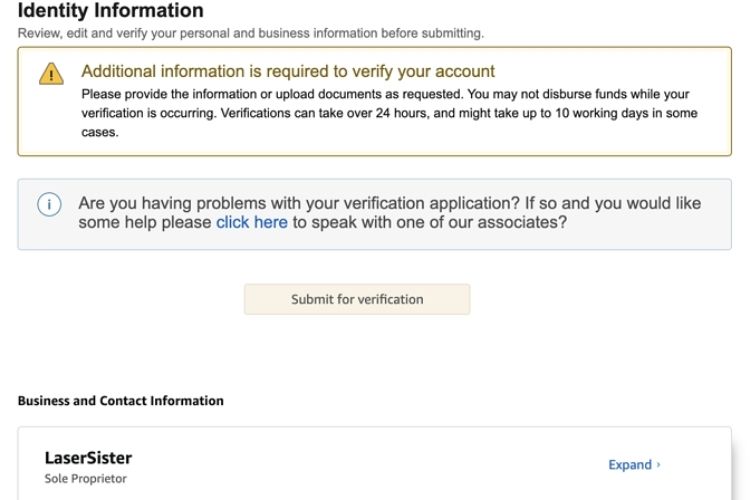
Keep Your Seller Documentation Organized And Up To Date
Disorganized or outdated documentation is one of the most avoidable reasons an Amazon account review gets delayed or escalated. When Amazon requests verification, you need to be able to respond quickly and accurately, and that is only possible if your records are already in order.
At a minimum, make sure you always have current copies of your business license, government-issued ID, supplier invoices, proof of inventory, and bank account details on hand. Any document you submit should match the information registered on your Seller Central account exactly, since inconsistencies are a common reason submissions get rejected and the review process drags on longer than necessary.
Maintaining Healthy Order Defect Rate
Your Order Defect Rate must stay below 1% to avoid triggering a review. Since ODR pulls from negative feedback, A-to-z Guarantee claims, and credit card chargebacks, a spike in any one of them can push your rate over the limit fast. Here is what you can do to keep it under control:
- Respond to buyer complaints within 24 hours: Most A-to-z claims are filed because the seller was unresponsive, so replying quickly and offering a clear solution is often enough to prevent escalation.
- Track delayed or lost shipments proactively: If an order shows a delivery issue, contact the buyer before they file a claim. Acting first significantly reduces the chance of an ODR-related flag.
- Follow up on negative feedback: Reach out professionally and work toward resolving the issue. Buyers who feel heard are often willing to update or remove their feedback, which directly improves your rate.
- Audit your supplier and fulfillment process regularly: Recurring complaints about product quality or non-receipt usually point to an upstream problem. Catching it early prevents it from accumulating into an ODR threshold breach.
FAQs About Amazon Account Review
The timeline depends on the complexity of the issue. Simple cases can be resolved within 24 hours, while more complicated situations may take several weeks. Responding to Amazon’s requests promptly helps avoid unnecessary delays.
Amazon typically asks for a government-issued ID, business license, supplier invoices, proof of inventory, and bank account details. The exact requirements depend on the reason for the review, so read the notification carefully before submitting anything.
Not necessarily, but your listings may be paused and your funds placed on hold until the review is resolved. The extent of the restrictions depends on the severity of the issue that triggered them.
You can submit an appeal through Seller Central with a structured Plan of Action covering the root cause, corrective steps already taken, and preventive measures going forward.
Get Professional Help from Megaficus
An Amazon account review does not have to derail your business if you know how to handle it the right way. Understanding what triggers a review, how the process works, and what steps to take puts you in a much stronger position to resolve it quickly and prevent it from happening again.
If you need expert support to manage your Amazon account, stay compliant, and reduce the risk of future reviews, Megaficus provides hands-on guidance and proven strategies to help sellers protect and grow their business with confidence.