Are you ready to transform your Amazon Advertising Console into a high-performance profit engine that outpaces your competition? Mastering this complex dashboard is the definitive way to scale your e-commerce revenue and dominate your niche today. This guide reveals the exact steps to optimize your console for peak ROI.
Quick Summary
- The Strategic Foundation: Success begins with securing a Professional account and a Brand Registry to unlock high-margin ad formats and protect profits.
- The Setup Framework: A structured configuration using clear naming conventions and specific bidding strategies, like “down only,” ensures your initial ad spend is shielded from waste.
- The Optimization Engine: Continuous performance tracking through Search Term Reports and bid adjustments allows you to scale winning keywords while cutting unprofitable spend.
- The Troubleshooting Protocol: Proactive monitoring of Buy Box status and ACoS trends prevents common technical errors from eroding your brand’s net earnings.
What to Prepare Before Setting Up the Amazon Advertising Console?
Before diving into the dashboard, you must possess a Professional Seller account or a Vendor account. These accounts provide the baseline infrastructure needed to access Amazon’s robust internal advertising suite. Without this professional standing, your access to advanced marketing tools will remain strictly limited by the platform.
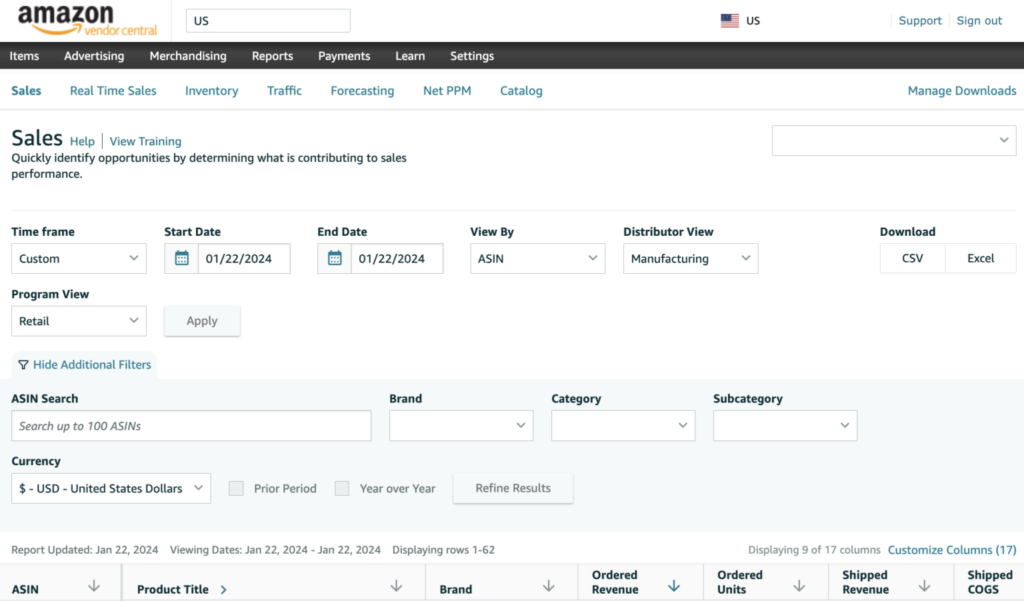
More importantly, Brand Registry status is a vital prerequisite if you want to unlock high-margin ad formats like Sponsored Brands. Enrolling your brand protects your intellectual property while giving you exclusive access to premium video and display placements. This step is essential for any seller focused on long-term brand building and profit protection.
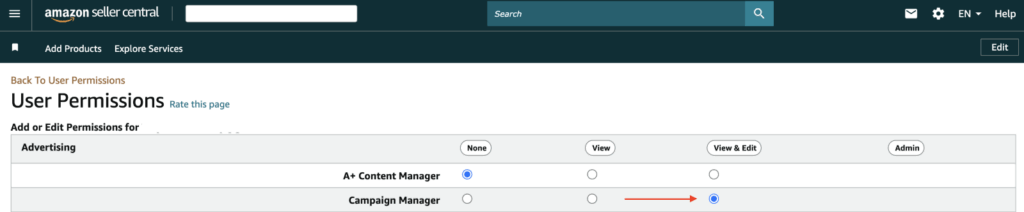
Once your brand’s registered, you must confirm that “Advertising” permissions are actively toggled within your User Permissions. Sometimes, sub-users or agency partners can’t see the console because these administrative checkboxes are unchecked. Ensuring these permissions are set correctly prevents technical delays during the initial campaign launch phase.
Finally, to ensure these technical preparations lead to sales, you must prepare your product listings with high-quality images. For example, if you sell “ergonomic office chairs,” your listing must clearly highlight the lumbar support to convert clicks. An optimized listing ensures you do not waste money on traffic that never converts.
How to Set Up Amazon Advertising Console Step-by-Step?
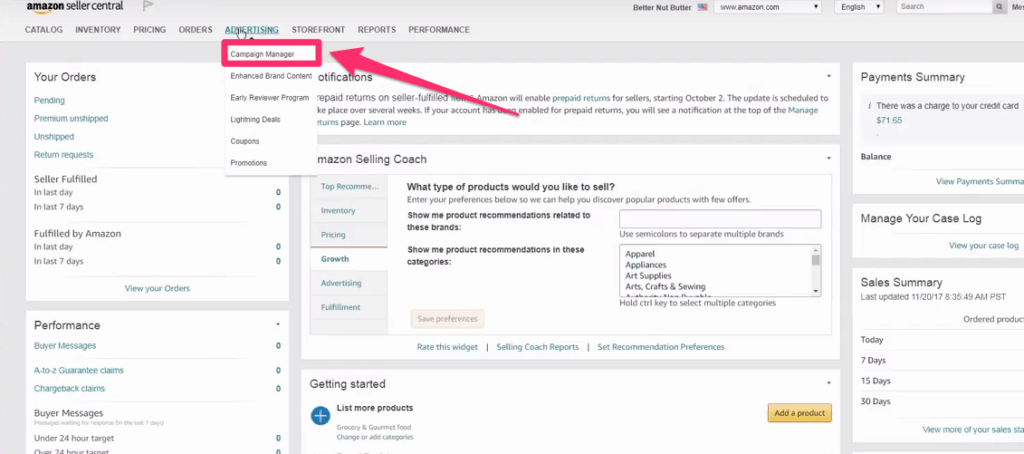
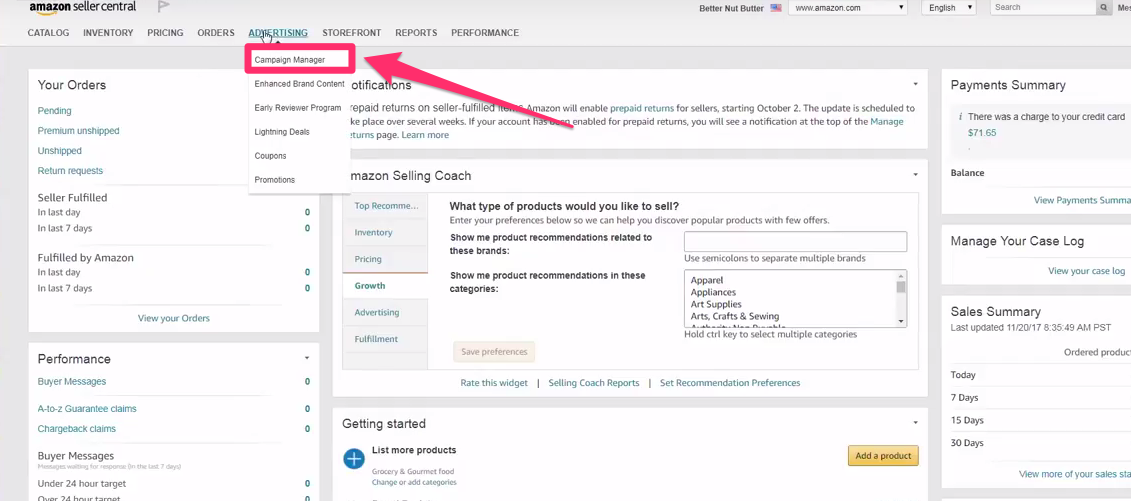
With your listings ready, navigate to the “Advertising” tab on the main navigation bar and select “Campaign Manager.” This centralized hub is where you will manage all your Sponsored Products, Brands, and Display campaigns. It serves as the primary cockpit for controlling your brand’s visibility and overall marketing spend.
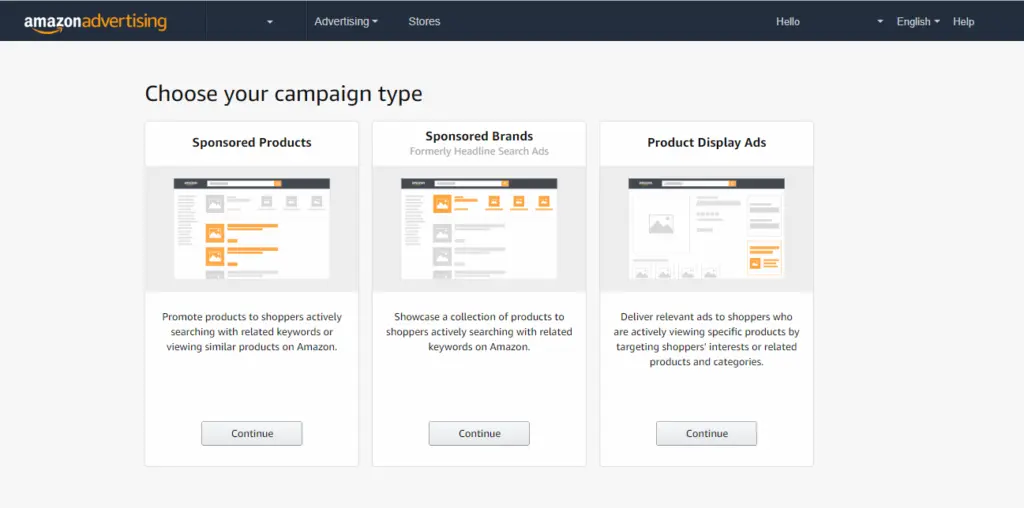
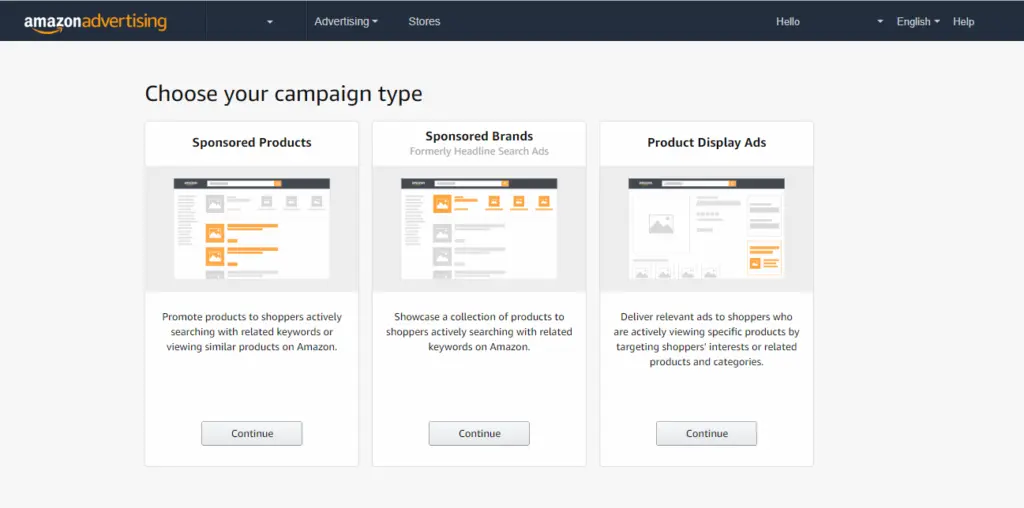
Within this manager, your next move is to select a specific campaign type based on your current revenue goals. If your primary goal is high-volume sales, Sponsored Products are usually the most effective starting point. For brand awareness, Sponsored Brands allow you to showcase multiple products in one attractive banner.
After choosing your ad type, you must set a sustainable daily budget and use a clear naming convention. For instance, naming a campaign “SP-Chair-Exact-Manual-2026” allows you to identify the strategy at a single glance. A clear structure prevents confusion when you are managing dozens of different product lines simultaneously.
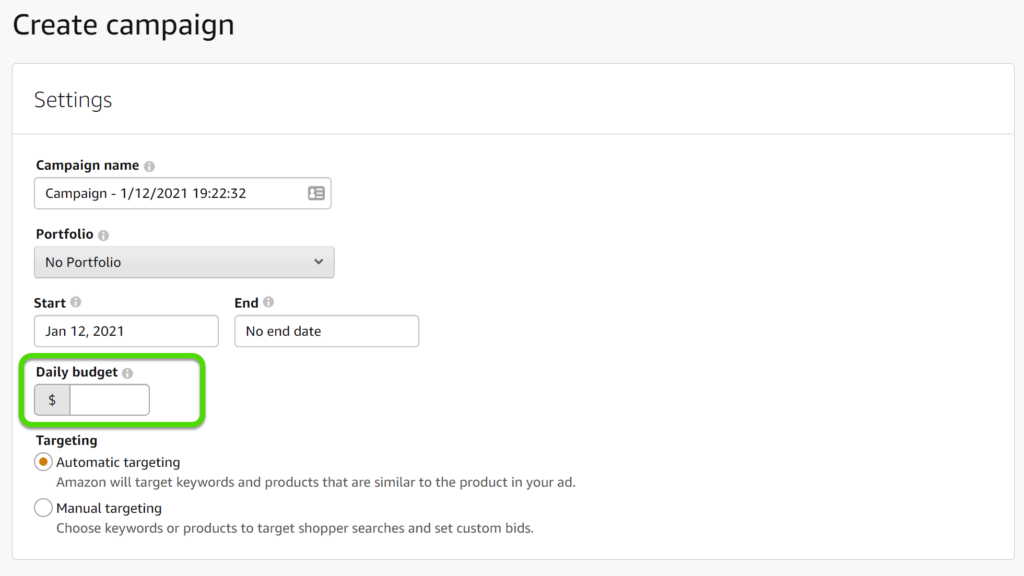
To further refine your strategy, choose between automatic or manual keyword targeting strategies depending on your level of experience. Automatic targeting lets Amazon’s algorithm find customers, while manual targeting gives you full control over specific keywords. We highly suggest you use automatic campaigns to harvest data and manual campaigns to scale profits.
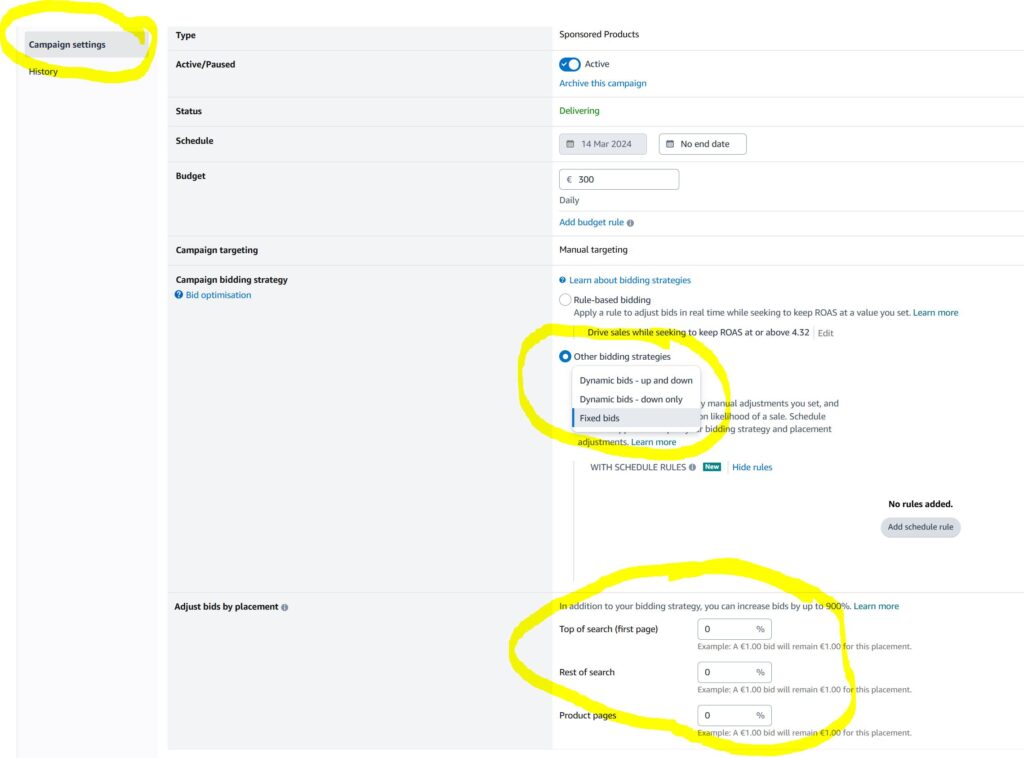
To safeguard the budget you just set, select a bidding strategy like “Dynamic bids – down only” to protect margins. This setting allows Amazon to lower your bid in real-time if a click is unlikely to convert. It is a safe way to ensure you aren’t overpaying for traffic during low-traffic periods.
Concluding the setup process, review all configuration settings carefully before clicking the “Launch Campaign” button to start driving traffic. Double-check your start and end dates to ensure your budget isn’t accidentally spent too quickly over a short period. Once launched, Amazon will begin serving your ads to shoppers within minutes of approval.
How to Verify the Amazon Advertising Console Setup?
Once your campaigns are live, you must immediately verify that the platform is functioning correctly to avoid losses. Proper verification ensures that your technical settings align with your actual marketing goals and budget.
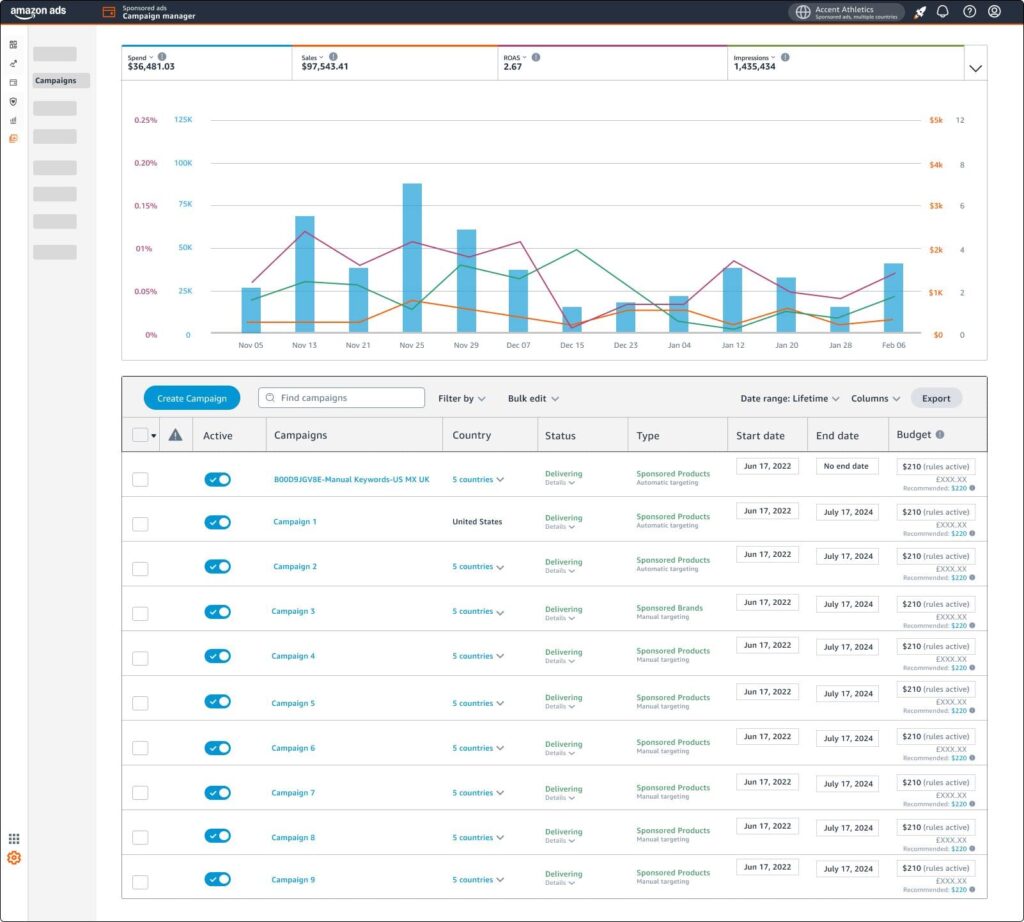
Begin this audit by checking that the campaign status is marked as “Delivering” within the main dashboard columns. If the status says “Paused” or “Out of Budget,” your ads are not visible to potential shoppers. This simple visual check is the first line of defense against setup errors.
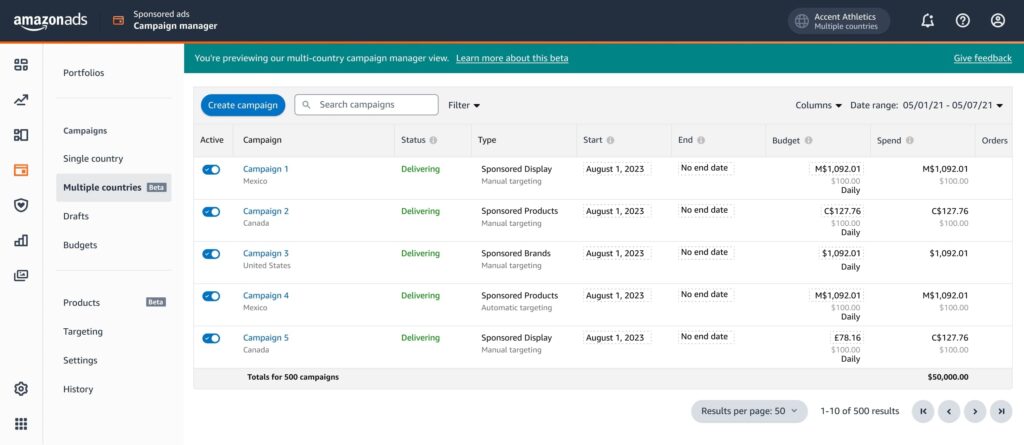
Moving deeper into the data, use reporting tools (such as Amazon Ads or SellerApp) to confirm that impressions and clicks are being recorded accurately. If you see high impressions but zero clicks after several days, your ad creative might not be appealing. Alternatively, zero impressions usually suggest your bids are too low to win the auction.
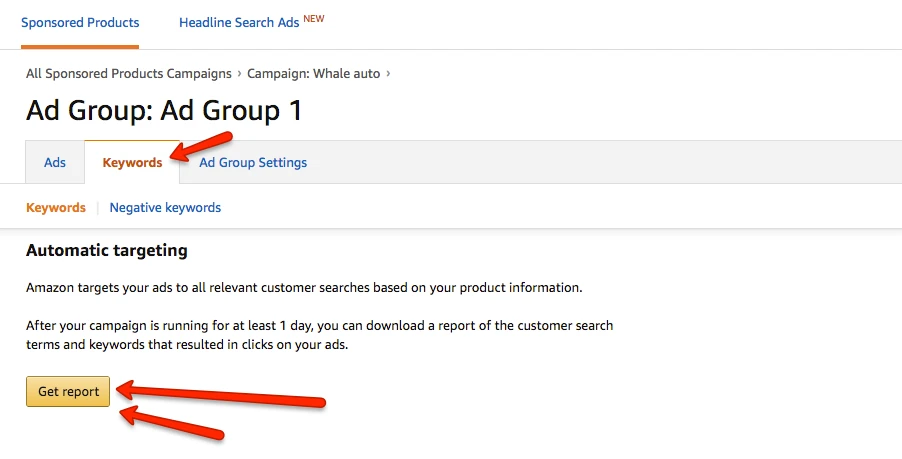
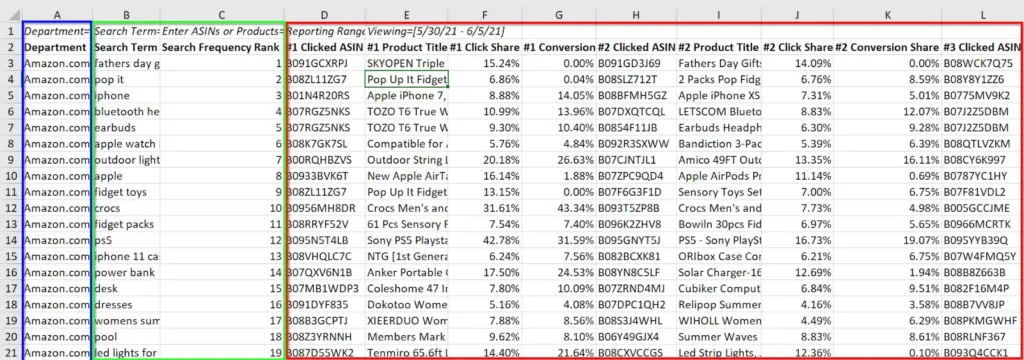
Complementing these metrics, download a Search Term Report to verify your ads are appearing for profitable shopper queries. For example, check if your “leather wallet” ad is appearing for “luxury gifts” rather than “cheap plastic bags”. This report allows you to see the exact words customers use to find you.
How to Use Amazon Advertising Console Effectively?
Using the console effectively requires a deep understanding of how to interpret this data to drive sales growth. You must go beyond basic setup to actively manage your campaigns for maximum efficiency.
Start by using the Campaign Manager to monitor your total ad spend versus the actual sales generated. High spend with low sales indicates a need for immediate optimization to prevent your profits from being erased. Keeping a close eye on this ratio is vital for maintaining a healthy business.
Based on these insights, access the Targeting Page to adjust bids on specific keywords that are consistently profitable. For instance, if the keyword “organic coffee pods” has a high conversion rate, you should increase that bid. Shifting your budget toward winning keywords is the fastest way to scale your total revenue.
In addition to keyword bidding, utilize the Creative Tab to customize your Sponsored Brand ads with compelling headlines. A well-designed creative can significantly increase your click-through rate compared to a standard product listing alone. This section is where you differentiate your brand from the sea of generic competitors.
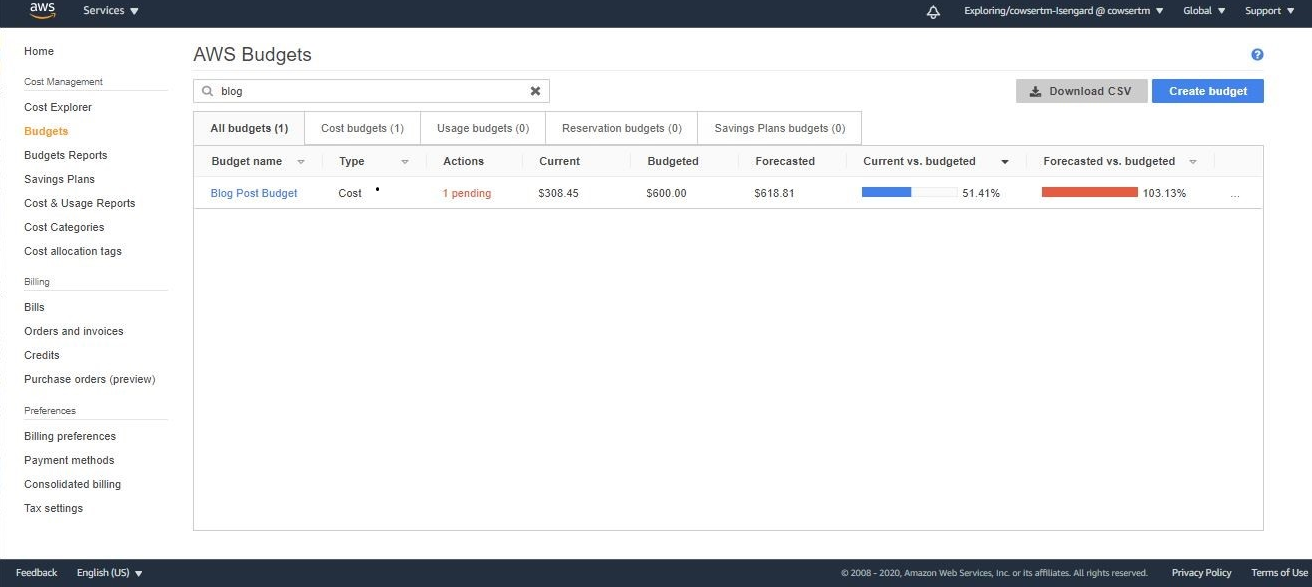
To maintain this momentum, review the Budgets Page regularly to ensure your top-performing campaigns aren’t “going dark” early. If a profitable campaign runs out of money by noon, you are missing out on afternoon sales. Adjusting these limits ensures your brand remains visible whenever your customers are ready to buy.
What are the Best Practices for Using the Amazon Advertising Console?
Implementing industry best practices is the key to outperforming your competitors and maintaining a dominant market position. These strategies focus on data-driven decisions that prioritize long-term brand health and net profitability.
The most critical practice is to focus on your ACoS to ensure your spend stays within profit margins. If your product margin is 30% and your ACoS is 25%, you are still making a profit. Monitoring this metric daily prevents you from spending more than you earn on every sale.
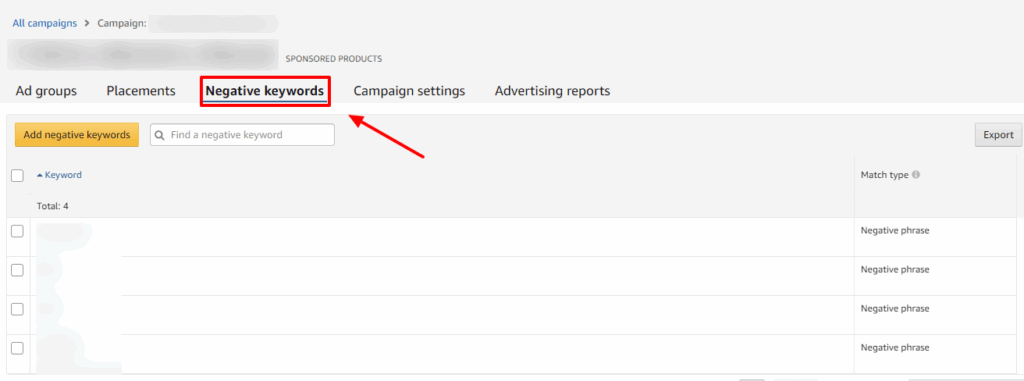
Alongside ACoS management, regularly implement negative keywords to stop wasting money on irrelevant clicks that do not convert. For example, if you sell “glass water bottles,” add “plastic” as a negative keyword to filter out irrelevant searches. This practice alone can often reduce your wasted ad spend by over 20%.
Furthermore, you must test different ad creatives and headlines to identify which versions yield the highest ROI. Simply swapping the main product image or choosing a more aggressive headline can lead to massive improvements in your CTR and overall conversion efficiency. Continuous testing is the only way to find your most profitable advertising combination.
Finally, to stay ahead of market shifts, update your bids weekly based on performance data to stay competitive. Markets change quickly, and a bid that worked last month might be too high or low today. Keeping your bids updated ensures you always pay the fair market price for traffic.
What are Common Mistakes and Troubleshooting Tips?
Even experienced sellers make mistakes that can quickly drain their advertising budget and hurt their rankings. Understanding these pitfalls allows you to proactively protect your account and maintain consistent performance.
One frequent error is leaving automatic campaigns unmonitored for too long without harvesting the data they generate. Auto campaigns can start bidding on irrelevant terms that cost you money without providing any real sales value. You must regularly graduate successful keywords into manual campaigns for better control.
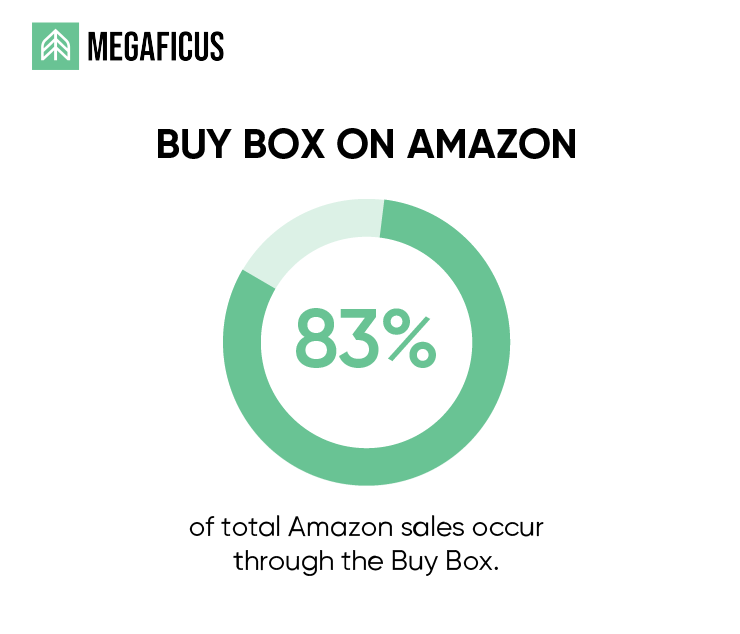
Another common issue involves low impressions, which you can resolve by checking bid levels and Buy Box eligibility. If you lose the Buy Box to a competitor or a reseller, Amazon will stop serving ads because almost 83% of total sales occur through the Buy Box. This is a common technical reason why campaigns suddenly stop delivering traffic to your listings.
Lastly, if your delivery is fine but costs are high, fix ACoS issues by refining your targeting and product page. Sometimes the problem isn’t the ad, but a product page that lacks reviews or clear value propositions. Improving your “organic” elements often has a direct positive impact on your paid advertising performance.
| Metric Type | Purpose in Console | Target Goal |
|---|---|---|
| ACoS | Measure Profitability | Below Margin % |
| CTR | Measure Ad Relevancy | Above 0.5% |
| ROAS | Measure Revenue Multiplier | Above 4.0x |
| CPC | Measure Traffic Cost | Industry Average |
Frequently Asked Questions about Amazon advertising console
Your budget likely runs out quickly because your targeting is too broad or your bids are significantly higher than average. This causes you to win many auctions rapidly, but those clicks might not always be highly qualified.
Most impression and click data appear within 24 to 48 hours, though sales attribution can take up to 7 days. Amazon’s system takes time to verify clicks and attribute them to the correct campaign.
You can certainly run Sponsored Products campaigns without Brand Registry, as these are open to all professional sellers. However, you will be unable to access Sponsored Brands or Sponsored Display without a registered trademark.
A good ACoS is relative to your specific product profit margins and your current marketing goals. For a new launch, an ACoS equal to your margin is often considered successful for gaining visibility.
To lower your CPC, you should focus on increasing your click-through rate and overall listing relevancy score. Amazon rewards high-converting ads by allowing them to win auctions at a lower cost than less relevant competitors.
Get Professional Help from Megaficus
A structured setup of your advertising account is the foundation for achieving consistent and scalable business growth. Constantly monitoring your metrics and adjusting your bids ensures you stay ahead of competitors who rely on guesswork.
In case you are stuck in any step of the process, just partner with Megaficus today to transform the Amazon Advertising Console into your most powerful asset for driving sustainable sales and achieving peak net profit.