Protecting your revenue starts with mastering seller metrics. One mistake in inventory can lead to a high Amazon cancellation rate, triggering warnings or bans. This expert guide from Megaficus provides the exact steps to calculate, manage, and lower your rate to keep your store profitable and your account healthy for years.
Quick Summary
- Metric Benchmark: Amazon requires a Pre-fulfillment Cancel Rate below 2.5% for standard seller-fulfilled orders to avoid account risk.
- Time Windows: Performance is primarily tracked over a rolling 7-day period, though a 30-day window is also monitored for broader health trends.
- Auto-Cancel Penalty: Orders are automatically canceled by Amazon if not ship-confirmed within 24 hours of the Estimated Ship Date (ESD), impacting your metrics.
- Financial Impact: Seller-initiated cancellations for out-of-stock items can trigger a fee equivalent to 100% (if on/before ESD) or 150% (if after ESD) of the category referral fee.
What is the Amazon Cancelation Rate?
The Amazon Cancelation Rate, officially known as the Pre-fulfillment Cancel Rate, is a performance metric that tracks orders canceled by the seller. This happens when you realize an item is unavailable or cannot be shipped for any reason after the customer has already placed the order.
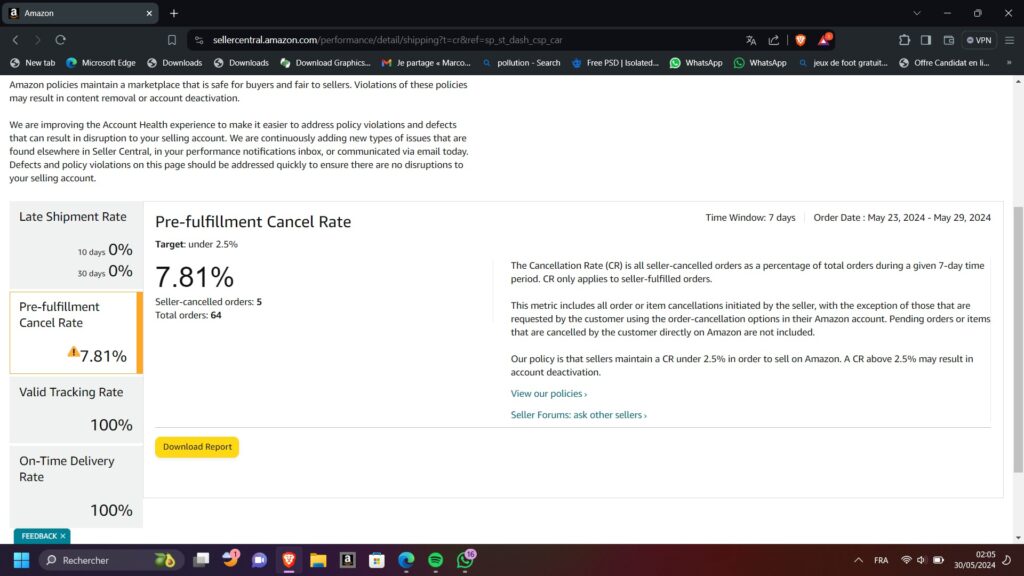
Amazon views this metric as a direct reflection of your reliability. If you cancel an order, you create a poor buyer experience, which Amazon prioritizes above all else. This metric only includes cancellations initiated by the seller, not those requested by the customer through their own account.
You can find this data in Seller Central under the “Account Health” dashboard. Simply navigate to the “Performance” tab and select “Account Health.” On this page, look for the “Shipping Performance” section, where your current Pre-fulfillment Cancel Rate is displayed alongside Amazon’s target threshold.
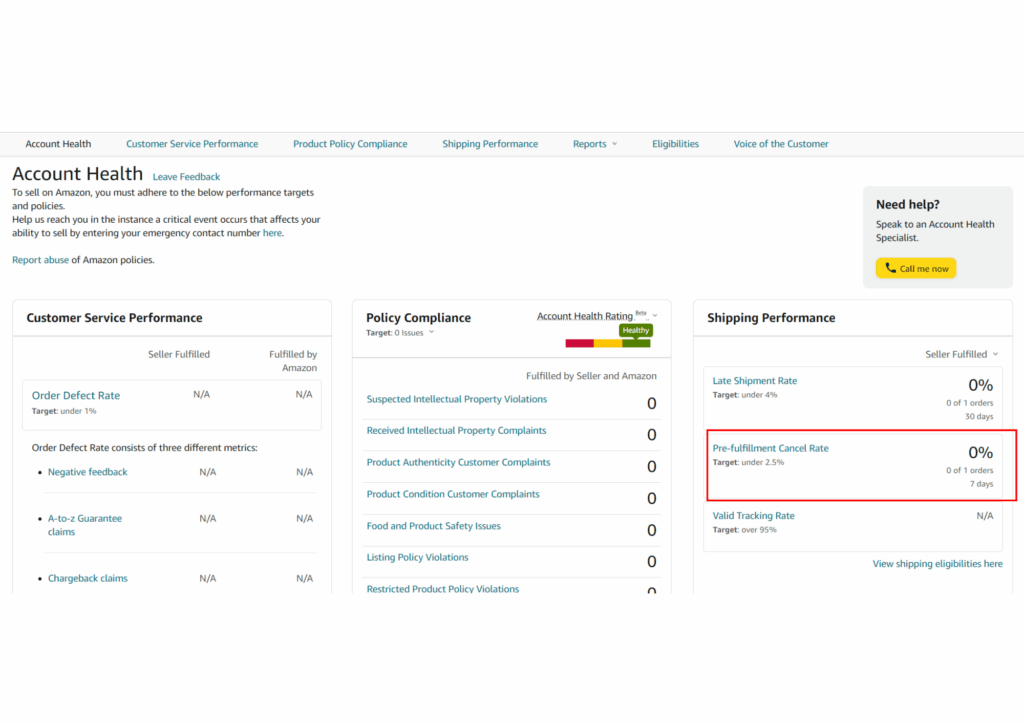
This dashboard is updated daily, but the data is based on a rolling seven-day window. This means that if you had a bad day yesterday, those cancellations will haunt your metrics for a full week. Monitoring this daily is the only way to catch trends before they become catastrophes.
For example, if you list a popular kitchen blender but forget to update the stock after selling the last unit on another platform, you must cancel the Amazon order. This single action immediately impacts your Account Health score and alerts Amazon to potential inventory management issues.
How is the Amazon Cancelation Rate Calculated?
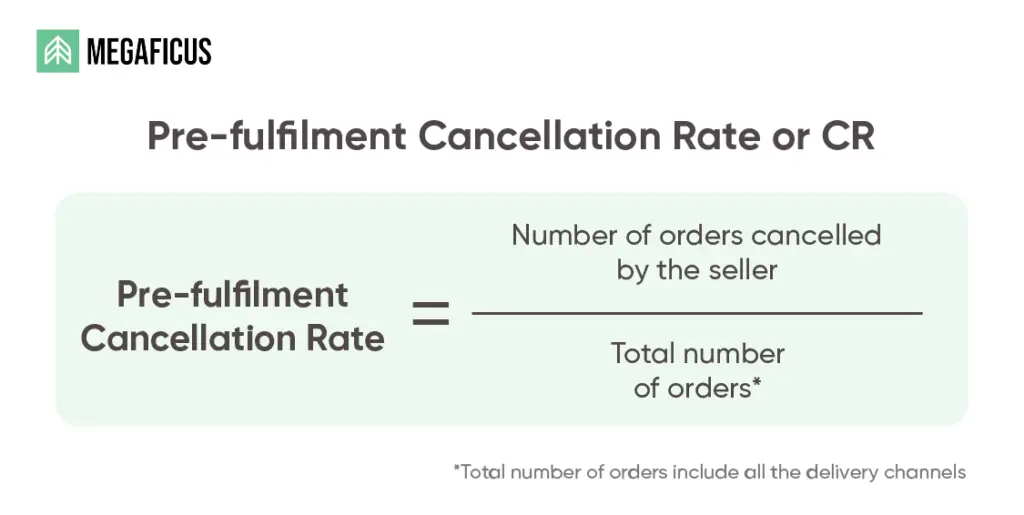
Understanding the math behind this metric is vital for maintaining a safe account. Amazon calculates this rate by dividing the number of seller-canceled orders by the total number of orders received during a specific seven-day time frame.
The formula is:
(Total Seller-Canceled Orders / Total Orders) x 100.
It is important to note that this is a rolling window, meaning your rate can fluctuate daily as new orders come in and old ones fall out of the seven-day reporting period.
Consider a practical example: Imagine you’re a seller who receives 200 orders in one week. During that same week, you find that 6 items are broken in the warehouse and cancel those orders. Your calculation would be (6 / 200) x 100, resulting in a 3% cancelation rate.
In this scenario, you have already exceeded the safe limit of 2.5%. Even a small number of cancellations can have a massive impact if your total order volume is low. This is why high-volume sellers often have an easier time absorbing a few accidental cancellations than smaller shops.
If you sell 1,000 items a week, you can afford 24 cancellations. If you only sell 40 items a week, a single cancellation puts you at 2.5%, which is the absolute limit. So you can easily assume that smaller sellers must be hyper-vigilant because they have almost zero margin for error.
Try calculating your Cancellation Rate here:
Why Does a High Amazon Cancelation Rate Happen?
A high Amazon cancellation rate typically occurs when a seller’s physical inventory does not match the digital quantity listed on Seller Central. This “out-of-stock” scenario is the primary reason Amazon flags accounts for poor performance.
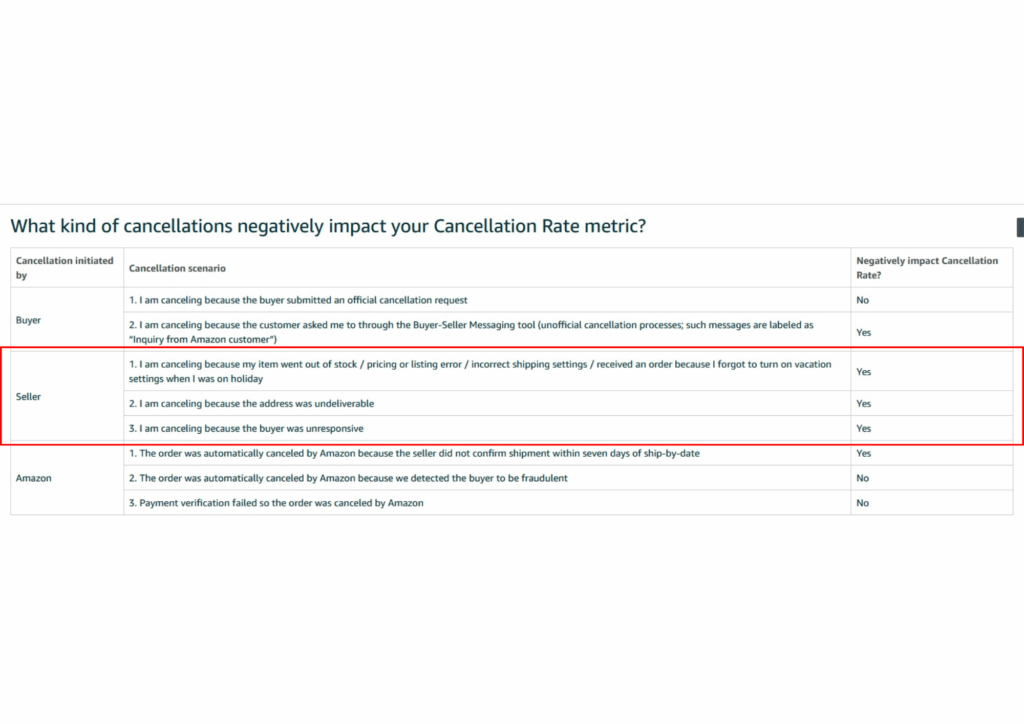
When you offer a product for sale, you are making a promise to deliver. If you fail to keep that promise because of poor tracking, Amazon sees it as a failure in your supply chain management. It is rarely a single event but rather a symptom of deeper operational flaws.
High sales velocity during holidays like Black Friday can also trigger this issue. If your inventory updates every hour but you sell 100 items in ten minutes, your digital shelf will show stock that doesn’t exist. This lag is a common trap for scaling businesses.
What are the Common Causes of Order Cancelations?
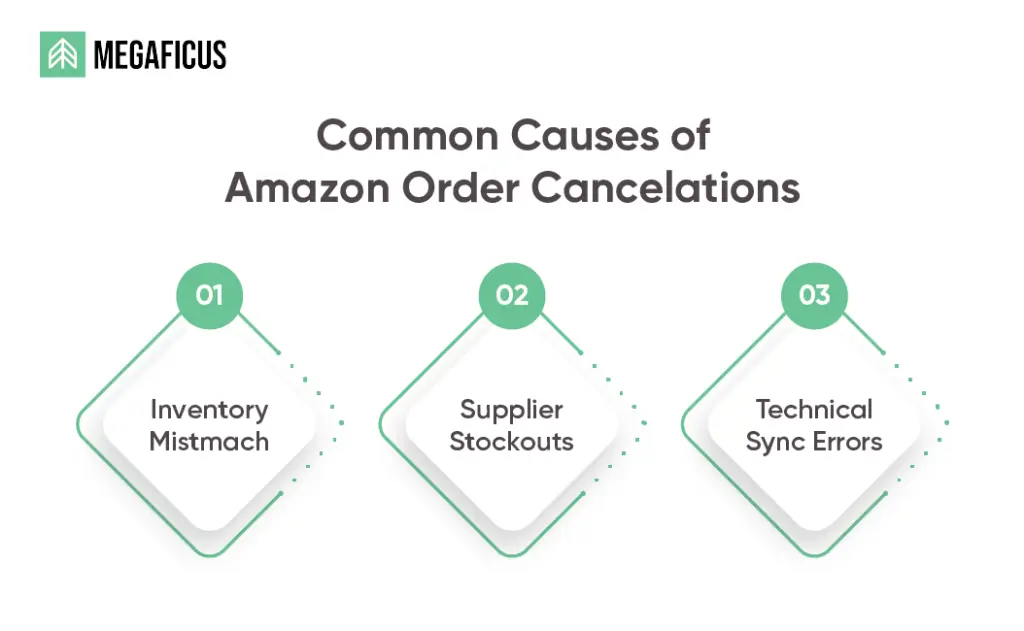
Inventory Mismatch
The most frequent cause is simply selling items that are no longer in stock. This often happens to sellers who list the same inventory on multiple platforms, such as eBay or Shopify, without a real-time syncing tool to update quantities.
For instance, you’re a fashion seller who has 10 pairs of boots. You sell 10 on their website but forget to close the Amazon listing. When an Amazon customer buys a pair, you have no stock left and are forced to cancel the order immediately. This can severely impact your Account Health later and prevent you from many selling potentials on Amazon
Supplier Issues
For those practicing drop shipping or relying on third-party suppliers, stockouts at the source are a major risk. If your supplier runs out of a product and fails to notify you, you might keep taking orders that you can never actually fulfill.
Consider an example when you rely on a local wholesaler for power tools. The wholesaler runs a flash sale and clears their stock. You, the Amazon seller, unaware of this, receive 5 orders that afternoon and must cancel all of them, devastating their metrics.
Technical Errors
Sometimes, the technology itself fails. API errors or slow updates between your inventory software and Amazon can lead to “ghost listings” where an item appears available even after the quantity has hit zero in your actual warehouse database.
Sellers using manual spreadsheet uploads are especially vulnerable to this. A simple typo in a CSV file can list 1,000 units instead of 10. By the time you realize the mistake, dozens of unfulfillable orders may have flooded your dashboard.
What is a Good Amazon Cancelation Rate Benchmark?
Amazon is very clear about its expectations. To maintain a healthy account, sellers must keep their Pre-fulfillment Cancel Rate below 2.5%. This means you must fulfill at least 97.5% of the orders you receive without any seller-initiated cancellations.
Exceeding this 2.5% benchmark carries heavy consequences. Initially, you may receive a warning email. However, if the rate remains high, Amazon may suspend your selling privileges. In some cases, they might even withhold your funds until you provide a successful Plan of Action.
| Performance Tier | Cancelation Rate | Account Status |
|---|---|---|
| Target | < 2.5% | Healthy |
| Warning | 2.5% – 5% | At Risk |
| Critical | > 5% | Suspension Likely |
Maintaining a 0% rate is the gold standard. Sellers with perfect metrics often see higher Buy Box wins because Amazon trusts their fulfillment capabilities. Think of your cancellation rate as a trust score that dictates how much traffic Amazon sends your way.
How to Fix and Prevent a High Amazon Cancellation Rate?
If you notice your metrics slipping, don’t worry. It is a common growing pain for many sellers, and there are several supportive, gentle steps you can take to get back on track. Let’s look at how to protect your shop and your peace of mind.
Immediate Fixes
When your rate starts to climb, it’s a good idea to take a breath and audit your current listings. If you are unsure about the exact stock count of a product, you might consider temporarily setting that inventory to zero in Seller Central.
It is much kinder to your account health to lose a day of sales than to deal with the stress of an unfulfillable order. If you’ve already had to cancel, sending a polite, personal message to the buyer explaining the stock error can often prevent negative feedback.
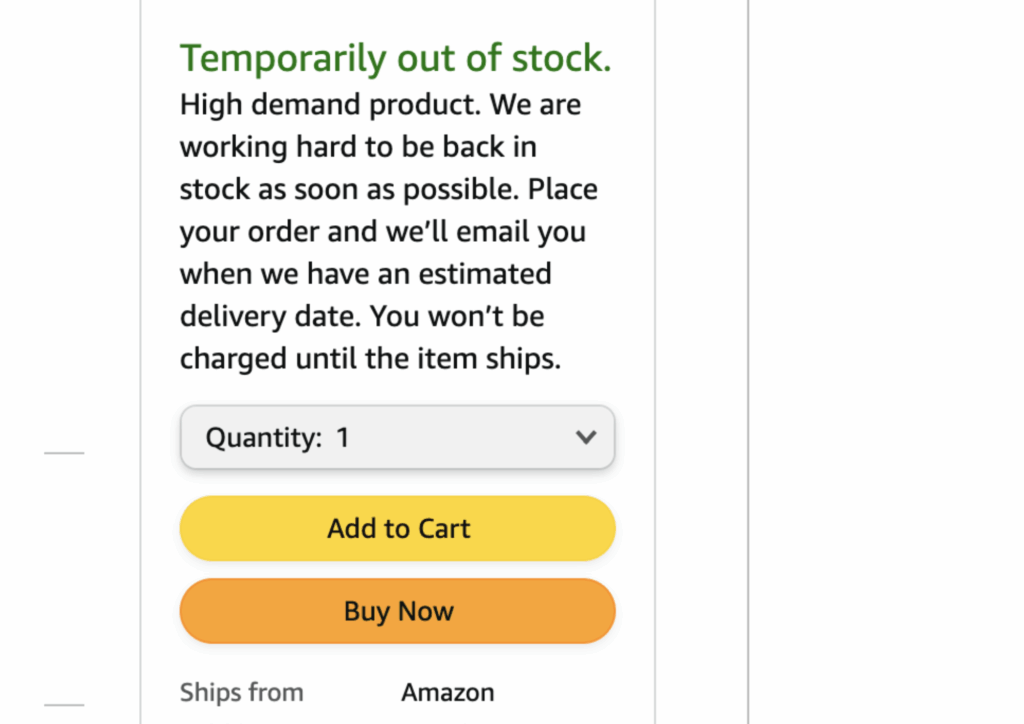
Inventory Management Software
You don’t have to manage everything alone. Many sellers find great relief in using inventory management tools like Helium 10 or RestockPro. These helpful assistants act as a bridge between your warehouse and your Amazon storefront.
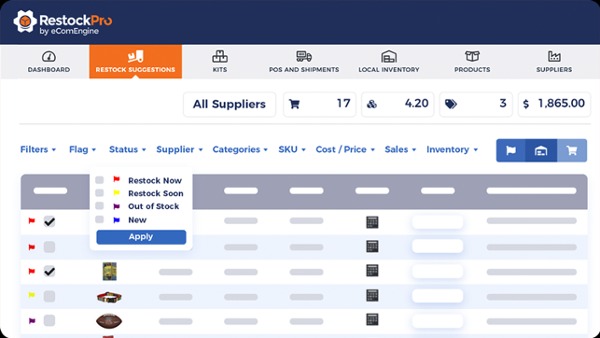
By using these tools, your stock levels are updated automatically whenever a sale happens on any of your channels. This prevents the “over-selling” mistake and frees up your time so you can focus on growing your brand instead of chasing numbers.
Buffer Stock Strategy
Creating a small “safety net” is one of the best gifts you can give your business. Instead of listing every single unit you have, you might try listing just 80% of your stock. This buffer handles those unexpected warehouse mishaps effortlessly.
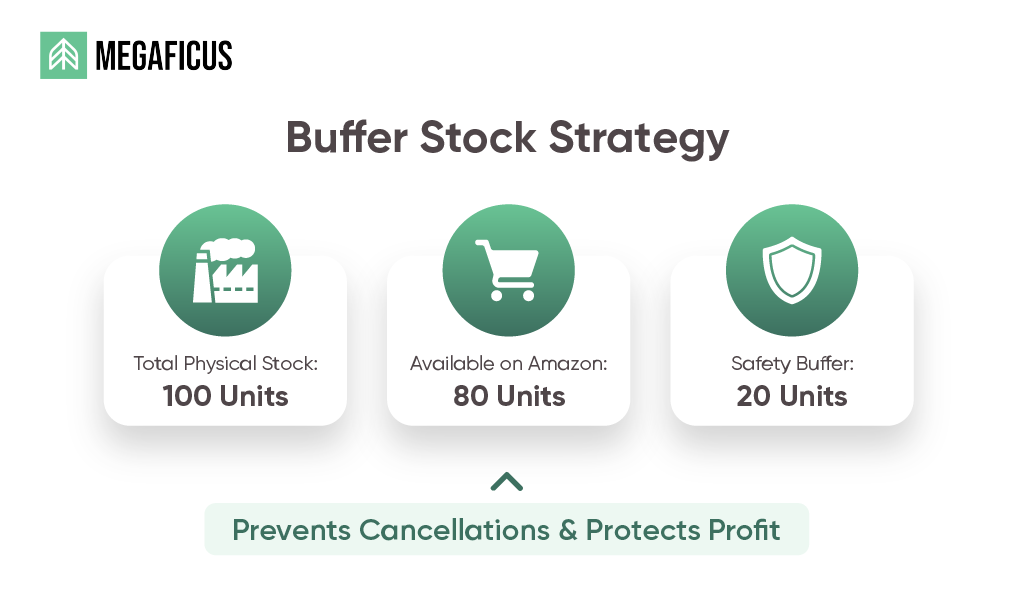
For example, if a warehouse worker accidentally damages a unit, you can simply pull from your unlisted buffer stock to fulfill the order. This ensures the customer is happy, your metrics stay perfect, and your daily operations remain calm and manageable.
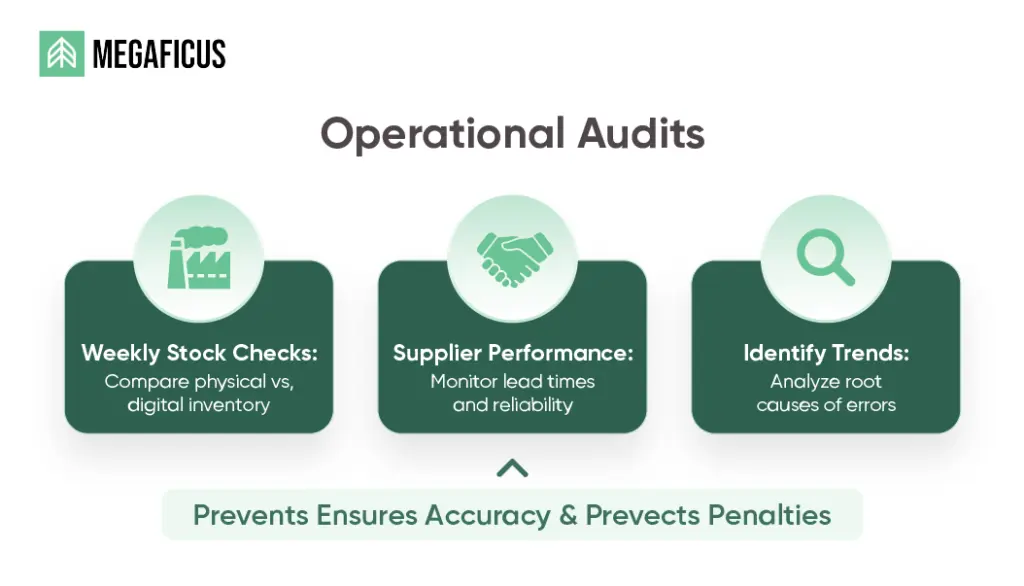
Operational Audits
Consider setting aside 20 minutes each week to do a quick “spot check” of your top-selling items. Comparing what is on your shelf to what is on your screen helps you catch small errors before they become bigger problems for your account.
You can also check in with your suppliers regularly to see if they are experiencing any delays. Building a warm, supportive relationship with your partners ensures you get the “heads up” early if stock is running low, allowing you to pause listings proactively.
>>> Read more: Amazon KPIs: Essential Metrics Every Seller Should Track
Frequently Asked Questions (FAQ) about Amazon cancellation rate
A good rate is anything strictly below 2.5%. Sellers who stay near 0% are given more trust by Amazon’s algorithm and are much less likely to face manual account reviews or performance warnings.
Yes, it does. Amazon awards the “Featured Offer” (Buy Box) to sellers with the best metrics. A high cancellation rate indicates poor reliability, which often leads to losing the Buy Box to competitors with better scores.
No. Amazon prohibits opening new accounts to bypass a suspension. Doing so is a violation of their Terms of Service and will likely result in a permanent ban for both the old and the new accounts.
The timeframe varies, but most sellers receive an initial response within 24 to 72 hours. However, the total time to get reinstated depends on the quality of your Plan of Action and how quickly you can prove fixes.
Automation removes human error. It ensures that inventory counts are updated 24/7 across all platforms, preventing “overselling,” which is the number one cause of cancellations and subsequent profit loss for modern Amazon sellers.
Get Professional Help from Megaficus
Your Amazon cancellation rate is a critical pulse check for your business’s health. By staying below the 2.5% threshold, you protect your revenue and ensure that Amazon continues to promote your listings to millions of customers. A single cancellation might seem small, but the cumulative effect can destroy a brand’s reputation.
To stay safe, prioritize proactive inventory management. Use a combination of reliable software, buffer stock, and regular physical audits to ensure your “available” count is always 100% accurate. Let’s follow Megaficus and invest in these systems today to secure your profits and keep your Amazon seller account running smoothly for the long term.