Are you ready to unlock your global selling potential but find yourself stuck at the first security gate? Starting a business on the world’s largest marketplace requires passing the Amazon identity verification process successfully. Let’s deep dive into this manual with Megaficus, where we provide the ultimate roadmap to navigating these requirements without stress.
Quick Summary
- Verification Triggers: The process is essential during initial registration and when addressing “Section 3” account suspension notices.
- Preparation Secrets: Success starts with gathering 600 DPI scans of piped utility bills and government IDs before clicking the sign-up button.
- Operational Accuracy: Avoiding simple typos in your personal or business information prevents the 45% rejection rate caused by name mismatches.
- Interactive Vetting: Preparing for a high-definition video call with the original documents is often the final hurdle to activating a professional account.
What is Amazon Identity Verification?
Amazon identity verification is a rigorous security protocol designed to confirm the legal existence of a person or business entity. Amazon uses this system to prevent fraudulent actors from creating multiple accounts or engaging in money laundering. This process acts as a digital gatekeeper for the marketplace.
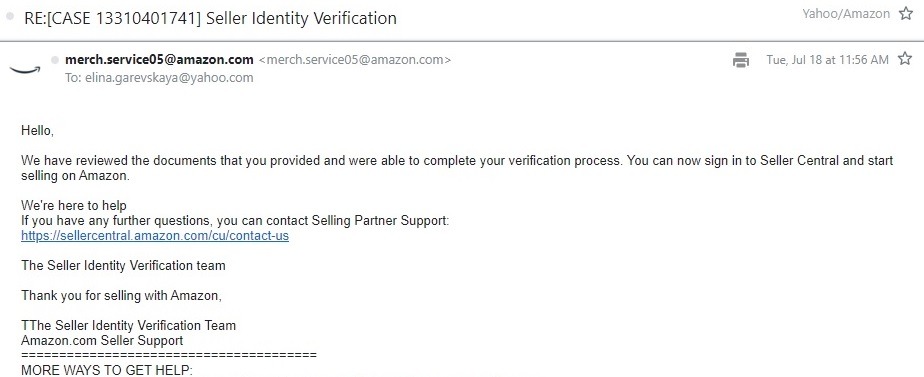
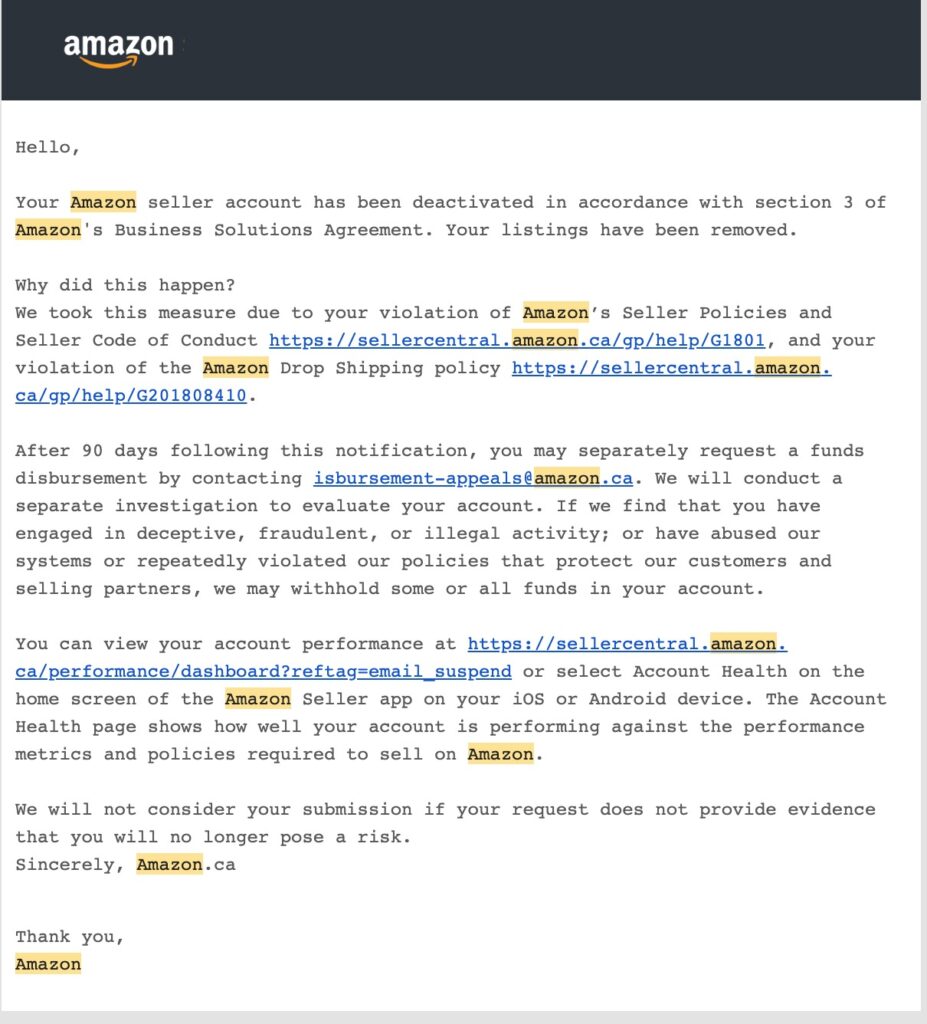
The verification typically happens during two critical phases of your selling journey. First, it occurs during the initial account registration. Second, it can be triggered by a “Section 3” suspension notice if Amazon suspects unusual activity or requires a periodic check of your credentials.
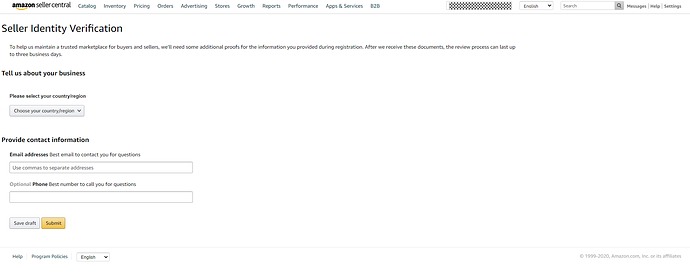
For example, you’ve just recently tried to sign up without a clear passport scan. Your application may be flagged immediately. The system recognized the blurry edges as a potential forgery risk, stalling your business for three weeks while you have to wait for a manual review.
The system uses advanced machine learning to compare the data you enter with the official databases of government agencies. If any discrepancy is found, the application is pushed to a human investigator for a deeper look. This manual intervention can add several weeks to your onboarding timeline.
Consider you’re a professional seller who registered using a nickname rather than your legal name. The automated system immediately identified that the name on the bank statement did not match the registration data. This caused an instant block on your disbursement account.
Why Does Amazon Identity Verification Matter?
Trust is the primary currency of any e-commerce ecosystem, especially one as large as Amazon. Verification ensures that customers are buying from verified, taxable entities. This reduces the prevalence of counterfeit goods and enhances the overall security of the customer experience.
If you fail to pass the Amazon seller identity verification process, the consequences are severe. Your account will be suspended, and you will lose all selling privileges. Without a verified identity, you cannot list products, access advertising tools, or receive your earned payouts.
The security of the marketplace depends on these checks to prevent bad actors from manipulating the platform. Amazon invests billions into these verification technologies. When a seller passes, they gain access to a global audience that trusts the Amazon brand implicitly.
| Metric | Impact Level | Benefit |
|---|---|---|
| Customer Trust | High | Increased conversion rates for Buy Box |
| Account Safety | High | Protection against unauthorized access |
| Payout Speed | Medium | Regular 14-day disbursement cycles |
Furthermore, global regulations such as the INFORM Consumers Act require marketplaces to verify high-volume sellers. This legal framework forces Amazon to maintain updated records for every business on the site. Failure to comply with these laws could lead to massive fines for the corporation.
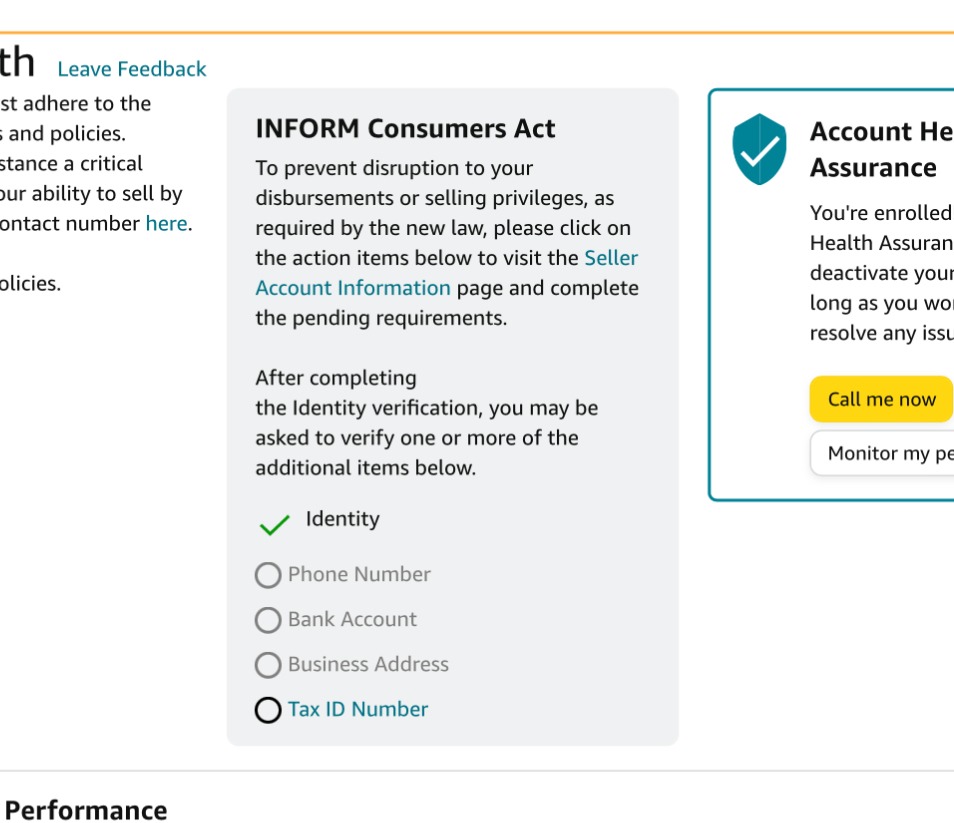
A practical example of this occurred when a large electronics retailer failed to update their business address. Amazon paused their listings for 48 hours until a new utility bill was uploaded. The loss in revenue during those two days exceeded fifty thousand dollars for the business.
What to Prepare Before Starting Amazon Identity Verification?
Gathering the correct paperwork before you start is the most effective way to prevent your application from being flagged by automated security filters. It is helpful to be organized so that you can respond to requests in minutes rather than hunting for old documents.
Essential Documents
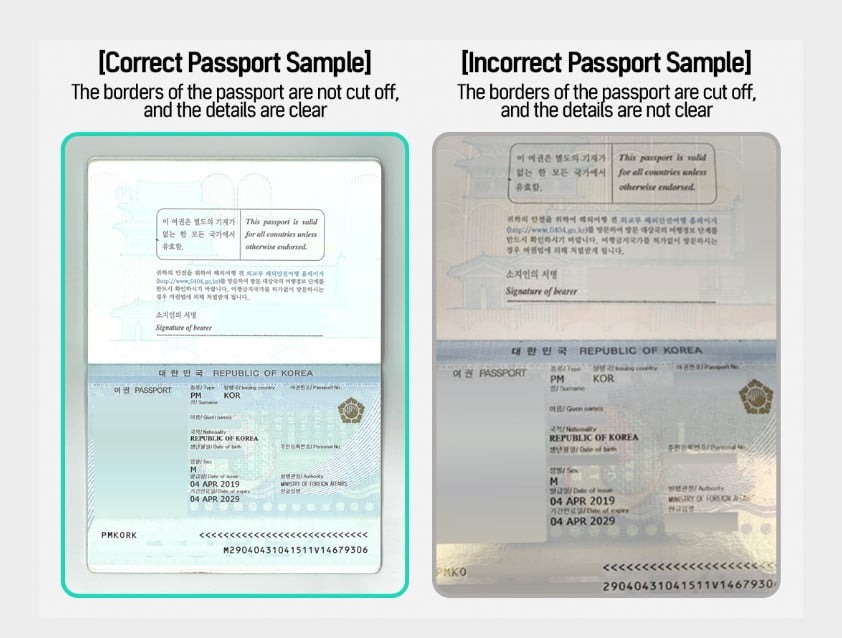
It is necessary to have a government-issued photo ID, like a Passport or Driver’s License, ready. You should ensure it is in color and shows both sides if necessary. You also need a Tax ID, which can be a Social Security Number or an EIN for business entities.
| Document Type | Requirement | Format |
|---|---|---|
| Passport | Full page visible, color | PDF/JPEG |
| Driver’s License | Front and back, color | PDF/JPEG |
| Bank Statement | Last 90 days, name visible |
Proof of address is often where many sellers encounter difficulties during the process. You should prepare a high-resolution scan of a utility bill or bank statement issued within the last 90 days. Acceptable bills include piped water, electricity, natural gas, or internet service.
| Document Source | Acceptable? | Reasoning |
|---|---|---|
| Electric Bill | Yes | Tied to a physical service location |
| Bank Statement | Yes | Verified financial record with address |
| Mobile Bill | No | Not considered a permanent utility |
For instance, if you use a mobile phone bill as address proof, then you will likely face rejection. It is helpful to remember that Amazon prefers piped utilities because they are tied to a physical location. A professional seller once shared that switching to an electric bill would resolve their verification issue instantly.
Technical Requirements
It is important to have the right hardware and file settings available before you begin. High-resolution files ensure that every security feature on your ID is visible to the scanning software used by the Amazon compliance team to verify your identity correctly.
| Specification | Recommendation | Note |
|---|---|---|
| File Resolution | 600 DPI | Optimal for text recognition |
| File Type | Best for multi-page documents | |
| File Size | Under 10MB | Prevents upload timeout errors |
You should ensure you have a valid credit card that can be charged for international fees. Debit cards are frequently rejected during the initial setup phase. Additionally, you will need a bank account capable of receiving ACH (Automated Clearing House) transfers for your future disbursements.
It is recommended to check that your computer has a working camera and microphone for potential video calls. A stable internet connection is helpful to prevent timeouts during the upload process. Many sellers face issues because their connection drops while transferring large, high-resolution image files.
How to Complete Amazon Seller Identity Verification Step-by-Step
Navigating the verification path successfully involves a structured approach where each phase builds a profile that Amazon’s security systems can easily cross-reference. This journey is designed to be thorough yet straightforward if the details are handled with care and precision.
Step 1: Sign up for a Seller Account
The process begins with a visit to the official portal, where you can select your preferred business plan. It is helpful to choose between the Individual or Professional options based on your expected sales volume and the need for advanced reporting tools.
Step 2: Enter Personal & Business Information
You should strive for absolute accuracy at this stage to ensure a smooth onboarding experience. It is helpful to ensure that each entry in the form is an exact mirror of the information found on your legal documents to prevent any system flags.
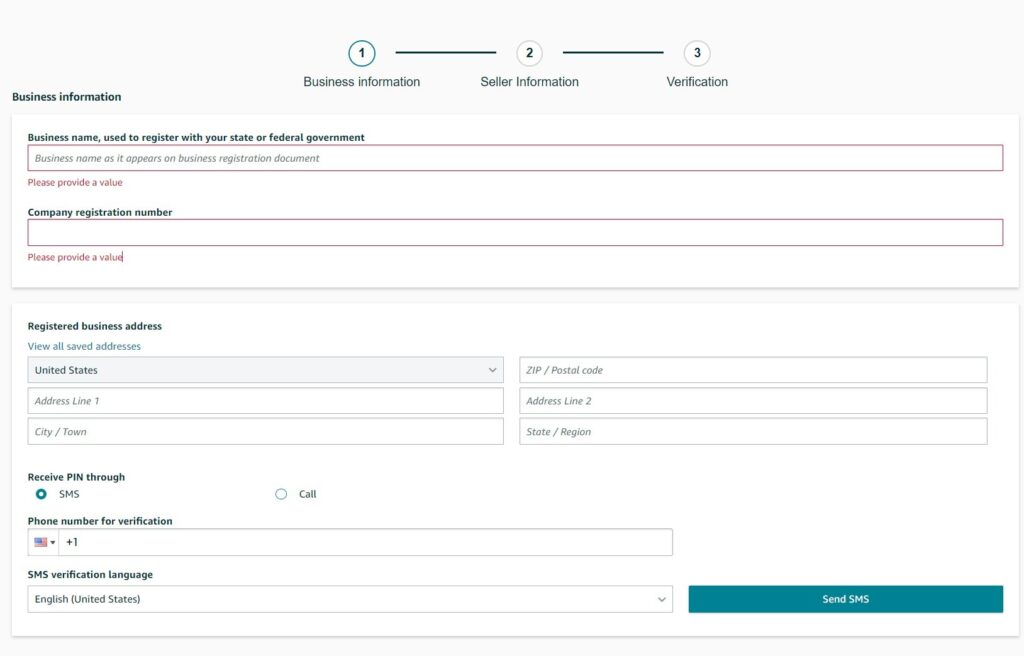
For instance, a seller named Jonathan Smith, who used the shortened name John Smith during registration, encountered delays. Since the registration data did not perfectly match his passport, he was required to reset the entire application form, which took several days.
Step 3: Upload Documents
It is recommended to provide high-resolution color photos in PDF or JPEG format to help the automated scanners interpret your data. It is helpful to verify that all four corners of the document are visible and that there is no glare from a camera flash.
You should use original, unedited images as they are the standard requirement for this process. Amazon uses sophisticated detection algorithms that can identify if a file has been digitally enhanced. Keeping the images natural and clear is the best way to demonstrate authenticity.
Step 4: Video Verification (if applicable)
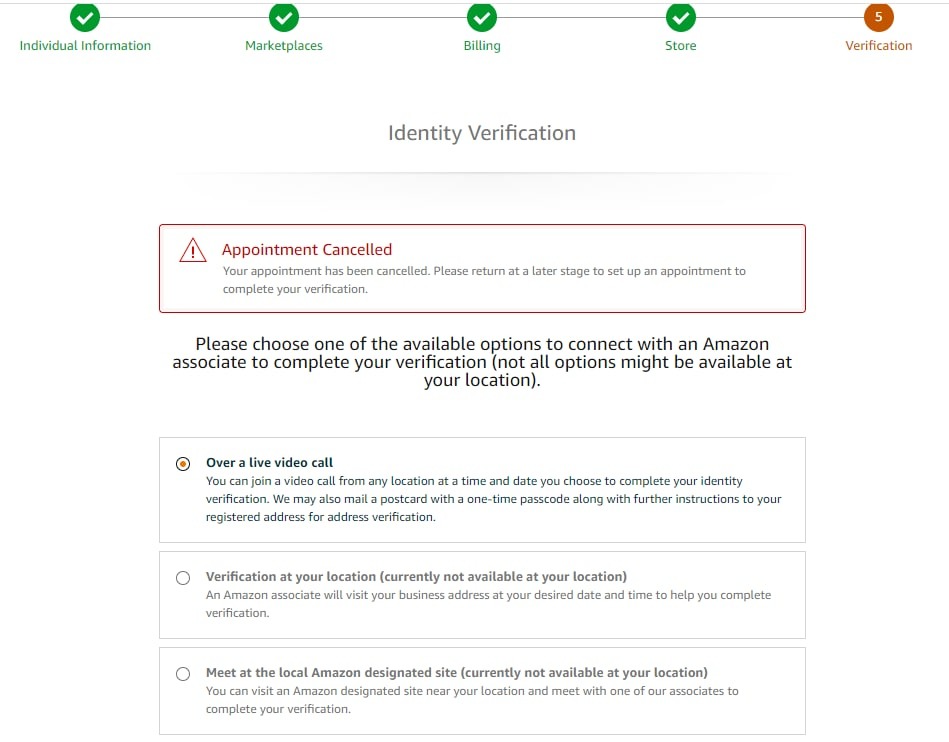
A final step may involve a brief video call with a verification associate to confirm your identity in person. During this interaction, it is helpful to have your physical documents ready to show the camera so that security features and holograms can be verified.
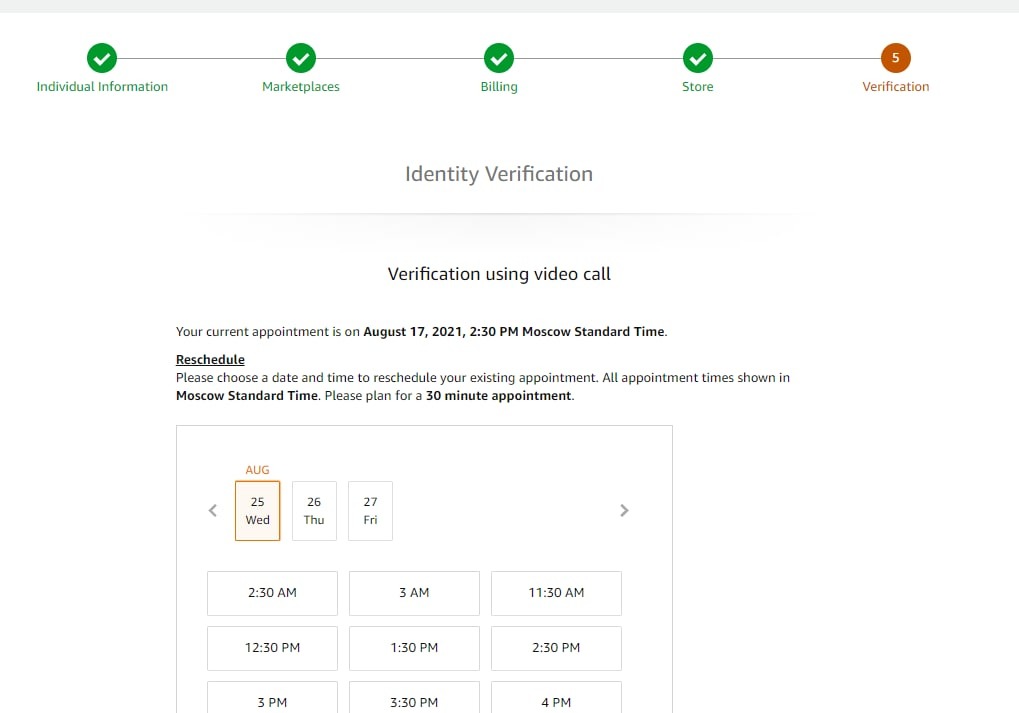
A California-based seller found that being in a well-lit room with a high-definition webcam made this process take less than ten minutes. They were able to have their account activated quickly because they were prepared to show their original license and bank statement clearly.
Common Verification Mistakes and How to Fix Them
Navigating the hurdles of rejection requires a calm approach and a focus on technical details. Most errors are small oversights that you can fix by double-checking the file quality and the data entry in your seller profile before resubmitting.
Identifying Errors
You should be aware that blurry photos are the leading cause of automatic rejection. If the text is not perfectly legible, the AI scanner will likely fail. Mismatched addresses also cause significant issues, especially if the address on your bill uses a different abbreviation.
It is important to check the expiration dates on your documents before you upload them. Amazon will not accept any ID that has passed its expiration date. Even if the ID is only expired by one day, the system will trigger a suspension notice.
| Error Signal | Likely Cause | Solution |
|---|---|---|
| Could not verify | Poor image quality | Re-scan at higher DPI |
| Mismatched info | Typed data differs from ID | Edit profile to match ID |
| Expired | ID validity has passed | Use a current Passport |
How to Fix and Re-submit
If your Amazon identity verification is rejected, it is helpful to avoid simply uploading the same files again. You should check that the files are not password-protected and use simple file names. It is recommended to use supported languages like English or Spanish.
If your documents are in a different language, you should provide a notarized translation. For example, a seller in Japan had to translate their bank statement into English before Amazon would accept it. This small step was necessary to finally clear their account suspension.
Handling “Section 3” Suspension Notices
A Section 3 notice usually means Amazon has serious concerns about your account integrity. You should read the notification carefully to identify the specific documents they are requesting. It is helpful to only provide the exact items listed in the official email notification.
It is recommended to avoid sending multiple unrelated documents, as this can clog the review system. Instead, you should send one high-quality PDF containing exactly what was requested, such as a business license or a specific tax document for your entity.
| Item | Verification Criteria |
|---|---|
| Business License | Must show current date and entity name |
| Invoices | Must match the supplier address in the records |
| Utility Bill | Must be dated within the last 90 days |
Using the Account Health Dashboard
The Account Health dashboard is your primary tool for monitoring your appeal status throughout the process. It is helpful to use this dashboard to see which documents were accepted and which require more work so that you can respond to requests promptly.
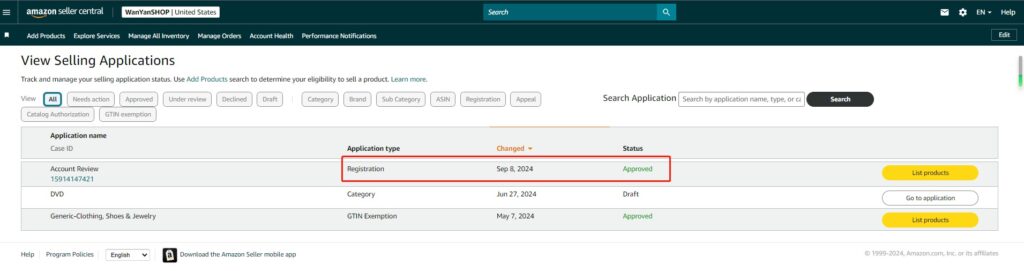
You should check this dashboard every morning during the verification process for updates. Sometimes Amazon requests a secondary document without sending an email notification. Being proactive in this area can shave several days off your total verification time.
Best Practices to Maintain Verified Status
Long-term success on the platform requires you to keep your business records current and accurate. To achieve this, it is helpful to perform routine updates to your tax information and physical address to prevent the system from flagging your account for manual re-verification.
Building on that proactive approach, you should regularly update your business information and tax details in the settings menu. If you change your bank account, it is helpful to provide a new statement immediately. This ensures that you prevent unexpected interruptions to your sales and payouts.
In addition to keeping your profile updated, it is recommended to monitor your Seller Central notifications daily for any re-verification requests. These requests often come with a strict deadline of 30 days. You should act quickly because missing this deadline leads to an automatic deactivation.
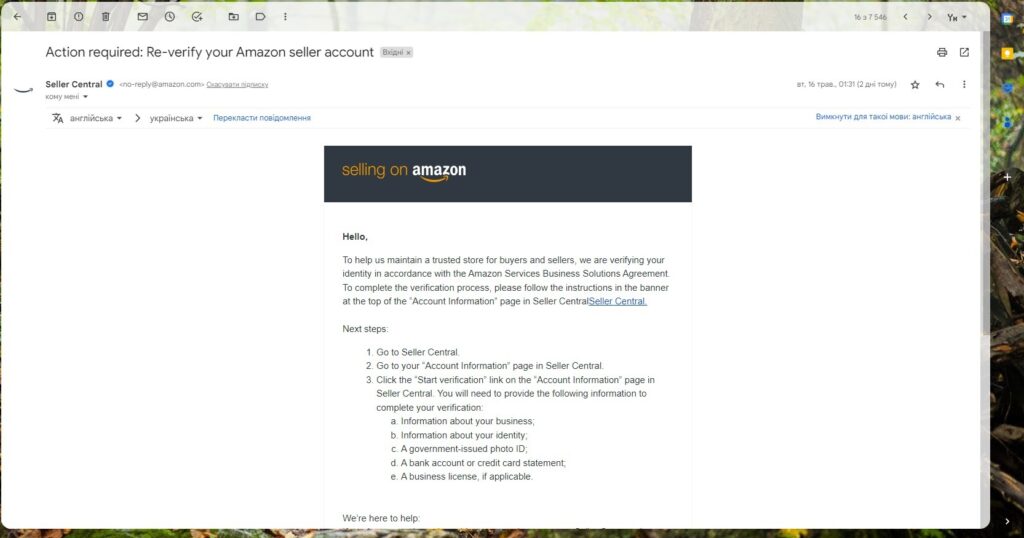
Consequently, staying vigilant about these requirements helps you maintain a healthy account standing. By following these steps, you can ensure that your selling journey remains uninterrupted by compliance issues. This consistent oversight is what separates successful professional sellers from those who face frequent blocks.
| Frequency | Task | Goal |
|---|---|---|
| Weekly | Check Notifications | Spot re-verification alerts early |
| Monthly | Review Contact Info | Ensure phone and email are valid |
| Annually | Update Tax Records | Keep EIN and business info current |
>>> Read more: Amazon Reimbursement Audit: How Sellers Recover Lost Funds
Frequently Asked Questions (FAQ) about Amazon Identity Verification
The process usually takes from 2 to 5 business days. However, if a video call is required, you should expect it to take longer, depending on appointment availability and the time zone.
The most common reasons include mismatched names or addresses, blurry images, and expired documents. You should avoid using a screenshot instead of an original PDF file from your bank to prevent rejection.
No, you should use a physical residential or business address for verification. Amazon generally rejects P.O. Boxes and mobile phone bills in favor of piped utility bills or bank statements that confirm physical presence.
Amazon accepts documents in several languages, including Chinese, French, and German. If your document is in an unsupported language, you should provide a notarized English translation along with the original copy.
You should stop resubmitting the same files and carefully review the rejection reason. It is helpful to ensure your scans are high resolution and that every detail matches your profile exactly before trying again.
Get Professional Help from Megaficus
Completing Amazon identity verification is the first essential step toward building a successful business. By preparing high-quality documents and ensuring data consistency, you can navigate the vetting process with ease. Precision and patience are the keys to a fast approval.
Need help with a stubborn verification issue? Contact Megaficus for professional support in resolving account verification or suspension issues. Our team helps you get back to selling on the world’s most competitive marketplace.