Are your Amazon listings silently losing sales to competitors every day? Many sellers invest in inventory and ads but overlook listing optimization, resulting in lost visibility and wasted traffic. An Amazon listing audit helps identify these critical gaps and fix them systematically. Megaficus shows you how to conduct a professional audit covering keyword optimization, content, images, pricing, and mobile performance.
Quick Summary:
| Audit Section | Key Actions |
|---|---|
| Keyword Strategy Audit | Check indexing, optimize backend (250 chars), target long-tail, find competitor gaps |
| Title, Bullets & Description Optimization | Primary keyword in first 80 chars, 5 bullets, 200-300 words, fix compliance |
| Image Stack Optimization | 7-9 images (≥1000px), white main image, lifestyle + infographic, mobile-clear |
| A+ Content Analysis | Use all modules, ≥600px images, mobile-optimized, refresh outdated content |
| Pricing & Promotional Strategy | Monitor Buy Box, price within ±5-10%, run coupons or deals |
| Customer Reviews & Q&A Management | Review 50-100 reviews, spot objections, update content |
| Mobile Usability Testing | Check title cutoff, <3s load, A+ displays correctly |
| Performance KPIs & Data Benchmarking | Track CTR, CVR, Unit Session %, sessions, ACoS |
| Buy Box Eligibility & Winning Status | Buy Box >80%, meet account health metrics |
| A/B Testing & Experiments Performance | Test images first, wait for ≥90% confidence |
| Inventory & Fulfillment Strategy | IPI >450, fix stranded stock, monitor restock, compare FBA vs FBM |
What Is An Amazon Listing Audit?
An Amazon Listing Audit is a thorough evaluation process that examines every element of your product page to identify performance gaps and growth opportunities.
During this audit, specialists analyze critical components, including keyword optimization, title structure, bullet point effectiveness, image quality, A+ Content design, pricing strategy, competitor positioning, and customer review patterns.
Additionally, the audit ensures your listing meets Amazon’s compliance requirements while maximizing search visibility. By addressing these factors, sellers can significantly improve their product’s discoverability, increase click-through rates, and ultimately drive higher conversion rates on the platform.
Why Amazon Listing Audits Matter For Sellers?
Regular Amazon listing audits deliver critical benefits that directly impact your bottom line:
- Search & Ranking Boost: Reveals keyword gaps and optimization opportunities while ensuring your listing stays current with Amazon’s frequently updated search algorithms, helping you maintain strong organic rankings.
- Conversion & Sales Growth: Enhances every customer touchpoint, including product titles, descriptions, imagery, and Enhanced Brand Content, helping turn browsers into buyers and maximize your sales potential.
- Compliance & Risk Prevention: Detects violations of Amazon’s terms of service, including restricted terminology, review guideline breaches, or inaccurate product details that could trigger listing suppression or account penalties.
- Competitive Advantage: Uncovers underutilized keywords, pricing weaknesses, and areas where competitors are outperforming you, revealing actionable opportunities for market share growth.
- Ad ROI & Customer Loyalty: Refines your paid advertising strategy through better keyword targeting while improving review quality and customer satisfaction, creating a sustainable cycle of repeat purchases and positive feedback.
How To Conduct An Amazon Listing Audit
Here’s the step-by-step framework to diagnose weaknesses and implement data-driven improvements across your listings.
Keyword Strategy Audit
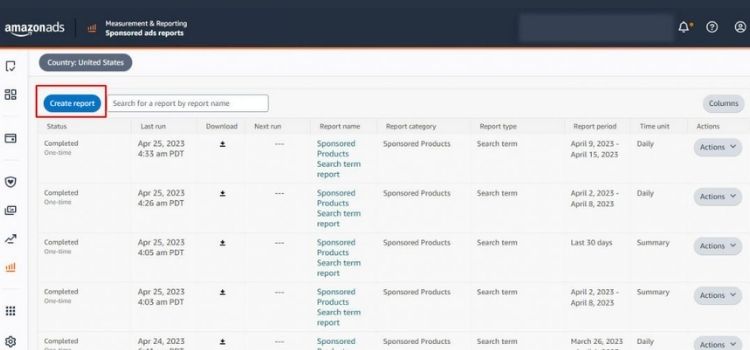
Run a keyword indexing check using tools like Helium 10, Jungle Scout, or Amazon Brand Analytics to identify which search terms your product ranks for and which opportunities you’re missing. Next, compare your performance against top competitors to find high-volume keywords where they rank on page one, but you don’t.
To maximize your keyword performance, focus on these critical optimization areas:
- Backend search terms: Use the full 250-character limit without duplicates, including synonyms, misspellings, and alternative names (avoid brand names, ASINs, or punctuation)
- Long-tail targeting: Focus on specific variations like “extra thick yoga mat for bad knees” instead of generic “yoga mat” for better conversion with less competition
- Verify indexing: Search your exact backend keywords on Amazon to confirm your product appears; if not, revise and retest
- Competitor gaps: Identify which relevant keywords your top competitors rank for that you don’t, then add them to your backend fields
Title, Bullets & Description Optimization
Review your title, bullets, and product description to balance keyword optimization with readability and compliance. Additionally, ensure your title places the primary keyword within the first 80 characters, bullets front-load key benefits, and your description uses scannable formatting.
To meet Amazon’s performance standards, focus on these critical optimization areas:
- Bullet points: Maintain 5 bullets with each ranging between 100-200 characters; front-load benefits in bullets 1-2 since 60% of shoppers don’t read past the second bullet
- Description word count: Aim for 200-300 words in your product description, organized into 3-4 short paragraphs with HTML formatting for improved scannability
- Keyword density: Naturally incorporate 2-3 high-volume secondary keywords across your bullets without exceeding 2% keyword density to avoid Amazon’s spam filters
- Error elimination: Remove spelling mistakes, grammatical errors, and compliance violations like warranty claims, external links, or promotional language (“free shipping,” “best price”)
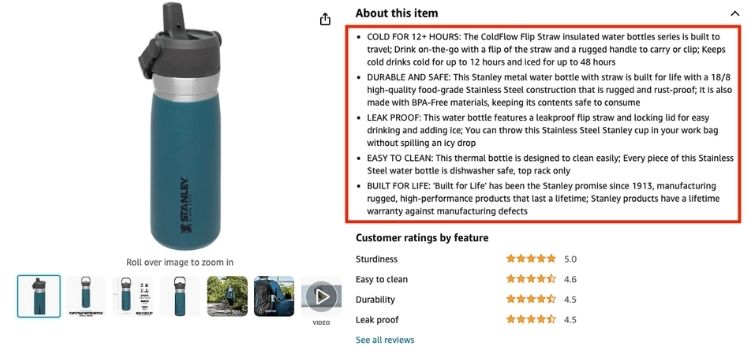
Image Stack Optimization
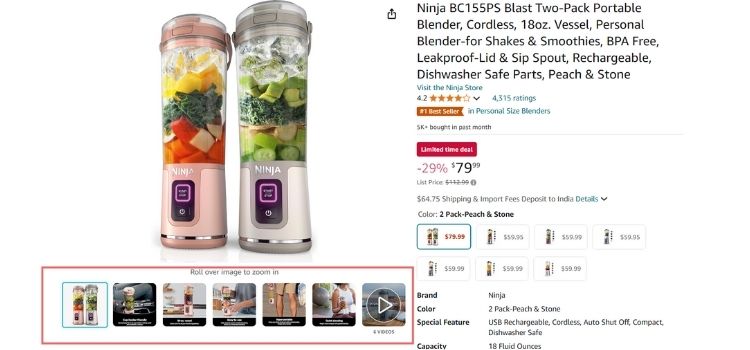
Audit your product images to ensure they meet Amazon’s technical requirements while effectively communicating your product’s value and features. First, examine your main image for compliance with Amazon’s standards: pure white background (RGB 255, 255, 255), product filling at least 85% of the frame, and zero text or graphics overlays.
Follow these technical specifications for effective image optimization:
- Image count: Upload 7-9 high-resolution images (minimum 1000 pixels on the longest side) to enable zoom functionality and build customer confidence
- Main image quality: Test mobile clarity by viewing your main image on a smartphone; the product should be instantly recognizable at thumbnail size (around 1 inch)
- Visual question-answering: Ensure your images address the top 3 customer questions visually (size, materials, use cases) before shoppers need to read your description
- Packaging display: Add a packaging shot if brand perception matters in your category or if unboxing experience influences purchase decisions
- Alt image sequence: Start with lifestyle images to establish usage context, then add close-up shots with size references, and include an infographic-style image to highlight key benefits.
A+ Content Analysis
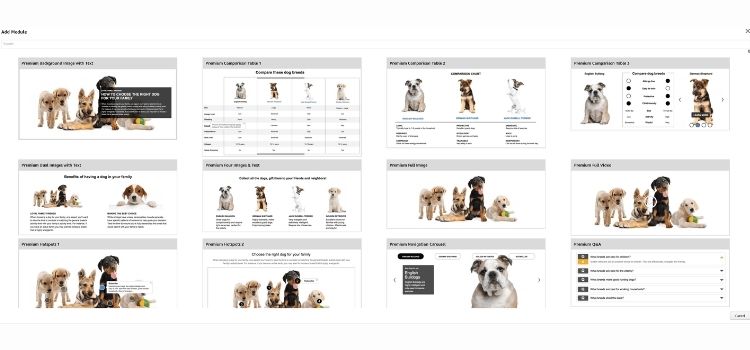
Check if you’re utilizing all 7 available content modules and verify each displays correctly on mobile devices, since 70%+ of traffic comes from smartphones. Additionally, confirm your images meet the 600-pixel minimum width requirement and search your ASIN on Amazon to ensure your A+ Content is actually indexed and visible to customers.
To evaluate A+ Content effectiveness, audit these performance areas:
- Conversion lift: Compare your CVR against similar products without A+ Content to verify you’re achieving a 5-10% improvement
- Module optimization: Include comparison charts, lifestyle images addressing top customer objections, and feature callouts with visual demonstrations
- Mobile readability: Preview all modules on a smartphone to ensure text remains legible and images scale properly
- Content freshness: Update modules to reflect current product versions, new certifications, or improvements mentioned in recent positive reviews
Pricing & Promotional Strategy
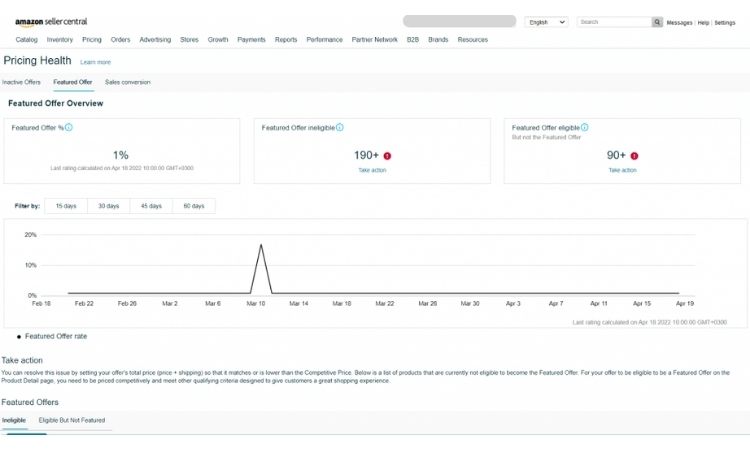
You should access your Business Reports in Seller Central to review your Buy Box percentage and sales trends tied to price changes over the past 90 days. Then, compare your current price against the top 10 competitors on your main keyword SERP using Keepa or CamelCamelCamel to ensure you’re positioned within 5-10% of the median.
Next, verify you’re using available discount tools like coupons, Lightning Deals, or Subscribe & Save that competitors actively run, and if your Buy Box percentage drops below 80%, test 5-10% price adjustments through Amazon’s Automate Pricing tool while monitoring unit session percentage changes over 2-week intervals.
Customer Reviews & Q&A Management
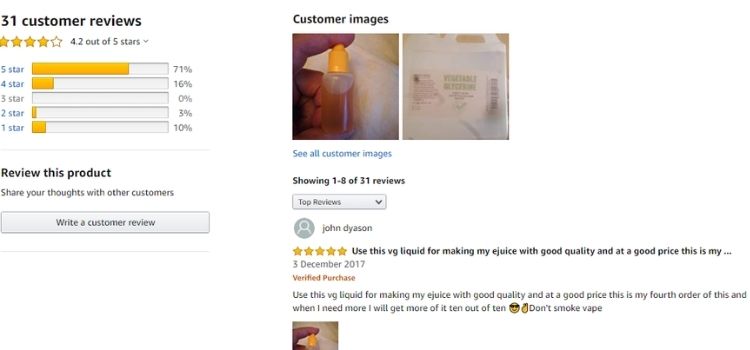
Sellers must read through their most recent 50-100 reviews to identify recurring complaints, sizing issues, or feature misunderstandings that signal content gaps in their listing. Next, they need to analyze their Q&A section to spot frequently asked questions that bullets or images haven’t addressed.
After identifying these patterns, sellers can update their bullet points to address common objections from negative reviews, add visuals answering sizing questions from Q&A, and revise descriptions to clarify expectations from 1-2 star reviews.
Then, they should monitor whether new review complaints and Q&A submissions decrease, indicating their listing updates resolved customer confusion.
Mobile Usability Testing
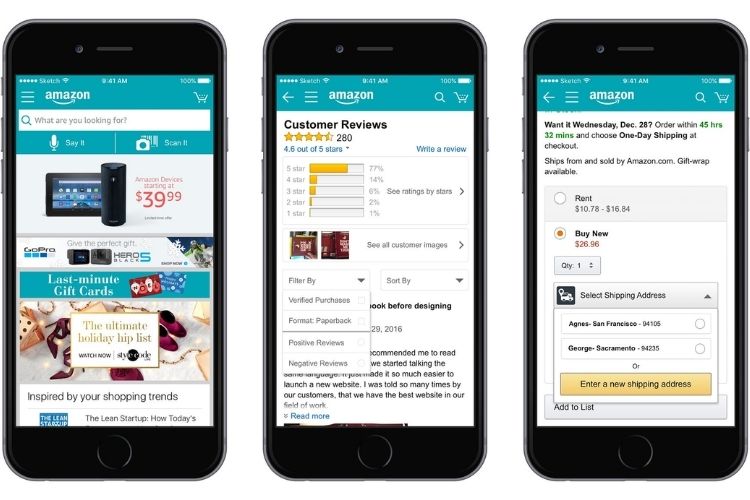
Over 70% of Amazon traffic comes from mobile devices, so sellers must test their listings on smartphones to ensure optimal performance. Sellers should open their listing on a mobile browser to verify the title displays the primary keyword within 80 visible characters and confirm their main image shows the product clearly at thumbnail size.
Next, sellers must check that all A+ Content modules load without broken images, the page loads within 3 seconds on 4G conditions, and customers can scroll through the image stack without lag or formatting issues.
Performance KPIs & Data Benchmarking
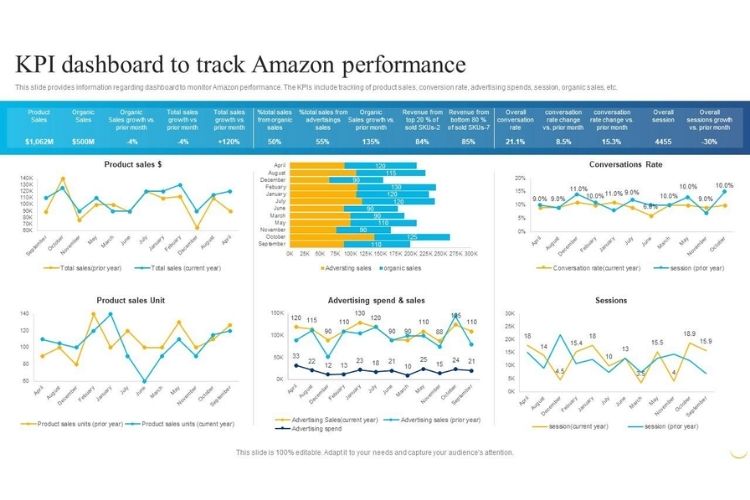
Sellers need to access their Business Reports in Seller Central to pull performance data from the past 90 days and compare it against industry benchmarks. First, sellers should review their key metrics to identify underperforming areas that require immediate optimization attention.
To benchmark your listing performance effectively, compare these critical KPIs against category averages:
- Click-Through Rate (CTR): Should exceed 0.35%; if lower, your main image or title needs improvement
- Conversion Rate (CVR): Target 12-15% or higher; below 10% indicates weak listing content or pricing issues
- Unit Session Percentage: Aim for 10-12%; low percentages suggest poor conversion optimization
- Sessions trend: Should increase month-over-month; declining sessions signal keyword ranking or Buy Box problems
- ACoS (if running ads): Keep below 25% for profitability; higher ACoS indicates poor keyword targeting or listing quality
Buy Box Eligibility & Winning Status
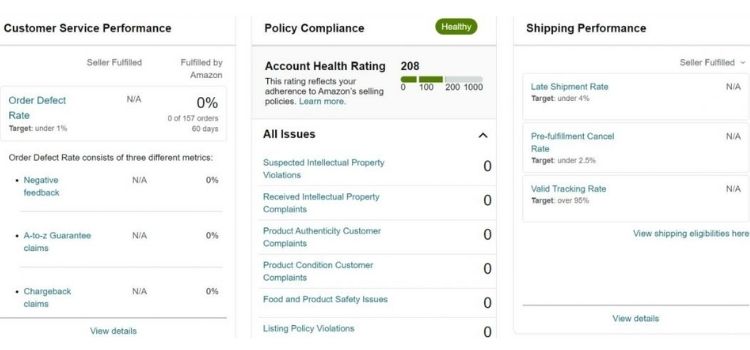
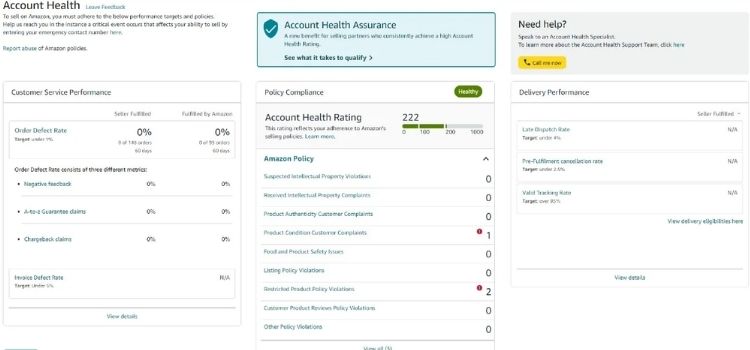
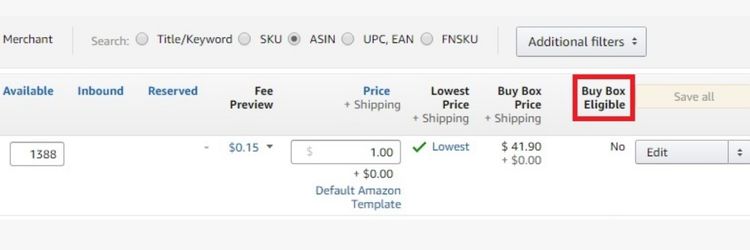
Sellers must check their Buy Box percentage in Seller Central’s Inventory dashboard, targeting above 80% to maintain competitive sales performance. Next, sellers should verify their Account Health metrics meet Amazon’s requirements:
- Order Defect Rate below 1%
- Pre-Fulfillment Cancel Rate below 2.5%
- Late Shipment Rate below 4%
A/B Testing & Experiments Performance
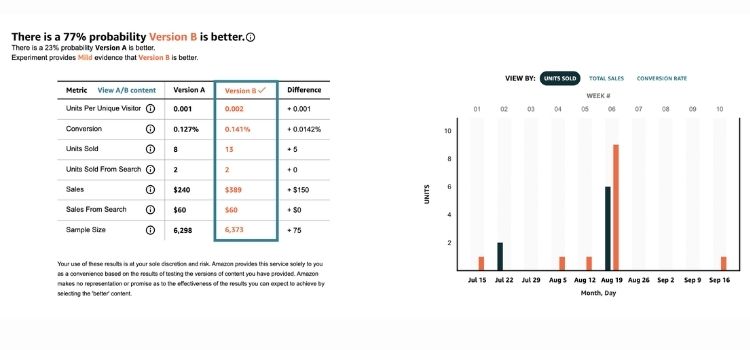
Sellers must access the “Manage Your Experiments” tool in Seller Central to review A/B test results and prioritize testing main images first, then titles, followed by A+ Content layouts.
Additionally, sellers must ensure each experiment runs until Amazon marks it “concluded” with confidence levels above 90% before implementing changes, as premature decisions based on incomplete data often decrease performance instead of optimizing it.
Inventory & Fulfillment Strategy
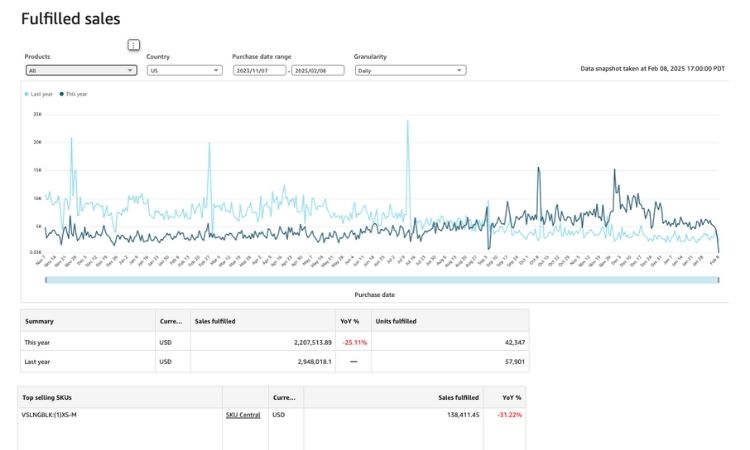
Check your Inventory Performance Index (IPI) score in Seller Central, as maintaining scores above 450 prevents storage restrictions and ensures optimal warehouse placement. Additionally, compare conversion rates and Buy Box percentages between your FBA and FBM listings to identify which fulfillment method drives better performance.
Complete your inventory audit by examining these critical fulfillment factors:
- Stranded inventory: Identify products generating storage fees without sales potential and create removal orders to reduce costs
- Stock levels: Monitor restock recommendations to prevent stockouts that damage keyword rankings and organic visibility
- Shipping speed: Verify Prime-eligible items maintain 1-2 day delivery to stay competitive in search results
- Fulfillment impact: Assess whether switching from FBM to FBA could increase Buy Box share by 15-30% despite higher costs
FAQs About Amazon Listing Audit
Use tools like Helium 10 or Jungle Scout to check keyword indexing, then systematically review title, bullets, images, A+ Content, pricing, and reviews against top competitors to identify optimization gaps.
Yes, poorly optimized listings waste ad budget by driving traffic that doesn’t convert. Audits improve ACoS by 15-30% and prevent customers from buying from competitors.
Helium 10 (keyword tracking), Jungle Scout (competitor analysis), Amazon Brand Analytics (search performance), Keepa (price history), and Seller Central’s Business Reports.
Quarterly for full audits, plus quick checks when traffic drops, before Prime Day/Q4, or after launching new products.
Get Professional Help from Megaficus
Conducting regular Amazon listing audits ensures your product pages remain competitive, compliant, and optimized for both search visibility and conversion performance. When keyword strategy, content quality, visual assets, and pricing work together seamlessly, sellers can maximize organic rankings, reduce wasted ad spend, and build sustainable sales growth on the platform.
For expert support to audit and optimize your Amazon listings with proven strategies, Megaficus is ready to help you achieve higher rankings and stronger conversions at every stage of your selling journey.