Facing an Amazon listing removed notification can cause an immediate and devastating drop in your daily revenue. When your top-selling ASIN disappears, every hour of downtime translates into direct profit loss. Megaficus will help you navigate Seller Central, submit winning appeals, and protect your business growth with the fastest workflow.
Quick Summary
- Identify the Core Issue: Distinguish between “suppressed” listings (fixable via data updates) and “blocked” listings (requiring formal documentation and appeals).
- Root Cause Analysis: Use the Notice of Policy Warning in Seller Central to pinpoint the primary violation, such as IP disputes, restricted keywords, or authenticity claims.
- Documentation Protocol: Success relies on a 365-day “paper trail,” including verifiable wholesale invoices and Letters of Authorization (LOA) from brand owners.
- Proactive Safeguards: Utilize tools like Helium 10 or Brand Registry (Project Zero/Transparency) to catch “At Risk” warnings and prevent listing hijacking.
- Recovery Timeline: While simple content fixes take about two hours, formal appeal reviews typically range from 12 to 48 hours, extending up to 7 days for complex cases.
Why Does an Amazon Listing Removal Happen?
Amazon operates sophisticated AI bots to scan millions of products for compliance. When an Amazon listing removal event occurs, it is usually a defensive measure by the platform to protect customers. The system triggers these actions primarily due to policy violations, intellectual property claims, or safety concerns that breach the Seller Central Terms of Service.
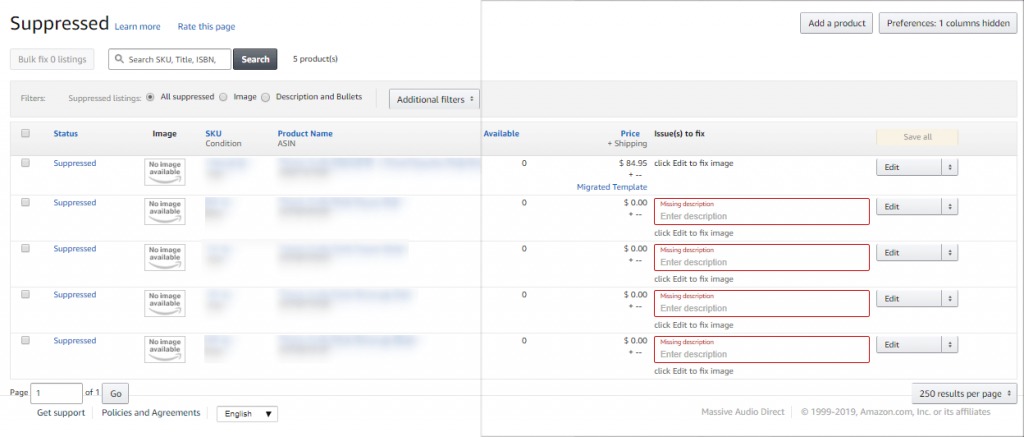
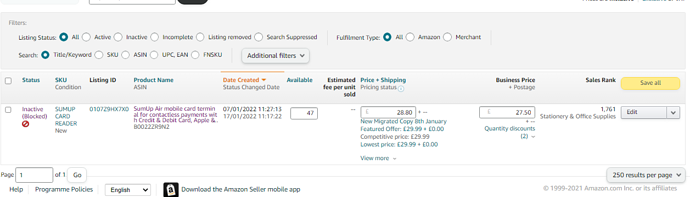
It is crucial to understand the severity of your situation by checking the status in your inventory. A “suppressed” listing is often a minor issue fixable via data updates, such as a missing main description or a title that exceeds character limits. Conversely, a “blocked” listing is a serious policy matter that requires a formal appeal and documentation to restore your sales velocity.
For example, you recently had your high-volume “Organic Face Cream” pulled overnight. The bot flagged the word “healing” as an unverified medical claim. Because you recognized this as a “suppressed” content issue, you simply removed the keyword, and the listing was active again within two hours, saving thousands in potential lost sales.
What are the Common Causes of Amazon Listing Removal?
In the competitive world of e-commerce, identifying the precise reason for a deactivation is the critical first step toward recovering your sales velocity and protecting your profit margins.
Intellectual Property (IP) Violations
The most frequent cause for a sudden removal is an IP dispute. Right owners can file reports if they believe you are infringing on their trademark, copyright, or patent. Amazon takes these reports seriously to avoid legal liability, often removing the listing first and asking questions later. This is common in competitive niches where “listing hijacking” occurs.
Moreover, Amazon also watches for “Parallel Import” or “Grey Market” issues. This happens when you sell genuine products in a region where the brand owner has not authorized their sale. Even if the item is real, the unauthorized distribution channel triggers an IP complaint. This leads to immediate deactivation until the brand owner retracts the formal complaint.
Restricted Product Violations
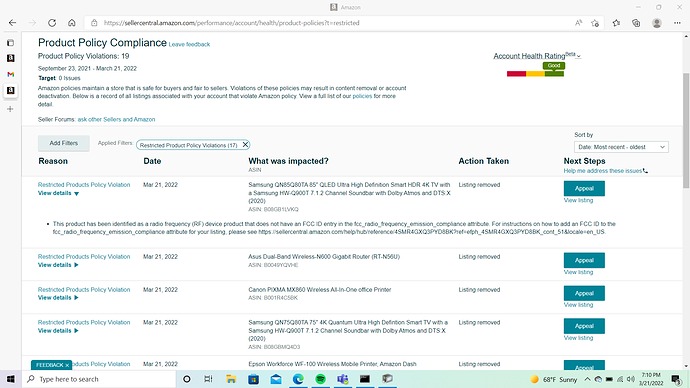
Amazon’s prohibited items list is constantly evolving. “Flagged” keywords can trigger automatic removals for prohibited items, such as unverified medical claims or pesticides. Even if your product is safe, using a word like “anti-microbial” in your bullet points without the proper EPA registration will lead to an immediate shutdown of your offer and a hit to your account health.
Furthermore, restricted categories like medical devices or hazardous materials require pre-approval. If Amazon determines your product falls into a category you are not “ungated” for, the listing disappears. You may often trigger this by selecting the wrong sub-category during setup, creating a mismatch between your permissions and the listing’s classification.
Product Condition & Authenticity
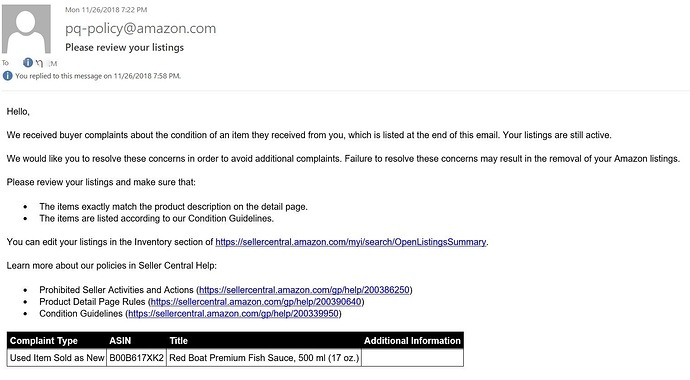
Customer feedback plays a massive role in listing stability. If multiple buyers report that an item arrived damaged or appeared used, Amazon may trigger a “Used Sold as New” removal. Similarly, “Inauthentic” complaints – even if false – require you to prove your supply chain is legitimate through verifiable invoices to regain your selling privileges.
These authenticity complaints often stem from “Review Manipulation” or “Variation Misuse” investigations. If the algorithm detects suspicious patterns in your buyer reviews or if you combine unrelated products into one listing, it triggers a removal. Such violations are extremely difficult to overturn without a very strong POA.
Safety and Compliance Issues
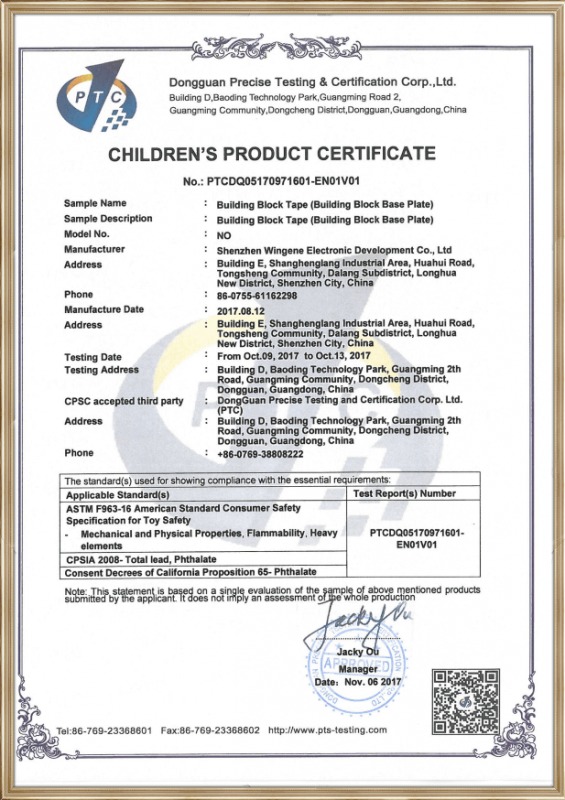
As global regulations tighten, Amazon requires more documentation for specific categories. A growing cause for removal is the lack of required certifications, such as UL standards for electronics or CPC for children’s toys. If you fail to upload these documents to the “Manage Your Compliance” portal, Amazon will proactively remove the listing to mitigate risk.
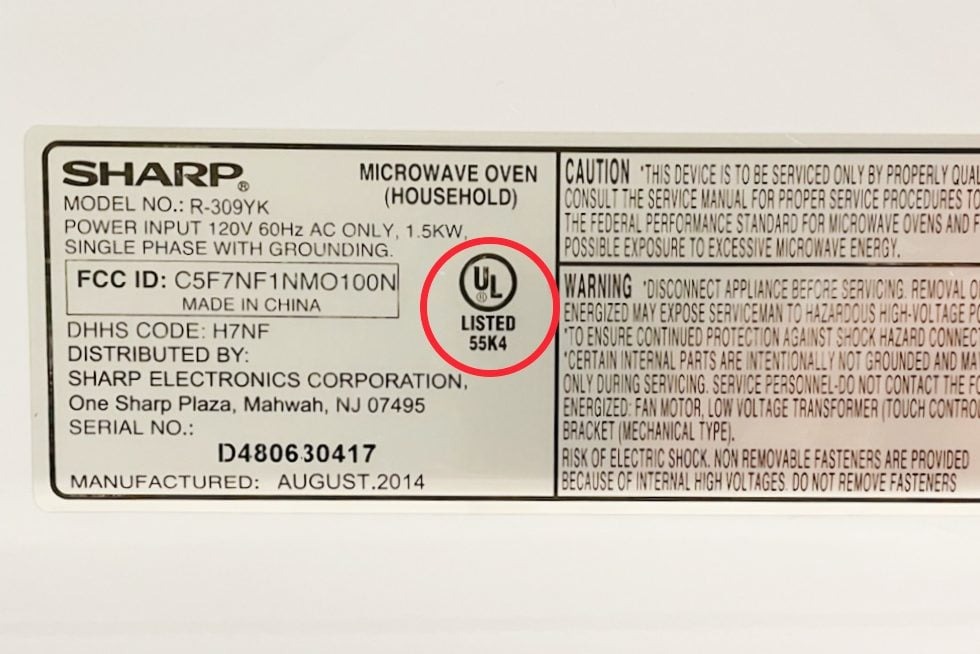
For example, the “Energy Star” certification or “pesticide device” warnings can lead to mass deactivations. If Amazon asks for a Declaration of Conformity and you cannot provide it within the deadline, your ASIN goes dark. This process is automated, meaning human oversight only happens after you appeal.
How to Fix an Amazon Listing Removed Issue?
When you receive word that a product has been taken down, your first priority is to stabilize your revenue by moving immediately into the recovery phase.
Step 1: Check Performance Notifications
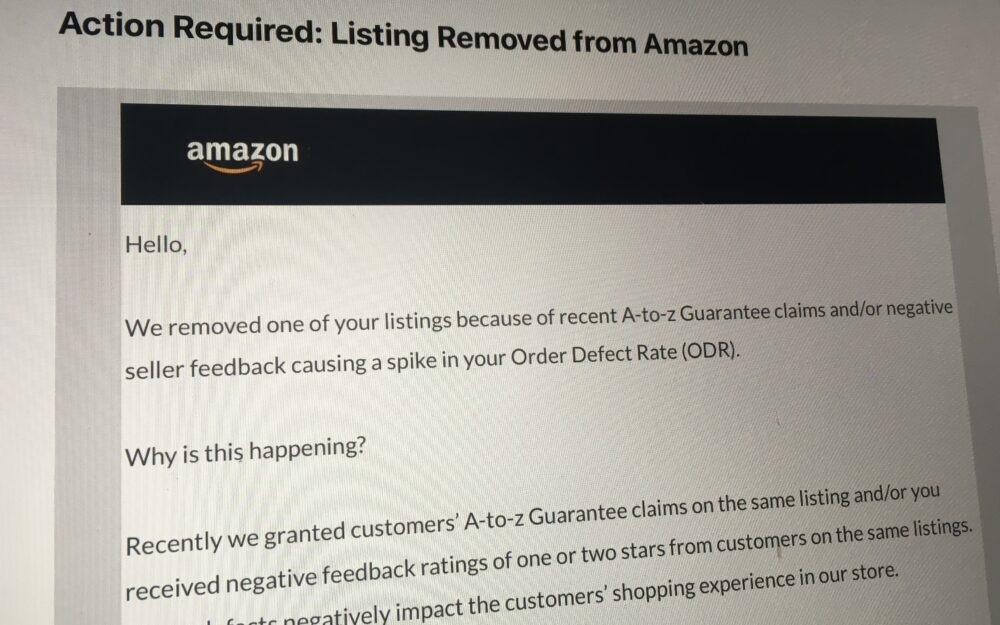
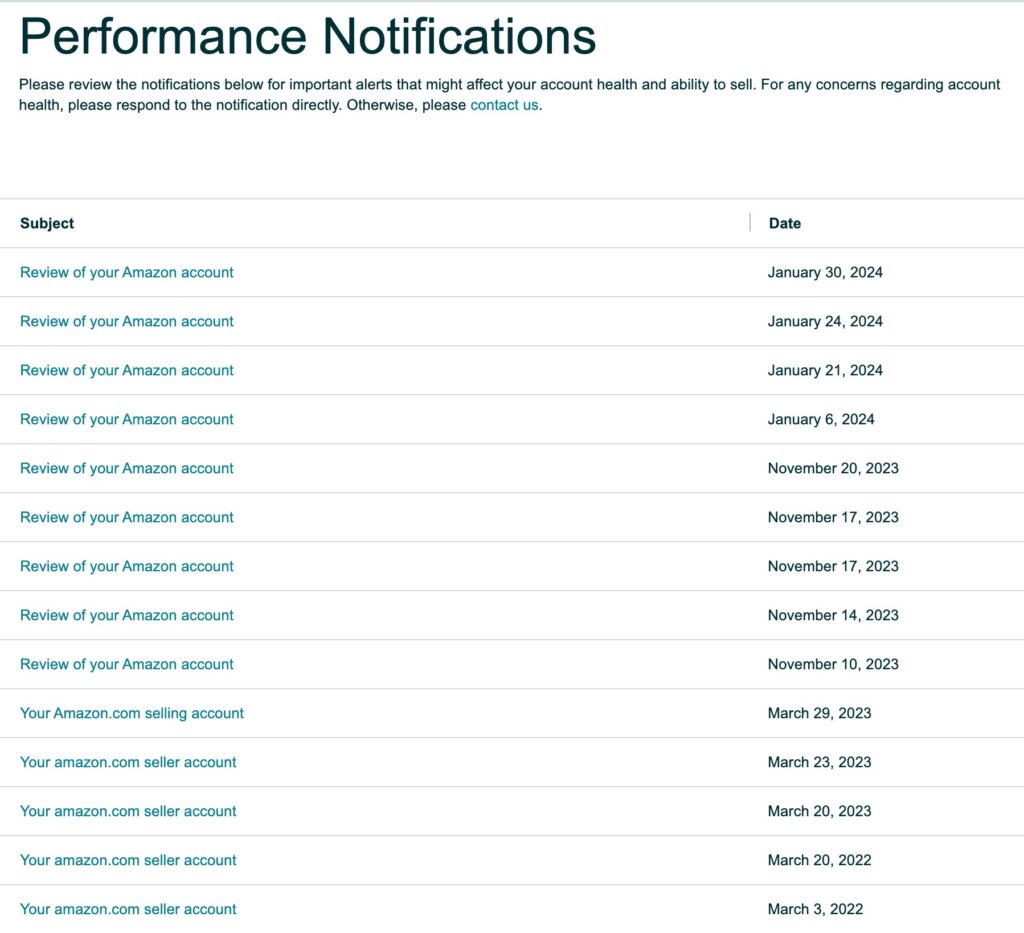
The first action you must take is to locate the specific “Notice of Policy Warning” in Seller Central. Navigate to the Performance tab and select Performance Notifications. This email contains the specific reason for the removal and often provides the exact “Root Cause” that the Amazon investigator or bot identified as the primary violation.
Step 2: Identify the Removal Type
Before taking action, you must differentiate between a simple listing update and a formal Plan of Action (POA) requirement. If the notification mentions “policy compliance,” you likely need to write a detailed appeal. If it says “detail page suppressed,” you can often fix the issue by simply editing the product information in the “Manage Inventory” section.
Step 3: Gather Evidence
Preparation is the most important part of the recovery process. You must list and organize necessary documents, such as supplier invoices from the last 365 days, letters of authorization from the brand, or safety certificates. Ensure your invoices include the supplier’s contact information and match the quantities sold on Amazon to prove your inventory’s legitimacy.
Step 4: Submit the Appeal
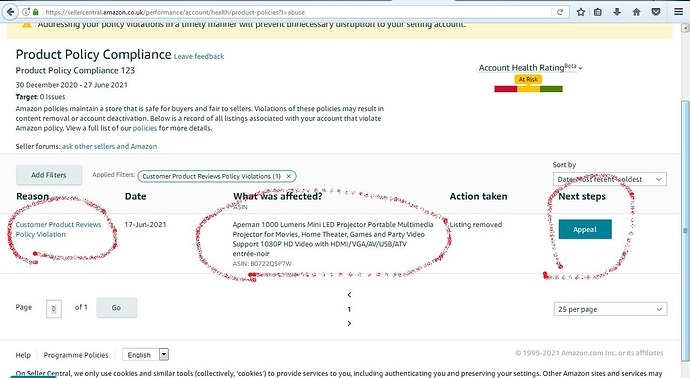
Once your evidence is ready, navigate to the Account Health dashboard and locate the “Product Policy Compliance” section. Detail the process of using the “Appeal” button next to the affected ASIN. Upload your documents and your POA clearly. For example, a toy seller submitted their CPC certificate through this portal and had their $50,000/month listing restored in just 48 hours.
What are the Best Practices to Avoid Amazon Listing Removals?
Beyond just reactive fixing, establishing a proactive security protocol is the only way to ensure your long-term revenue remains shielded from automated bot flags.
Monitor Account Health Daily
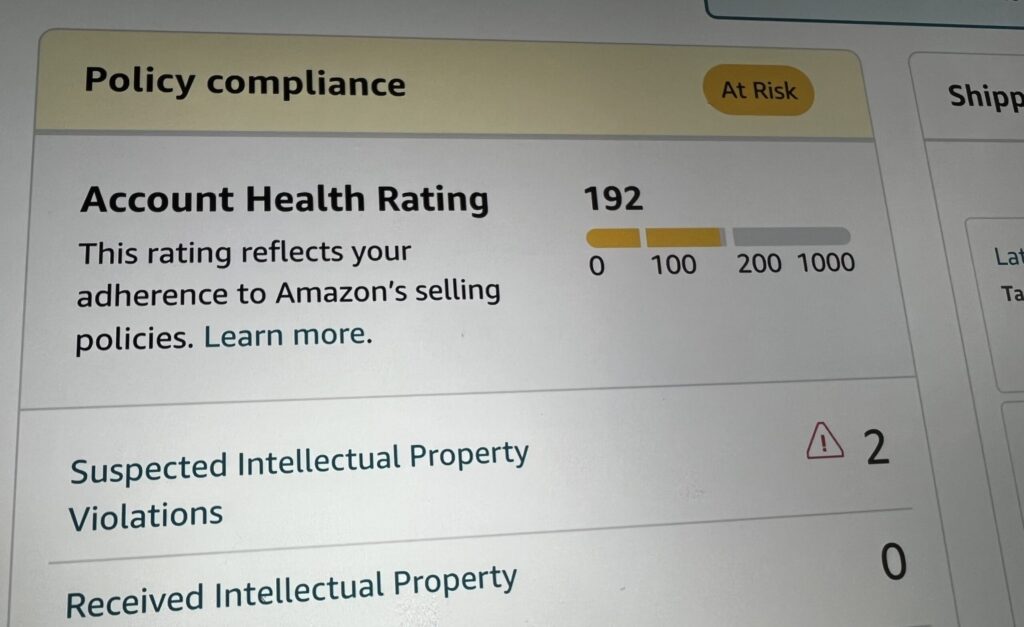
Consistency is your best defense against revenue disruption. You must understand the importance of the “Product Policy Compliance” metrics thoroughly, and by checking this dashboard every morning, you can catch “At Risk” warnings early and address them before they escalate into a full Amazon listing removal scenario that stops your cash flow.
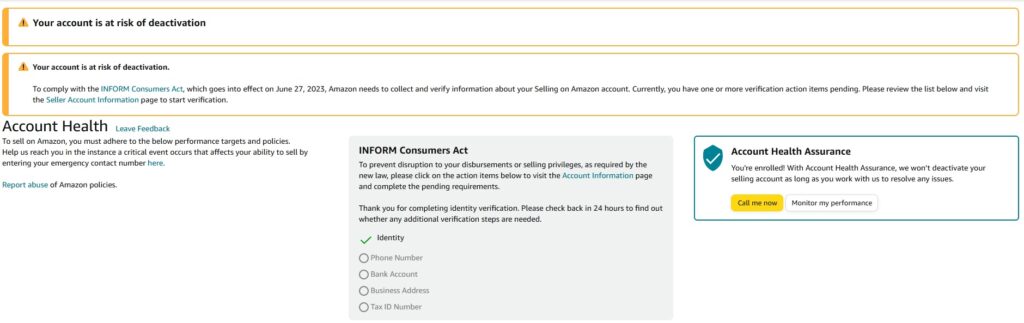
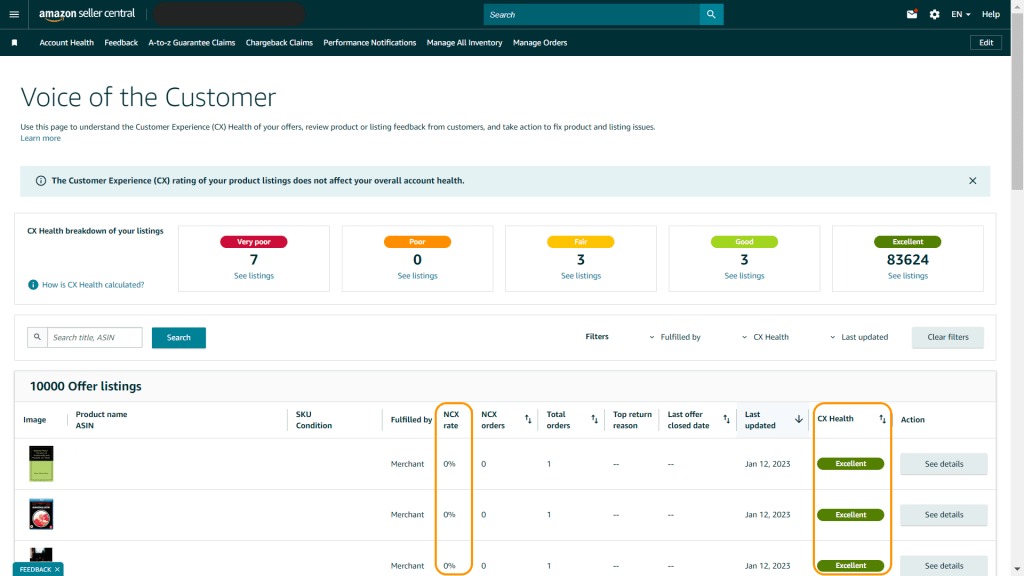
Additionally, pay close attention to the “Voice of the Customer” dashboard. This tool highlights products with high “Negative Customer Experience” (NCX) rates. If you see a trend of complaints about quality or sizing, address it immediately. Fixing the product or listing content proactively prevents the AI from reaching the “removal threshold”.
Audit Listings for “Forbidden” Keywords
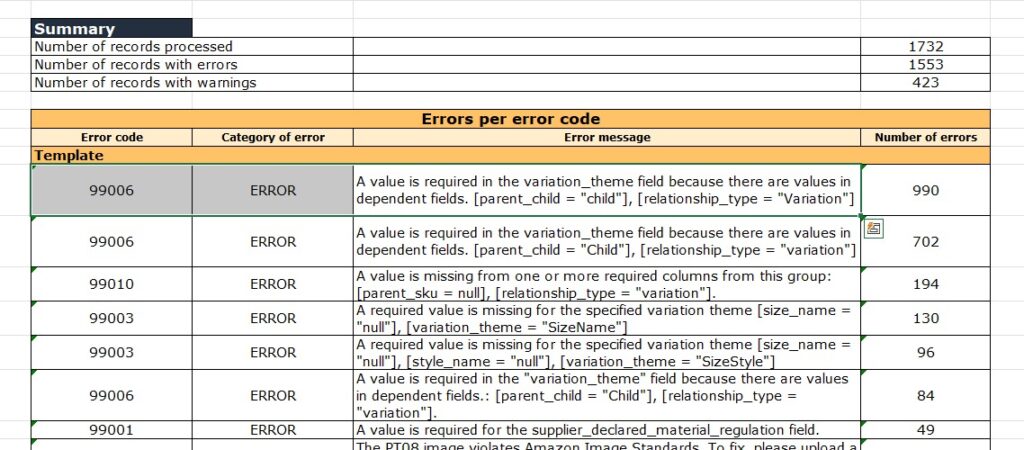
You should regularly share tips on keeping product descriptions compliant with Amazon’s latest restricted terms. Use tools such as Helium 10 or Jungle Scout to scan your listings for words like “pesticide,” “FDA approved,” or “guaranteed,” which often trigger bot flags because a clean listing is always a stable and profitable listing for your business.
You should also perform a “Monthly Catalog Review”. This involves downloading your Category Listing Reports to check for hidden “Back-end Keywords”. Sometimes, older listings contain terms that were acceptable years ago but are now restricted. So purging these terms ensures your entire catalog stays within the safe zone of Amazon’s ever-changing policy.
Vetting Suppliers
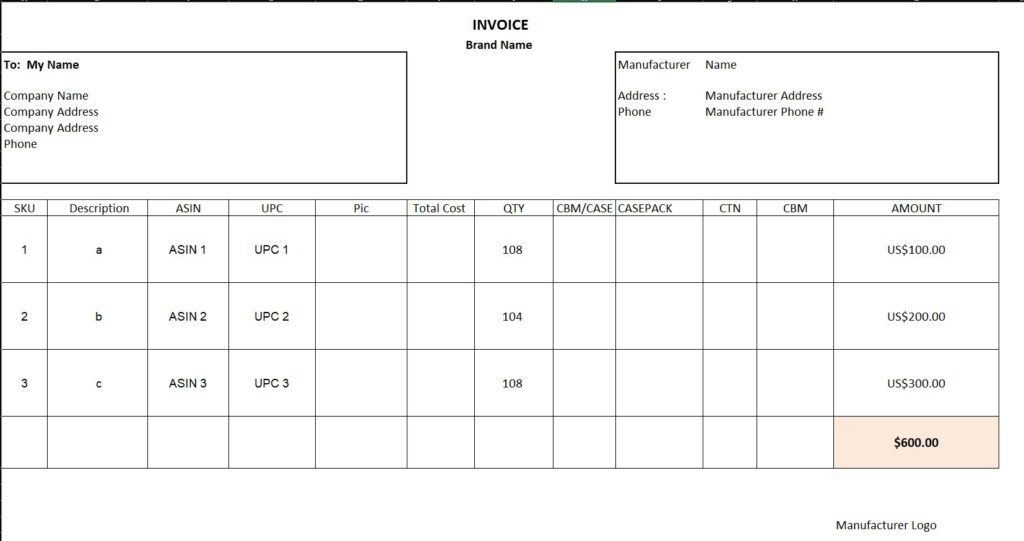
Your supply chain is the backbone of your account safety. You must stress the need for verifiable invoices to prevent authenticity-related removals. Only work with suppliers who provide formal commercial invoices that include their address, website, and phone number. This “paper trail” is what protects your profit when a competitor files a fake, inauthentic report.
You should also avoid “Retail Arbitrage” for high-risk brands. Amazon rarely accepts store receipts as proof of authenticity for an appeal. Instead, establishing direct relationships with brand owners or authorized master distributors allows you to provide a Letter of Authorization (LOA), which is the “Gold Standard” for preventing and resolving IP or authenticity claims.
Use Brand Registry Tools
For brand owners, protection tools are essential. Brand Registry helps protect against “listing hijacking,” which often leads to removals when unauthorized sellers change your images or descriptions. By using the “Report a Violation” tool, you can remove bad actors before they damage your listing’s reputation or trigger a policy removal from Amazon’s automated systems.
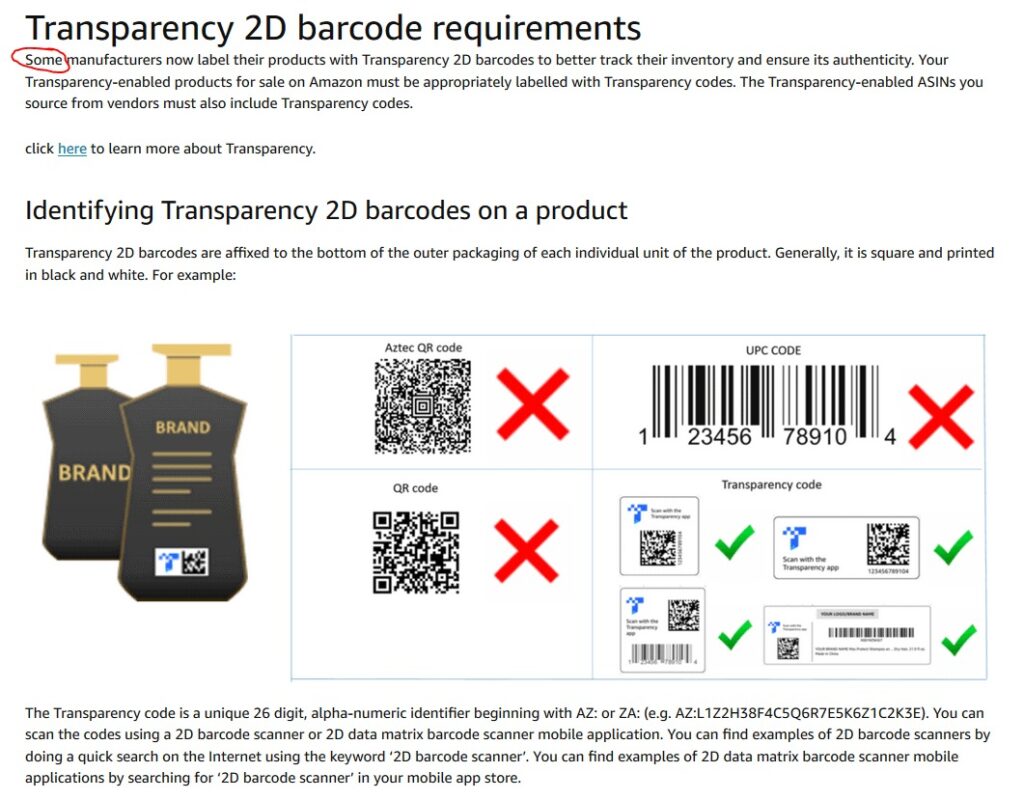
Furthermore, we suggest utilizing “Project Zero” and “Transparency” codes if eligible. These programs allow you to remove counterfeit offers before they even ship to customers proactively. By preventing fake goods from entering the marketplace under your brand name, you eliminate the “Authenticity” complaints that lead to ASIN deactivation.
FAQs About Amazon Listing Removed Issues
While rare, Amazon can “shadow-suppress” a listing if it detects a high-risk safety issue, often sending the email notification shortly after the search visibility has already been cut.
A receipt from a retail store is usually rejected. An invoice is a formal commercial document from a manufacturer or distributor that includes specific billing and shipping details.
This usually happens when Amazon’s “Automated Brand Protection” or a high-level “Retail” contribution overrides your data, often resulting in a suppressed listing if the new data is incomplete.
Typical review times range from 12 to 48 hours, though complex Intellectual Property or Safety cases can sometimes take up to 7 business days for a final decision.
No. This is considered “circumventing systems” and is a major violation that can lead to a permanent ban of your entire Amazon Seller account.
Get Professional Help from Megaficus
By treating your Account Health dashboard as a daily priority, you can identify risks before they turn into inactive listings. This vigilance ensures that your revenue remains steady and your brand reputation stays intact within the marketplace. Let’s contact Megaficus now to professionally resolve your Amazon listing removal issues and restore your business growth..