Many Amazon sellers increase their ad budget but see costs rise faster than sales. Traffic comes in, yet conversions stay low, and ACoS increases. This is where Amazon PPC optimization matters, helping you refine targeting, control spend, and focus on what actually drives results. In this guide, Megaficus shows you practical strategies to turn ad spend into consistent, profitable growth.
How Amazon PPC Advertising Works?
Amazon PPC advertising works through a bidding system where sellers select keywords or product targets and set a maximum cost-per-click. When shoppers search, Amazon compares ads based on bids, relevance, and performance to decide which ones appear.
Advertisers only pay when someone clicks on the ad, which helps control spending while attracting potential customers. By adjusting bids and refining keywords over time, sellers can improve visibility, drive targeted traffic, and increase return on investment.
Why Amazon PPC Optimization Matters?
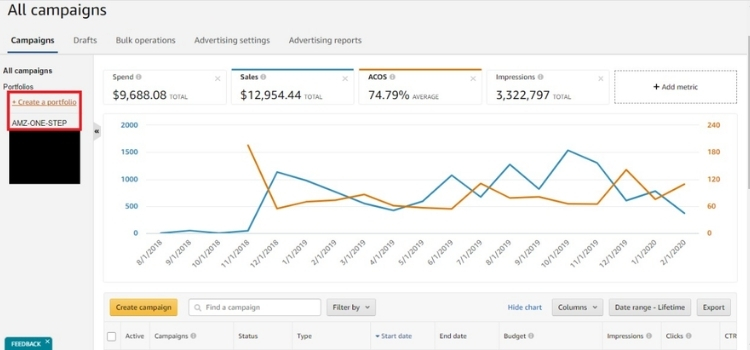
Amazon PPC optimization plays a key role in improving advertising performance and controlling costs. By continuously refining campaigns, sellers can reach the right audience more effectively while avoiding wasted ad spend:
- Increase profitability and control costs: Optimizing bids and removing low-performing keywords helps reduce wasted ad spend and improve ACoS.
- Boost organic ranking: Strong PPC performance signals relevance to Amazon, which can improve your product’s organic search position.
- Maximize visibility and sales: Well-optimized campaigns place your products in high-traffic positions, attracting shoppers with strong buying intent.
- Enable data-driven decisions: Continuous tracking allows you to refine targeting, budget allocation, and ad placements based on real performance.
- Stay competitive in the market: Optimization helps you outperform competitors and protect your brand presence in search results.
- Support effective product launches: PPC optimization provides immediate visibility and helps test keywords quickly without relying only on organic traffic.
Top 7 Amazon PPC Optimization Tips
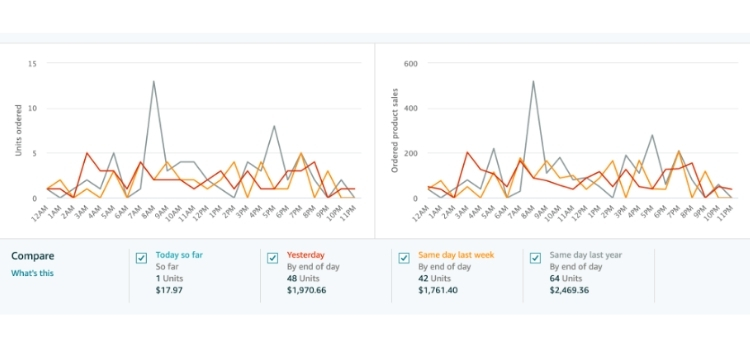
Optimizing Amazon PPC requires more than increasing bids or budget, as each adjustment should be based on performance data and clear objectives. The following tips focus on practical actions that help improve efficiency, control costs, and scale results.
Optimize Your Product Listing Before Running Ads
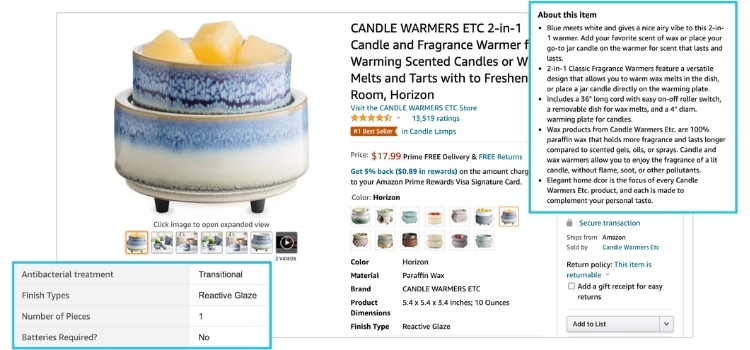
You should only run ads after your listing is optimized to meet minimum performance benchmarks. If the listing is weak, ads will drive traffic but fail to convert, which increases costs and reduces profitability.
- CTR Readiness: Ensure your listing can reach ≥ 0.3–0.5% CTR. If it is lower, your main image or title is not strong enough to attract clicks, so ads will be inefficient.
- Conversion Rate (CVR): Target ≥ 10–15% CVR before scaling ads. A low CVR means traffic will not convert, which increases ACOS and wastes budget.
- Image and Content Quality: Use ≥ 5–7 high-resolution images (≥ 2000px) and clear benefit-driven bullet points. Strong visuals and messaging directly improve conversion.
- Keyword Optimization: Place 1–2 primary keywords in the first 80 characters of the title and fully utilize backend keywords (up to 250 bytes) for better indexing.
- Social Proof and Pricing: Maintain ≥ 10–15 reviews with ≥ 4.2 star rating and keep pricing within ±10% of top competitors to stay competitive.
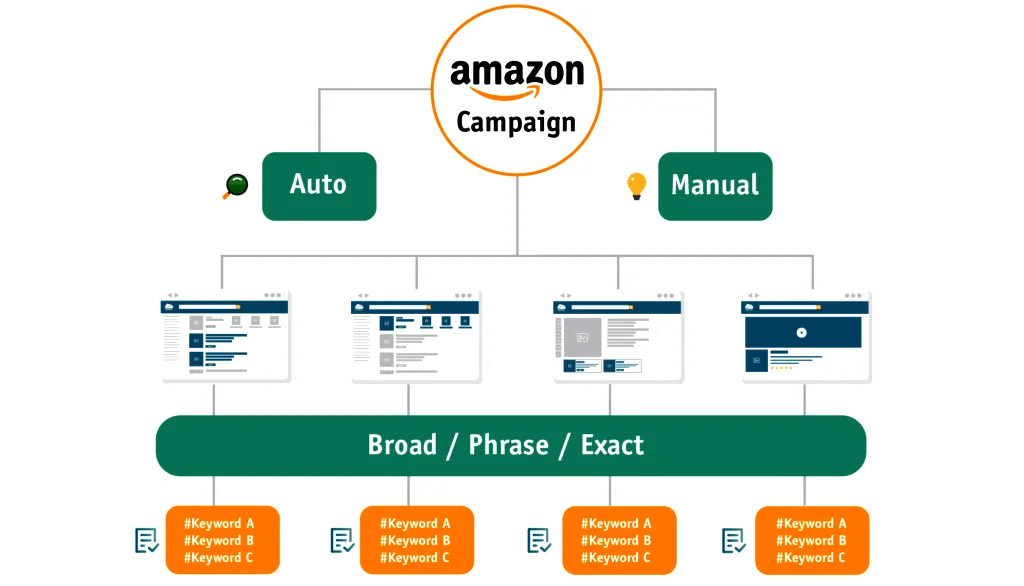
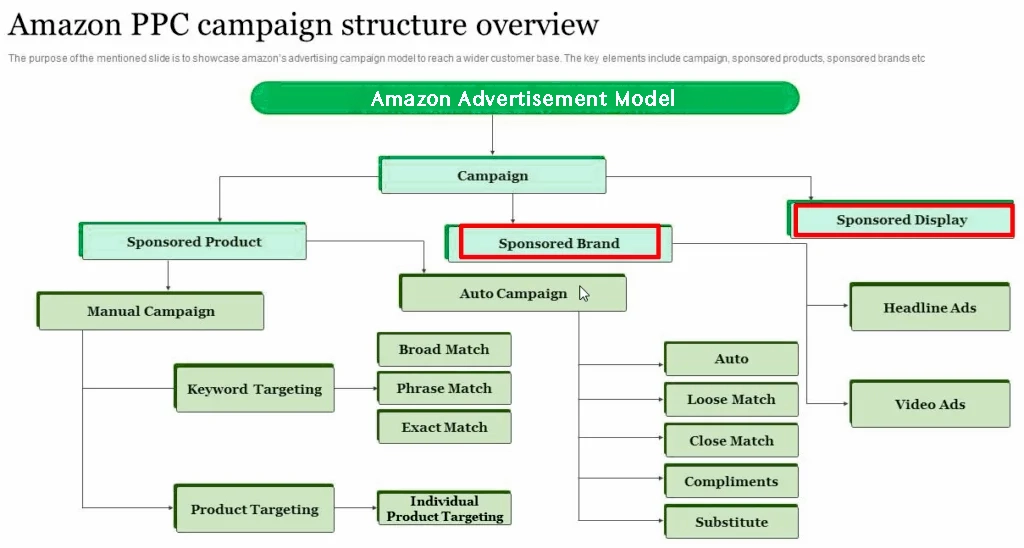
Choose the Right Campaign Type: Auto vs. Manual
To optimize Amazon PPC performance, you need to select the right campaign type based on its role in driving sales, traffic, or retargeting. Each campaign type contributes differently to overall performance, so using them correctly helps control ACOS and scale efficiently.
- Sponsored Products (core conversion driver): Allocate 60 to 80 percent of your total budget here. This campaign targets high-intent keywords and typically delivers a conversion rate of 10 to 20 percent with the most stable ACOS.
- Sponsored Brands (traffic and visibility scaling): Use this campaign to capture top-of-search traffic once your listing is proven. It often generates a CTR of 0.5 to 1 percent, but the conversion rate is usually 20 to 30 percent lower than that of Sponsored Products.
- Sponsored Display (Retargeting and Recovery): Use this campaign to re-engage shoppers who viewed your product. It works best when your listing already has steady traffic and helps improve the overall conversion rate.
- Budget allocation logic: Start with Sponsored Products as the foundation, then allocate 10 to 20 percent to Sponsored Brands and 5 to 15 percent to Sponsored Display, depending on performance.
- Optimization focus: Use Sponsored Products for efficiency, Sponsored Brands for scaling reach, and Sponsored Display for retargeting to maximize total PPC sales.
Keyword Research and Optimization for Amazon PPC
Keyword performance should be evaluated based on search term data, conversion signals, and cost efficiency to decide which terms to scale and which ones to remove:
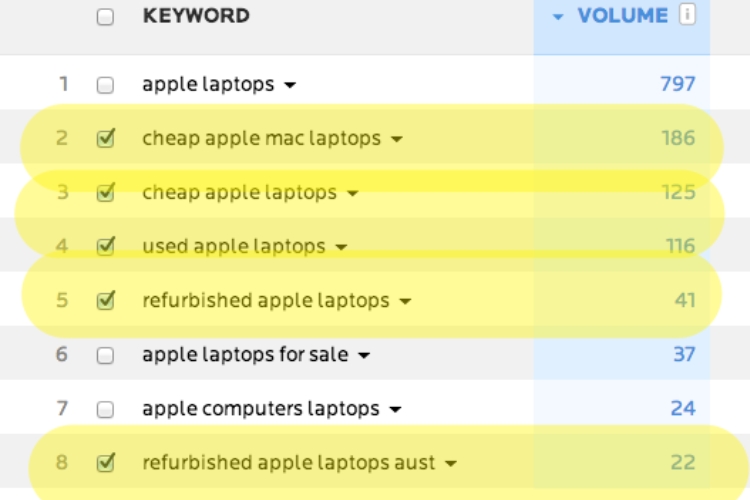
- Use search term report for data analysis: Review the report regularly to identify search terms that drive conversions. Prioritize keywords with strong conversion data and stable ACOS.
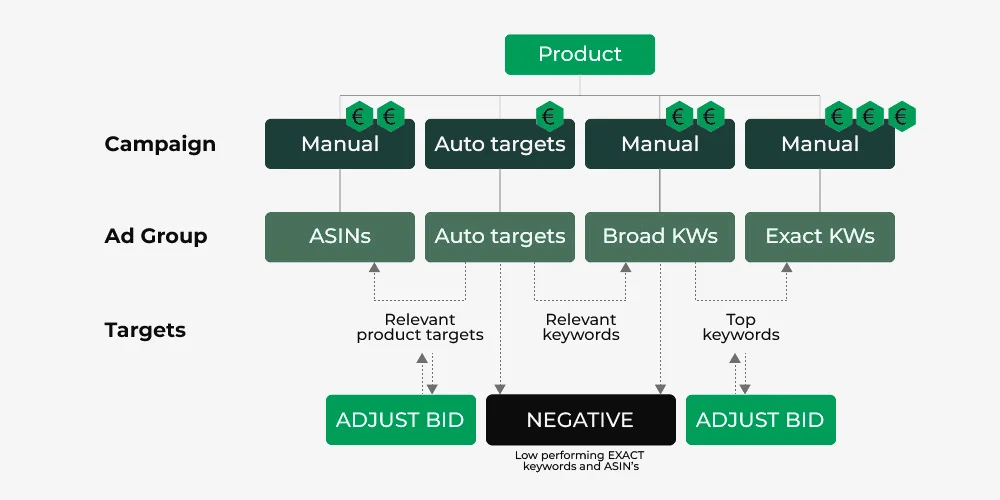
- Start with an auto campaign for keyword discovery: Run an auto campaign to collect real search term data. This allows you to identify which keywords customers actually use before building manual campaigns.
- Extract high-performing keywords: Select keywords with at least 2 to 3 conversions and acceptable ACOS. Move these keywords into manual campaigns to scale performance.
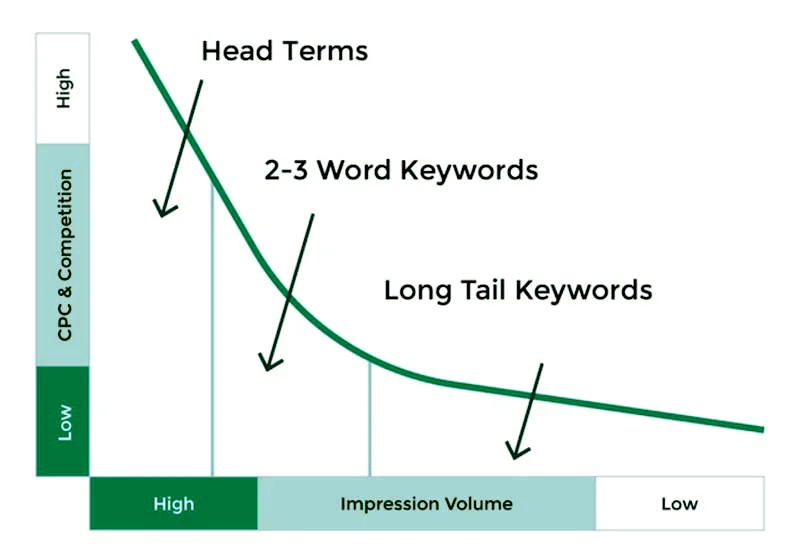
- Leverage Long-Tail keywords: Add long-tail keywords with clear buying intent. These keywords often have lower competition and higher conversion rates.
- Control waste with negative keywords: Add negative keywords when a search term reaches 10 to 15 clicks without generating sales.
Use Negative Keywords to Eliminate Wasted Spend
Using negative keywords is essential to reduce wasted spend and improve targeting accuracy in Amazon PPC. Instead of blocking keywords based on assumptions, you should rely on Search Term Report data to identify terms that generate clicks but fail to convert.
For example, if you are selling “wireless earbuds” and a search term like “cheap wired headphones” gets 12 clicks with zero orders, this indicates low purchase intent, so it should be added as a negative keyword.
You should review the Search Term Report every 3 to 7 days and only block keywords that are clearly irrelevant or consistently underperforming. This approach helps control budget waste without limiting potential sales.
Organize Your Product Portfolio for Better Campaign Structure
When multiple products are grouped in one campaign, the budget is often wasted because high-performing and low-performing items share the same spend. For instance, if one SKU generates most of the sales while others have high clicks but no orders, the budget should not be shared across all of them.
Instead, separate top-selling SKUs into their own campaigns so you can increase bids and budget without affecting weaker products. At the same time, group similar products with close pricing and use cases together to keep keyword targeting consistent. This setup makes it easier to see which group drives sales and which one needs to be reduced or paused.
Apply Dynamic Bidding and Placement Adjustments
To improve Amazon PPC performance, you need to combine dynamic bidding with placement adjustments based on real campaign data. This approach helps increase visibility in high-converting placements while controlling overall ad spend.
- Use Dynamic Bidding Strategically: Choose “dynamic bids up and down” for high-performing campaigns to increase bids on likely conversions. Use “down only” for testing or low-performing campaigns to limit risk.
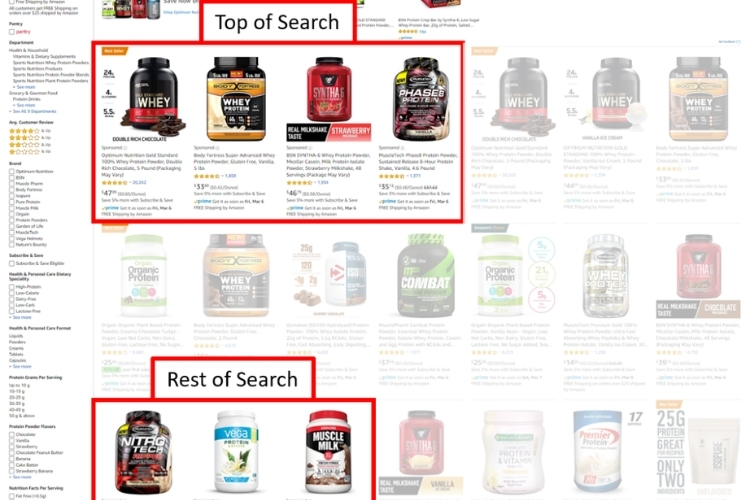
- Optimize Top of Search Placement: Increase bids by 20 to 50 percent for Top of Search when keywords show strong conversion rates. This placement often delivers the highest CTR and sales volume.
- Adjust Product Page Placement: Apply lower bid adjustments, typically 10 to 30 percent, since conversion rates are usually lower than Top of Search.
- Monitor Performance by Placement: Review placement reports regularly to identify where conversions happen and adjust bids accordingly.
- Align Bids with Performance Data: Increase bids only for keywords with stable conversions and target ACOS, and reduce bids for underperforming segments.
Track ACoS and TACoS to Measure True Performance
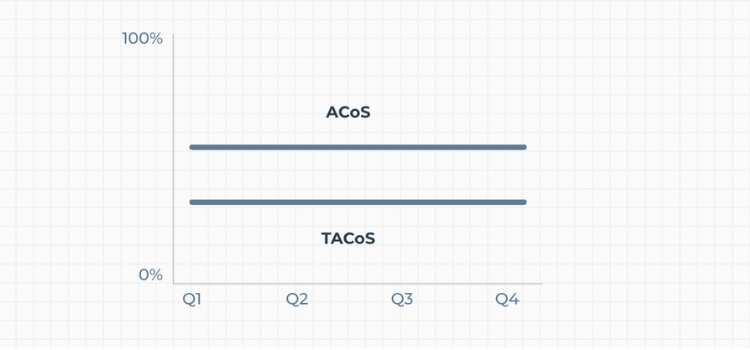
Accurate PPC evaluation depends on tracking both ACoS and TACoS instead of relying only on CTR or conversion rate. These metrics reflect not just ad efficiency but also overall profitability and long-term growth.
- ACoS (Advertising Cost of Sales): ACoS is calculated by dividing ad spend by ad revenue. A healthy ACoS should stay below your profit margin, typically around 20 to 30 percent, depending on the product.
- TACoS (Total Advertising Cost of Sales): TACoS compares ad spend with total revenue. A decreasing TACoS indicates that PPC is supporting organic growth.
- Performance Benchmark: When ACoS remains stable, and TACoS decreases, campaigns are scaling efficiently. If both increase, profitability is declining.
- Optimization Action: Reduce bids or pause keywords when ACoS exceeds your target by 20 to 30 percent, and increase budget for campaigns with stable performance.
- Profit-Focused Strategy: ACoS helps with short-term optimization, while TACoS reflects long-term business impact and brand growth.
How to Set Up Your Amazon PPC Campaign Structure?
A clear setup helps you collect reliable data, control costs, and make optimization easier later:
- Access the Amazon Ads Console: Log in to your Seller Central or Vendor Central account and navigate to the Advertising tab to open the Ads Console.
- Create a new campaign: Click on Create campaign and select Sponsored Products to start the setup process.
- Select the Campaign Type: Choose the campaign type based on your objective. Sponsored Products should be the primary focus, as it typically delivers the most consistent conversions.
- Use a clear naming structure: Name your campaign in a way that reflects its purpose. A consistent format, such as Brand – Product – Targeting – Match Type, makes it easier to manage and analyze performance as your account grows.
- Set campaign duration: Define a start and end date based on your strategy. Use an end date for seasonal products, and leave it open for long-term campaigns.
- Set a practical daily budget: The budget should be high enough to generate meaningful data.
- Low budget (under $5/day) often limits visibility
- Testing range ($10–30/day) allows initial data collection
- Higher budgets are more suitable for scaling
- Choose between automatic and manual targeting: Automatic campaigns help collect search term data, while manual campaigns allow precise control. A practical approach is to run an automatic campaign first for several days, then move converting keywords into manual campaigns to improve performance.
- Create focused ad groups: Each ad group should include closely related products and keywords with similar intent. This improves relevance and helps maintain stable performance.
- Select a bidding strategy: Choose a bidding strategy based on your campaign stage.
- Use dynamic bids (down only) when testing to limit risk
- Use dynamic bids (up and down) when performance is stable
- Use fixed bids only when you need full control
How to Monitor and Refine Your PPC Campaigns Over Time?
Monitoring and refinement should focus on clear performance signals and specific actions, including:
- CTR (Ad Relevance): If CTR drops below 0.3%, the issue usually comes from poor keyword intent or a weak main image. Replace low-performing keywords or test a stronger main image to improve click performance.
- CVR (Conversion Rate): If CVR is under 10%, traffic is not converting. Check pricing, reviews, and product images. If traffic is relevant but CVR stays low, pause the keyword to prevent further spend.
- Clicks Without Orders (Waste Detection): When a keyword reaches 10 – 15 clicks with no orders, it is likely unprofitable. Reduce the bid or add it as a negative keyword to stop wasted spend.
- Search Term Performance (Scaling Logic): Search terms with 2 – 3 orders and stable ACoS should be moved into manual campaigns (Exact match). This allows tighter bid control and better scaling.
- Bid Adjustment (Control Spend): Increase bids by 10 – 20% only for keywords that generate consistent conversions. Decrease bids for keywords that spend but do not convert to limit losses.
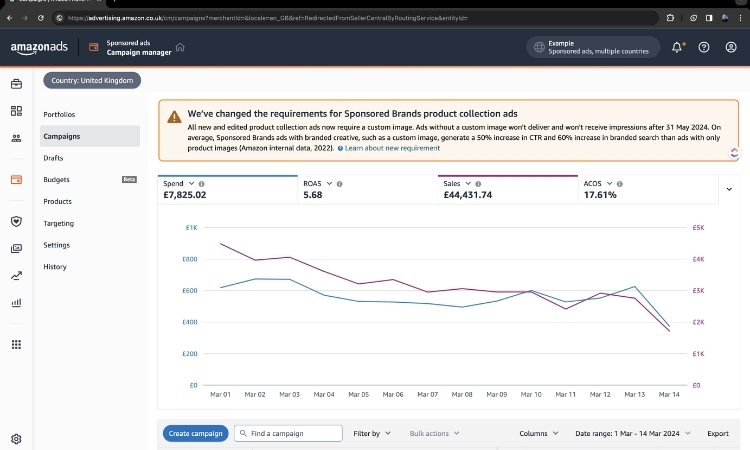
- Spend vs Sales Trend (Performance Signal): If ad spend increases but sales do not follow, targeting is likely misaligned. Narrow targeting or remove underperforming keywords to restore efficiency.
- Weekly Performance Check (Issue Detection): Review campaigns every 3 – 7 days to identify sudden spikes in spend or drops in conversions. Investigate immediately instead of waiting for more data.
Best Amazon PPC Optimization Tools
PPC tools help automate bidding, manage campaigns at scale, and surface performance insights, allowing you to act on data faster and reduce manual workload:
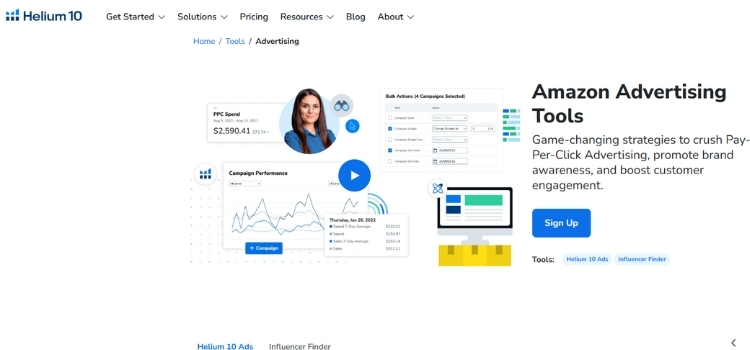
Helium 10
Helium 10 is useful for keyword and ASIN research before launching or scaling campaigns. You can use tools like Cerebro and Magnet to identify high-volume keywords, then apply them directly to manual campaigns. It also supports listing optimization, which helps improve CVR and overall PPC performance.
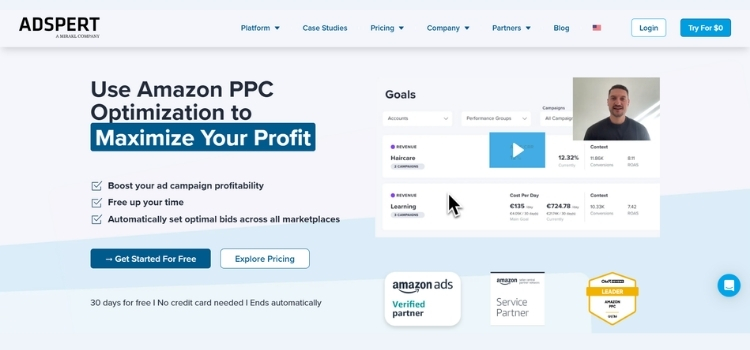
Adspert
Adspert focuses on automating bid and budget decisions based on performance data. It analyzes results from automatic campaigns and suggests which keywords should be moved into manual campaigns. This helps reduce manual work while maintaining control over ACoS and spend efficiency.
BidX
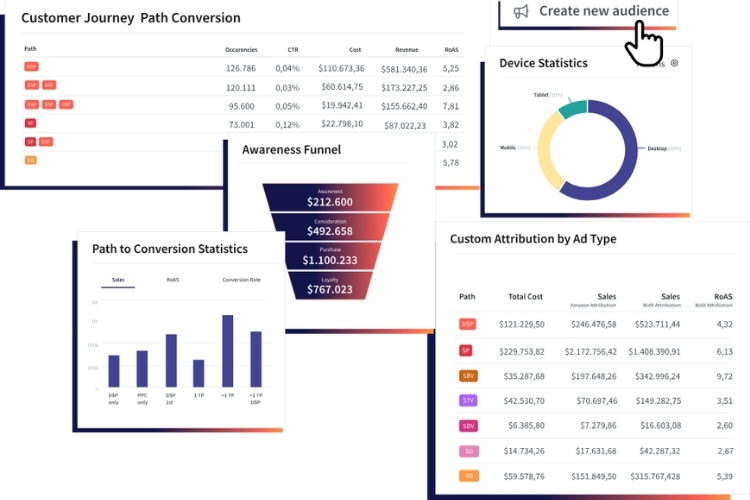
BidX is designed for campaign scaling and bulk management. You can automate bid adjustments, keyword transfers, and campaign creation, which is useful when managing a large number of campaigns. The dashboard allows you to track key metrics and react quickly to performance changes.
ROPT
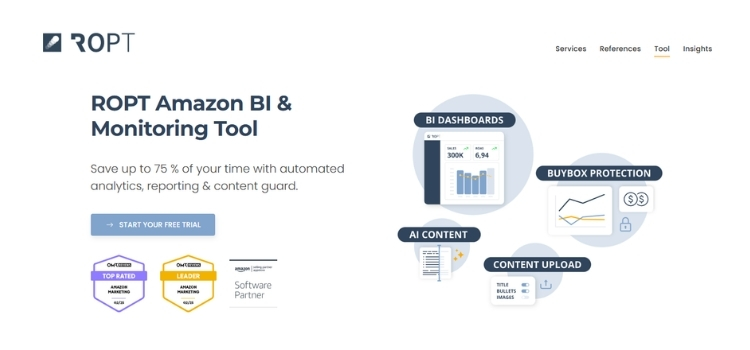
ROPT provides a centralized view of advertising, sales, and content performance. It helps identify trends and performance gaps early through forecasting and product quality analysis. This makes it easier to connect PPC performance with listing quality and overall sales impact.
FAQs About amazon PPC optimization
A good ACoS depends on your profit margin, but it typically falls between 20–30%. It should always stay below your break-even margin to remain profitable.
Campaigns should be reviewed every 3–7 days to adjust bids, control spend, and update keywords based on performance data.
Yes, consistent PPC sales can improve organic ranking by increasing sales velocity, which signals relevance to Amazon’s algorithm.
Get Professional Help from Megaficus
Mastering Amazon PPC optimization allows you to turn ad spend into measurable growth instead of unpredictable costs. By refining targeting, controlling bids, and focusing on data-driven decisions, you can improve efficiency, scale profitable keywords, and support long-term organic performance. Consistent optimization not only protects your margins but also strengthens your overall position in a competitive marketplace.
If you need expert support to optimize your campaigns, improve ACoS, or scale your Amazon business more effectively, the team at Megaficus is ready to help you achieve sustainable, profitable growth.