Why do some sellers unlock more growth opportunities on Amazon while others are limited by basic selling tools? The Amazon Professional Seller Account is designed for sellers who want greater control, scalability, and access to advanced features. In this guide, Megaficus explains what this account is and how to get started quickly.
Quick Summary
- An Amazon Professional Seller Account is a paid selling plan designed for sellers who want to scale operations, access advanced tools, and compete effectively on the Amazon marketplace.
- Professional vs Individual seller accounts: The Professional plan charges a monthly fee but removes per-item selling fees and provides more flexibility for high-volume or growth-focused sellers.
- Costs and requirements: Sellers pay a fixed monthly subscription, with no minimum sales volume required, and the option to upgrade or downgrade based on business needs.
- Who should use a Professional Seller Account: This plan is ideal for sellers managing larger inventories, running ads, selling in restricted categories, or aiming for long-term scalability.
What Is The Amazon Professional Seller Account?
Amazon’s Professional Seller Account is specifically designed for high-volume sellers and businesses operating on the platform. This account type delivers a comprehensive toolkit that enables sellers to manage large-scale operations efficiently and scale their business effectively.
The account provides essential features that streamline complex selling tasks. Sellers can upload multiple product listings at once using bulk tools, integrate inventory systems through spreadsheets and APIs, and customize shipping rates to match their business requirements.
Additionally, Professional sellers gain access to powerful marketing tools like Sponsored Products campaigns, along with unrestricted selling rights across all Amazon product categories. These advanced capabilities make this account ideal for businesses focused on growth and operational efficiency.
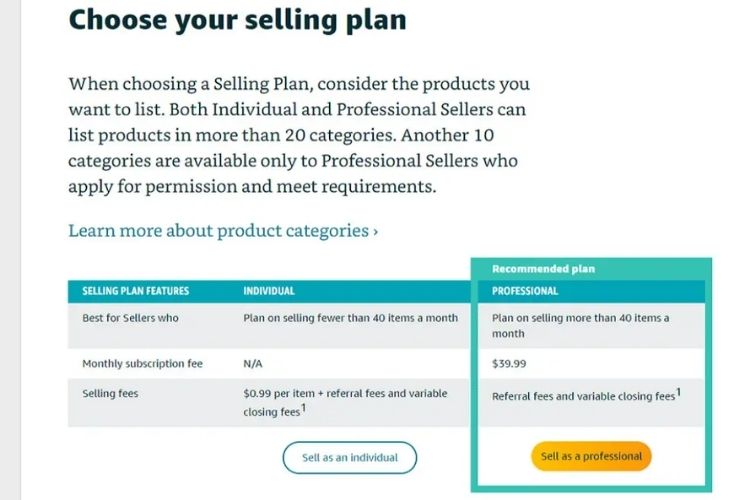
To better understand how the Amazon Professional Seller Account differs from the Individual plan, the table below highlights the key distinctions in pricing, features, and selling capabilities:
| Criteria | Professional Seller Account | Individual Seller Account |
|---|---|---|
| Monthly subscription fee | $39.99 per month | No monthly fee |
| Per-item selling fee | No per-item fee | $0.99 per item sold |
| Buy Box eligibility | Eligible to compete for the Buy Box | Not eligible |
| Product listing method | Bulk listing via spreadsheets and APIs | Manual listing only |
| Advertising access | Sponsored Products available | Advertising not available |
| Reporting & analytics | Advanced sales and performance reports | Basic reports only |
| Suitable for | High-volume sellers and growing businesses | Low-volume or occasional sellers |
Requirements For Professional Seller Account
The documentation requirements for Professional accounts are identical to those of Individual Sellers accounts. However, Amazon has strengthened its verification process in recent years to ensure platform security.
Before beginning your registration, make sure you have all necessary documents prepared to avoid delays or complications during the approval process:
- Valid government-issued photo ID: Passport, driver’s license, or national ID card.
- Recent proof of address: Utility bill or bank statement issued within the past 180 days.
- Bank account information: Account and routing numbers for receiving payments.
- Internationally chargeable credit card: For account verification and monthly subscription charges.
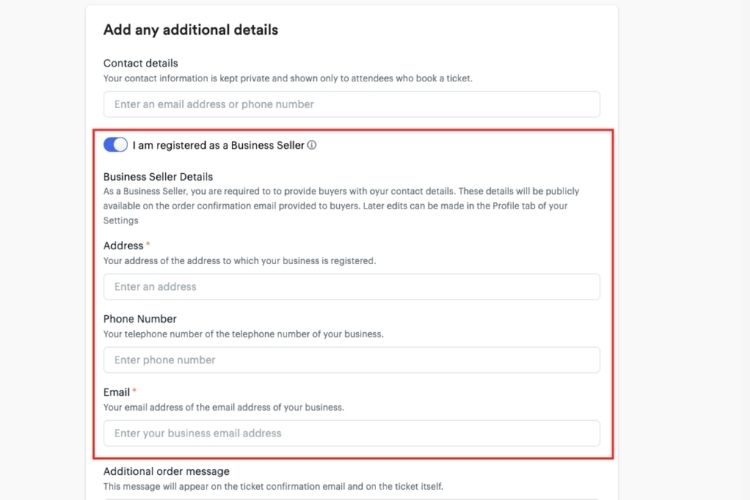
- Business information: Location, business type, company name, registration number, and phone number.
- Tax documentation: SSN or EIN for US sellers, or international tax identification number.
- Working phone number and email address: For account verification and ongoing communication.
Benefits Of The Amazon Professional Seller Account
Beyond pricing and core selling features, a Professional Seller Account offers additional advantages that support long-term scalability, compliance, and operational control on Amazon:
- Eligibility to apply for restricted categories: A Professional Seller Account is required to apply for approval in gated categories such as Jewelry, Fine Art, Collectibles, Automotive, and certain media products, as Individual sellers are not eligible to submit category approval requests.
- Advanced tax and compliance management tools: Professional sellers gain access to enhanced tax reporting, VAT configuration, and downloadable transaction reports, making it easier to manage sales tax obligations, accounting workflows, and cross-border compliance requirements.
- Full access to third-party integrations: Only Professional accounts can fully connect with Amazon’s API ecosystem, allowing sellers to use third-party tools for inventory management, repricing, order automation, forecasting, and multichannel synchronization.
- Greater operational scalability and automation: The Professional plan is designed to support automation at scale, enabling sellers to streamline repetitive tasks, integrate external systems, and manage higher order volumes without manual limitations.
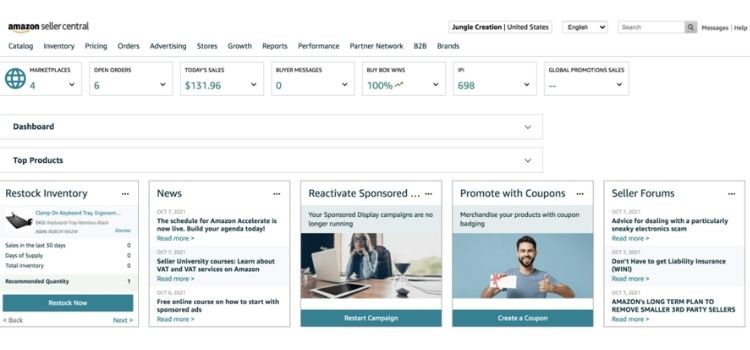
Who Should Use A Professional Account?
The Professional Seller Account suits specific seller profiles whose business goals require advanced features and higher sales volumes:
- High-volume sellers: You consistently sell 25 or more items monthly, making the flat fee more cost-effective than per-item charges.
- Growth-focused businesses: You’re serious about scaling operations and building a sustainable long-term Amazon business.
- Brand owners: You need to create new product listings for private label products, as Individual accounts only allow selling existing items.
- Restricted category sellers: You want access to gated categories like Automotive Parts, Grocery & Gourmet Food, Fine Jewelry, or Industrial & Scientific.
- Marketing-driven sellers: You plan to run Sponsored Products campaigns, promotional deals, or compete for the Buy Box.
- Tech-integrated operations: You require API access for inventory management software, accounting tools, or third-party applications.
- Professional retailers: You manage extensive product catalogs that benefit from bulk listing and advanced operational tools.
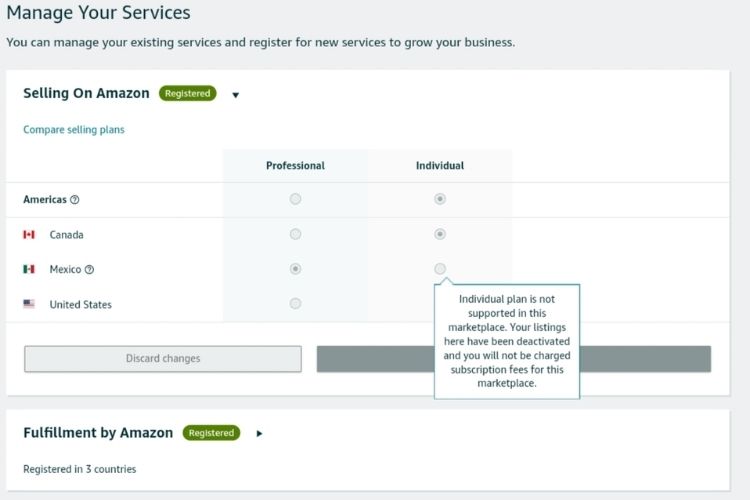
How To Create A Pro Amazon Seller Account
The following steps will guide you through creating a Pro Amazon Seller Account quickly and correctly, so you can start selling with confidence.
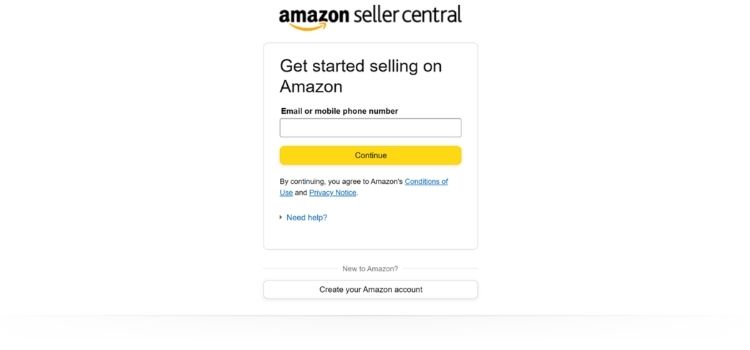
Step 1: Head To Amazon Seller Central
Go to https://sellercentral.amazon.com/ in your web browser. This is Amazon’s official portal for all seller account activities.

Step 2: Click To Create An Account
On the homepage, click Sign Up, then select Create Your Amazon Account to begin registration.
Step 3: Go With The Professional Option
When prompted to choose your selling plan, select sign up for Professional to unlock advanced tools and features.

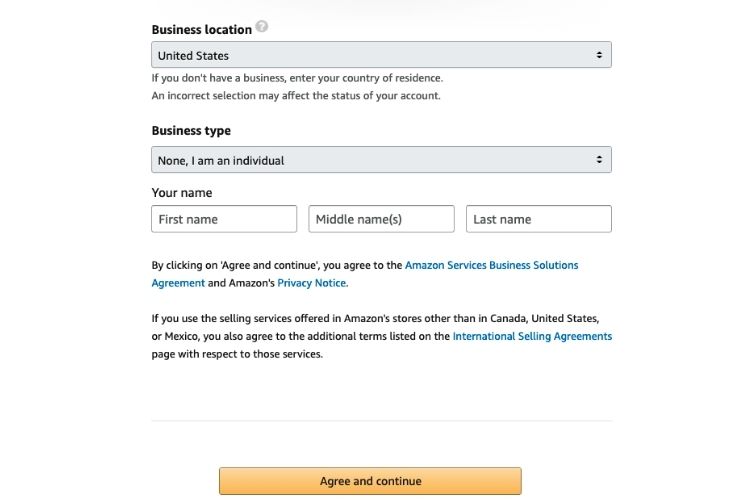
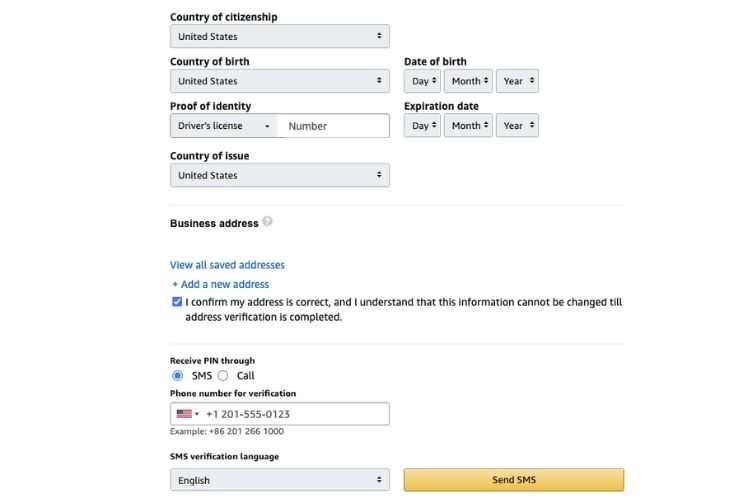
Step 4: Add Your Business Info
Next, enter your business details, including company name, registered address, contact information, and bank account details for receiving payments.
Step 5: Prove You’re Really You
Upload verification documents such as your government-issued ID, business registration, or recent bank statement. In most cases, Amazon completes the initial review within 1-3 business days.
Step 6: Wrap Up The Final Settings
After verification, complete your account setup by configuring payment methods, tax settings, and choosing your fulfillment option (FBA or self-fulfilled).
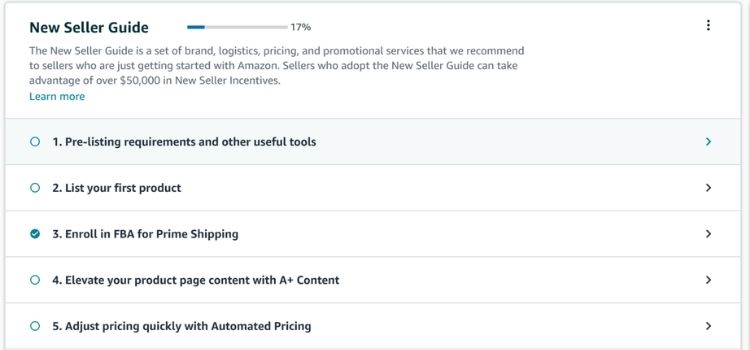
Step 7: You’re All Set To Sell!
Once Amazon approves your account, you can immediately start creating product listings and selling on the platform.
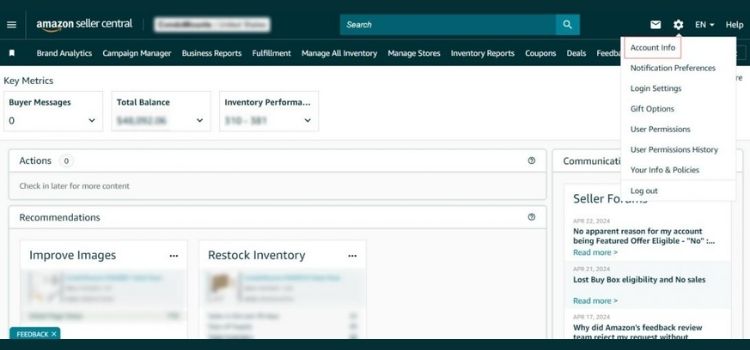
Pro Tips for Amazon Professional Sellers
Once your Professional Seller Account is set up, the next step is learning how to use it strategically. The tips below focus on practical actions that help experienced sellers improve efficiency, visibility, and long-term profitability on Amazon.
Optimize Advertising Campaigns With Data-Driven Structure
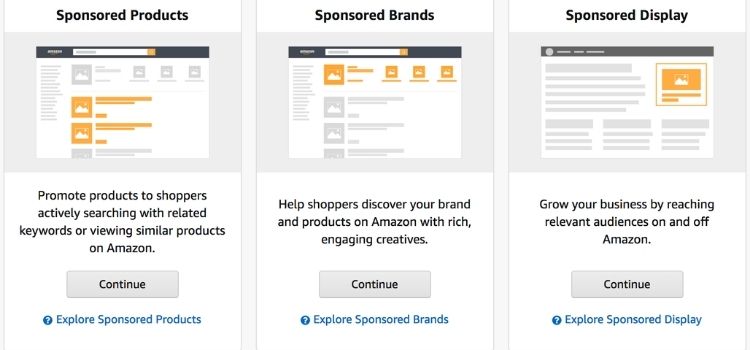
One of the biggest advantages of a Professional Seller Account is the ability to scale sales through structured advertising rather than relying solely on organic traffic. When campaigns are properly optimized, sellers can increase product visibility, improve conversion rates, and generate more predictable revenue without depending on seasonal demand.
Sellers should organize Sponsored Products campaigns by product type or keyword intent and monitor performance metrics such as click-through rate, conversion rate, and advertising cost of sales.
In addition, sellers can gradually adjust bids, pause underperforming keywords, and reinvest budget into high-converting search terms to improve overall advertising efficiency.
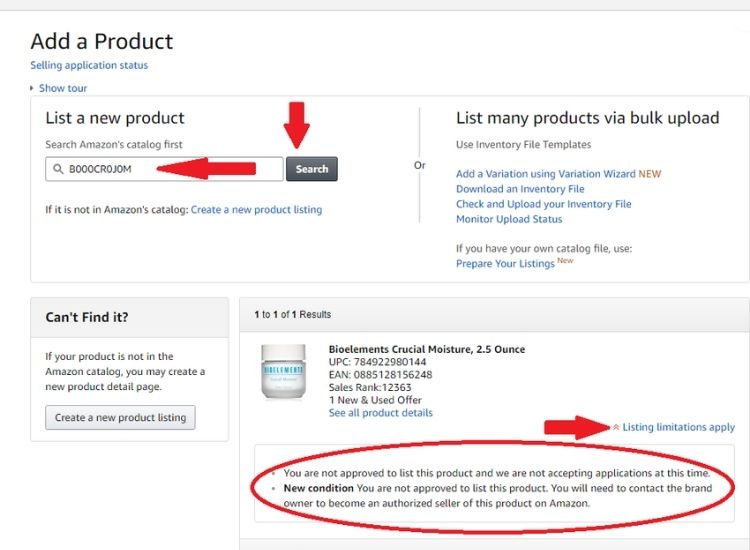
Prepare Early For Category Approval To Unlock Higher-Margin Niches
Access to gated categories allows Professional sellers to compete in less saturated markets where price competition is often lower and profit margins are higher. By entering these restricted categories early, sellers can diversify their product portfolio and reduce dependence on highly competitive open categories.
To do this effectively, sellers should review Amazon’s category approval requirements in advance and prepare necessary documentation such as invoices, compliance certificates, or brand authorization letters. Once the account is established, sellers can submit approval requests through Seller Central and gradually expand into additional categories as their sales history and account health improve.
Automate Operations With Third-Party Tools to Support Long-Term Growth
As order volume increases, manual account management becomes inefficient and increases the risk of pricing errors, stockouts, and delayed responses. Automation enables Professional sellers to maintain operational accuracy while freeing up time to focus on strategy and business development.
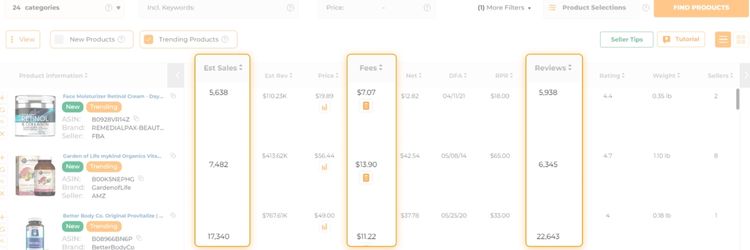
Professional sellers benefit from integrating well-known third-party tools such as repricers, inventory forecasting software, and analytics platforms through Amazon’s API access. For example, repricing tools can automatically adjust prices based on market conditions, while tools like Jungle Scout or Helium 10 support product research and performance analysis.
FAQs About Amazon Professional Seller Account
An Amazon Professional Seller Account is a paid selling plan designed for businesses and high-volume sellers, offering access to advanced tools such as advertising, bulk listing, and category approvals.
A Professional Seller Account costs $39.99 per month, regardless of how many items you sell. Standard referral and fulfillment fees still apply.
Yes, it is possible, but results depend on factors such as product selection, pricing strategy, advertising optimization, and overall account performance.
In most cases, a business license is not required to open an Amazon seller account, but you may need one depending on your location, tax regulations, or the product categories you sell.
Amazon’s refund policy varies by product category, but sellers are generally required to follow Amazon’s return guidelines and process customer refunds according to platform rules.
Get Professional Help from Megaficus
Building a successful Amazon Professional Seller Account requires more than just signing up. Sellers need a strategic setup, ongoing optimization, and a clear understanding of Amazon’s selling ecosystem. When account structure, product listings, advertising, and compliance work together, sellers can achieve sustainable growth and protect long-term profitability.
If you want to set up, manage, or scale your Amazon Professional Seller Account with confidence, Megaficus is ready to support you with data-driven strategies and hands-on expertise at every stage of your Amazon journey.