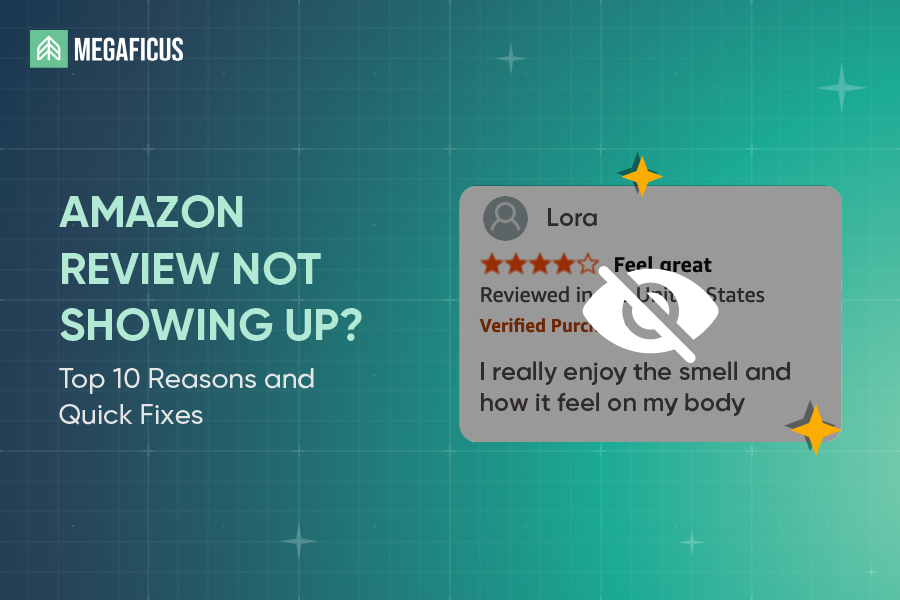
Have you ever asked a customer to leave a review, only to check back days later and find nothing there? An Amazon review not showing up is frustrating, especially when you know the purchase was real and the feedback was genuine. This guide breaks down the most common reasons it happens and what you can actually do to fix it.
Quick Summary: 10 Common reasons your Amazon review is missing:
- Amazon is still screening your review
- You submitted seller feedback instead of a product review
- Your review violates Amazon’s content policy
- Amazon blocked reviews from your network
- Your review mentions free or discounted products
- You left too many reviews in a short time
- Your account was deactivated
- You bought from a third-party seller
- Automated fraud filter caught your review
- A technical glitch is hiding your review
What Does Amazon Review Not Showing Up Mean?
An Amazon review not showing up usually means it is either still being processed or has been removed by Amazon’s system. Specifically, new reviews typically go through a moderation period of 1 to 3 days before they appear publicly. If the wait extends beyond that, it often means the review was flagged for breaking community guidelines.
This can happen when the review looks like spam, comes from an unverified purchase, or shows a possible conflict of interest between the reviewer and the seller. In some cases, Amazon’s automated account-level filters may also remove a review without sending any notice to either party.
How Long Do Amazon Reviews Take To Appear?
Amazon reviews do not go live immediately because the platform deliberately takes time to evaluate each submission before it appears publicly. In most cases, a review will show up within 24 to 72 hours after it is submitted.
However, during busy periods such as holidays or when a review requires additional scrutiny, the process can take up to 14 days. This delay is simply Amazon’s way of ensuring that every review meets its standards and that the overall marketplace remains trustworthy for both buyers and sellers.
Common Reasons Why Amazon Reviews Aren’t Showing Up And How To Fix It
Missing reviews are more common than most sellers realize, and the cause is not always obvious. Here are the most frequent reasons why Amazon reviews disappear or fail to show up, along with what you can do about each one.
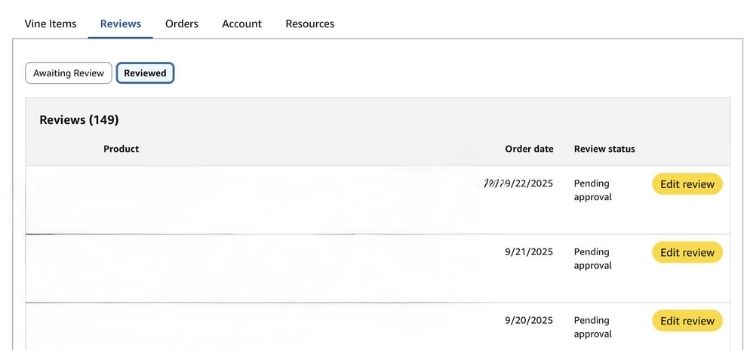
Amazon Is Still Screening Your Review
Amazon screens every review before it goes live, checking for verified purchaser status, compliance with community guidelines, and signs of manipulation. This process typically takes 24 to 72 hours, but can stretch up to 14 days in some cases.
If your review has not appeared after 14 days, here is what to do:
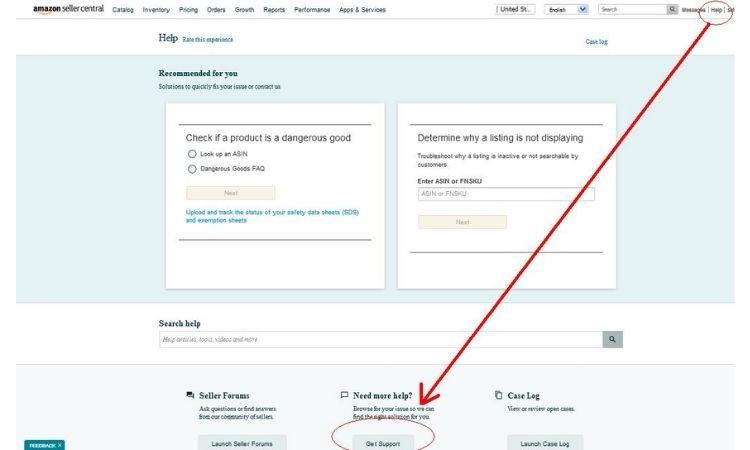
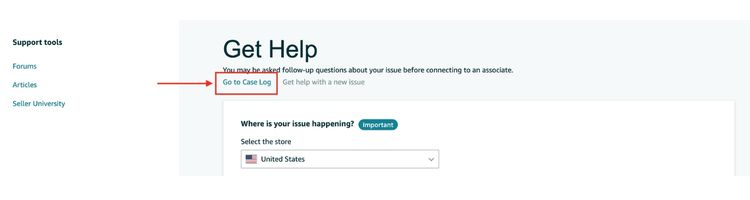
- Go to Seller Central and open a case with Amazon Seller Support
- Provide the order ID and the date the review was submitted so the team can investigate
- Avoid asking the customer to resubmit, as duplicate submissions can trigger additional flags and delay the process further
You Submitted Seller Feedback Instead Of A Product Review
Many customers accidentally leave product comments in the seller feedback section instead of the product review section. When this happens, the review will not appear on the product listing at all since it is stored in the seller’s feedback history instead.
To fix this, here is what sellers can do:
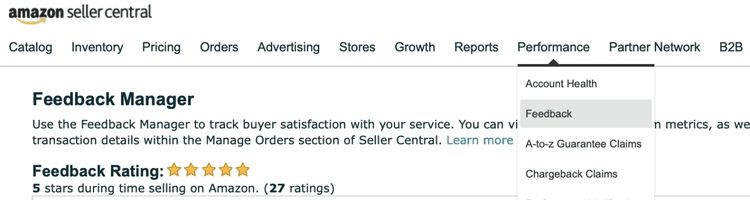
- Go to Seller Central, open the Feedback Manager, and locate the misplaced comment
- Click “Request removal” if the content is product-related rather than seller-related, as Amazon allows removal in this case
- Note that removing it from seller feedback will not automatically move it to the product listing, so the customer would need to resubmit it in the correct section if they are willing to do so
Your Review Violates Amazon’s Content Policy
A review that violates Amazon’s content policy will be filtered out automatically, even if the overall feedback is positive. Amazon removes any submission that contains profanity, discriminatory language, personal attacks, threatening content, or descriptions that are not family-friendly.
Unfortunately, sellers cannot restore a review that has been removed for policy violations. However, there are a few steps worth taking:
- Check the review in question against Amazon’s community guidelines to confirm it was removed for content reasons
- If the removal seems incorrect, go to Seller Central and open a case with Seller Support to request a manual review
- If the removal was valid, consider following up with the customer politely to let them know they are welcome to leave a new review that meets Amazon’s guidelines
Amazon Blocked Reviews From Your Network
Amazon actively detects and removes reviews that come from people connected to the seller, including family members, close friends, and business associates. The platform identifies these relationships through shared IP addresses, linked accounts, and other behavioral signals, then filters out any submissions that appear to have a personal or financial connection to the seller.
Since these reviews are removed by Amazon’s algorithm, there is no direct way to restore them. Instead, here is how to avoid the issue going forward:
- Never ask people in your personal or professional network to leave reviews, even if their experience with the product was genuine
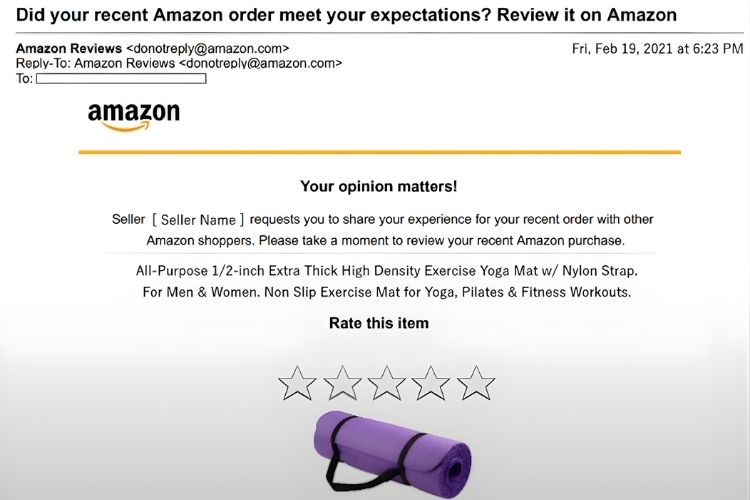
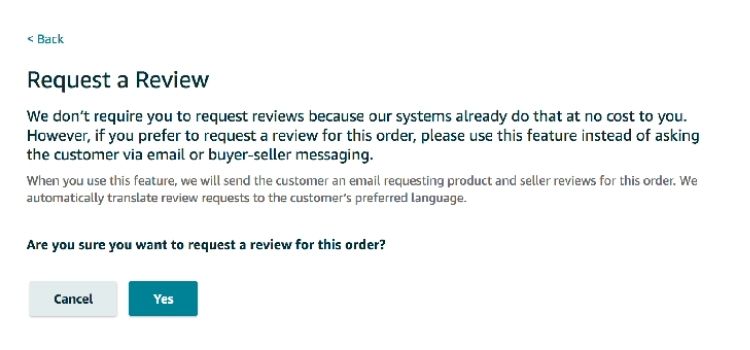
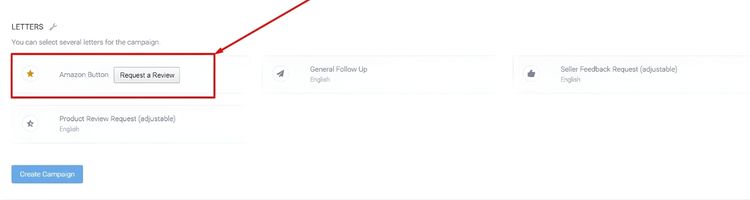
- Encourage reviews only through Amazon’s approved channels, such as the “Request a Review” button in Seller Central
- If you believe a legitimate review was wrongly flagged, open a case with Seller Support and provide context, though approvals in these cases are rare
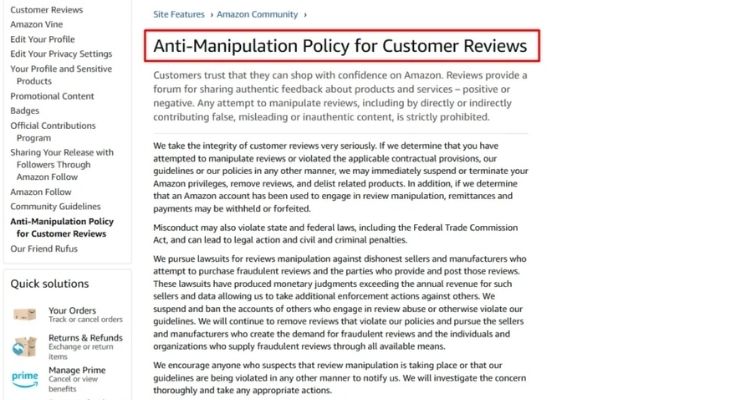
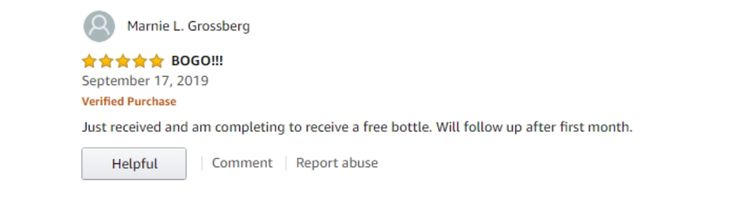
Your Review Mentions Free Or Discounted Products
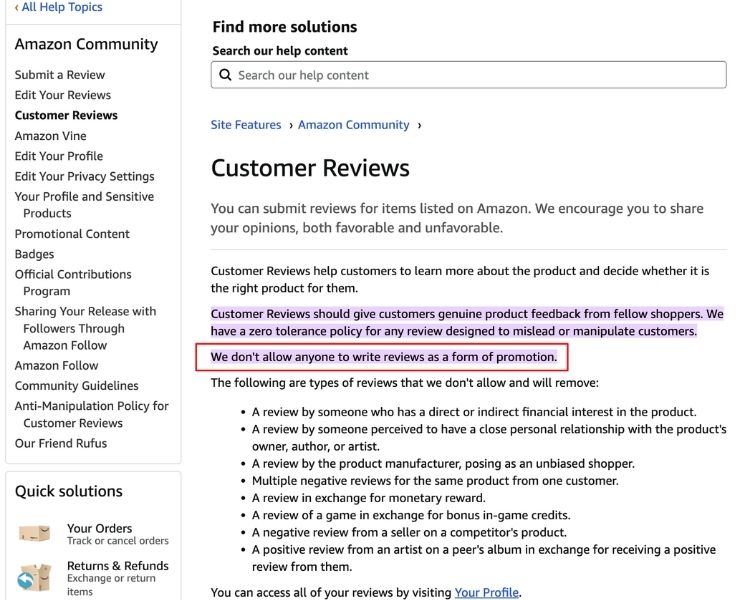
Amazon strictly prohibits reviews that were given in exchange for any form of compensation. If there is evidence that a review was incentivized, whether through payment, gift cards, refunds, free products, discount codes, or prize entries, Amazon will remove it automatically.
There is no way to recover a review that was taken down for this reason. To stay compliant going forward:
- Only request reviews through Amazon’s official channels, such as the “Request a Review” button in Seller Central or the Amazon Vine program for eligible sellers
- Never offer any form of reward in exchange for a review, even if the request is framed as optional
- If you run product giveaways or promotions, make clear to recipients that leaving a review is entirely voluntary and unrelated to the offer
You Left Too Many Reviews In A Short Time
A sudden spike in reviews within a short period can trigger Amazon’s fraud detection system, causing those reviews to be held or removed entirely. This typically happens after a large discount promotion, when multiple reviews come in at the same time, or when the timing and content of submissions follow an unusual pattern.
Once reviews are flagged for velocity issues, sellers cannot speed up the investigation, so the best approach is to prevent it from happening in the first place:
- Space out any promotional campaigns to prevent a flood of reviews hitting your listing all at once
- Avoid running deep discounts to a large number of buyers simultaneously, as this is one of the most common triggers
- Send review requests through the “Request a Review” button in Seller Central individually, rather than in bulk, to keep submission timing looking natural
Your Account Was Deactivated
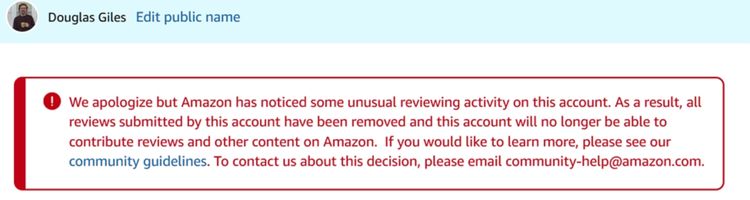
Reviews can disappear from a listing when the account that posted them is no longer active on Amazon. This happens when a buyer deletes their own account, gets suspended for violating Amazon’s policies, or is identified as being involved in review manipulation on other products.
Since the removal is tied to the reviewer’s account status, sellers have no way to restore these reviews, but there are a few things worth keeping in mind going forward:
- There is no action sellers can take to recover reviews lost due to account deletions or bans, as the decision sits entirely with Amazon
- Focus on consistently generating new reviews from verified buyers to offset any losses over time
- Use the “Request a Review” button in Seller Central after each confirmed delivery to maintain a steady flow of legitimate reviews
You Bought From a Third-Party Seller
Reviews from customers who did not purchase through Amazon directly are treated differently by the platform. Without a verified purchase on record, these reviews receive lower priority in the screening process, are more likely to be flagged for additional scrutiny, and may never appear at all if they trigger other suspicion indicators.
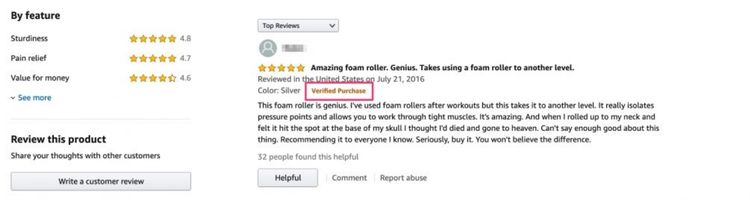
They also do not carry the “Verified Purchase” badge, which makes them less credible to both Amazon and potential buyers.
Sellers cannot change how Amazon treats unverified reviews, but there are a few practical steps to take:
- Encourage customers to purchase directly through Amazon whenever possible, so their reviews carry the verified badge
- If your product is sold across multiple channels, make it clear to buyers that leaving a review on Amazon requires an Amazon purchase to be recognized
- Focus review generation efforts on confirmed Amazon orders using the “Request a Review” button in Seller Central, rather than reaching out to customers from other sales channels
Automated Fraud Filter Caught Your Review
Amazon’s fraud detection system has become significantly more sophisticated with the use of AI and machine learning. The system automatically flags patterns that look suspicious, including identical or overly promotional wording, sudden spikes in review volume, coordinated submission activity, and repeatedly similar phrasing across multiple reviews. Even genuine reviews can get caught in this process if they happen to match these patterns.
Sellers cannot appeal directly against an AI-driven removal, but there are ways to reduce the risk:
- Avoid using review request templates with identical wording sent to all buyers, as similar phrasing across submissions is a common trigger
- Do not coordinate review timing across a group of buyers, even if the purchases were all legitimate
- Keep review requests simple and neutral, asking buyers to share their honest experience rather than prompting specific positive language
A Technical Glitch Is Hiding Your Review
Sometimes a review does not show up simply because something went wrong on Amazon’s end. In most cases, technical glitches like this are temporary and resolve on their own once Amazon fixes the error, even when the original submission went through without any issues.
Since this is outside the seller’s control, there is not much to do beyond a few basic checks:
- Wait 24 to 72 hours to see if the review appears on its own, as most display glitches resolve within that window
- Ask the reviewer to check their account and confirm the review shows as “published” on their end
- If the review is confirmed published but still not visible on the listing after 72 hours, open a case with Amazon Seller Support and provide the reviewer’s username and submission date so the team can investigate
When Should Sellers Consider Amazon Review Services?
Knowing when to take action can save sellers time and prevent further review loss. Here are the situations where reaching out to Amazon or using official review tools makes sense:
- Persistent missing reviews: If verified purchase reviews still do not appear after 2 weeks, there is likely a hold in place that requires Seller Support to investigate
- Sudden disappearance of multiple reviews: A widespread removal often signals AI filtering for unusual velocity or suspected policy violations, which may need a formal case to resolve
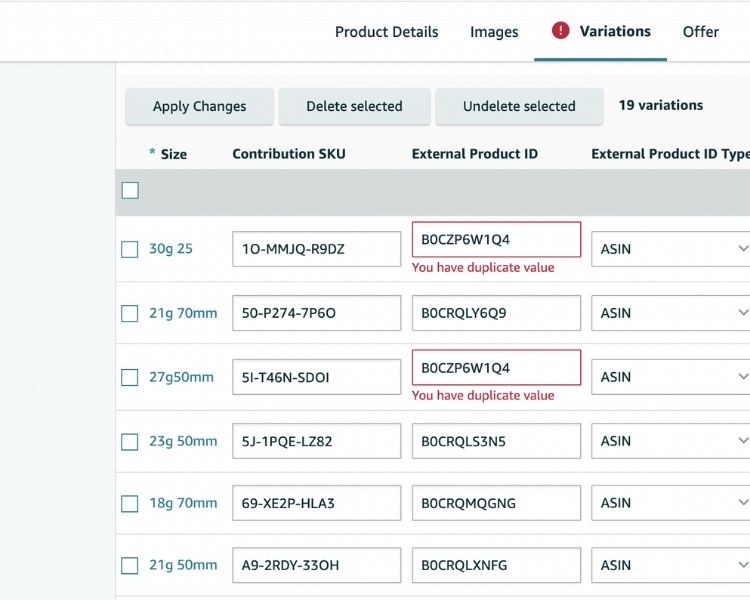
- Product merging or variation issues: Reviews can go missing when product variations are incorrectly separated, and Seller Support can help reconnect them
- Need to build legitimate reviews: If your listing needs more high-quality reviews, Amazon Vine is the only compliant program that allows sellers to generate them through verified buyers
If you are unsure which situation applies to your account or need help navigating the process, Megaficus can step in. Their team works directly with sellers to diagnose review issues, handle Seller Support cases, and put compliant review strategies in place so you do not have to figure it out alone.
FAQs About Amazon Review Not Showing Up
Identify the likely cause first. If the review is from a verified buyer and has been missing for more than 14 days, open a case with Amazon Seller Support and provide the order ID and submission date.
Yes. Amazon removes reviews that violate its guidelines, appear incentivized, come from accounts connected to the seller, or are flagged by its AI system.
Ask the reviewer to check if the review shows as published on their end. If it does but still does not appear on the listing, contact Amazon Seller Support with the reviewer’s username and submission date.
Get Professional Help from Megaficus
Understanding why an Amazon review is not showing up is the first step to fixing it. In most cases, the cause comes down to a screening delay, a policy flag, or a simple technical issue, all of which have a clear path forward once you know where to look. By staying consistent with compliant review practices, sellers can protect their ratings and keep feedback flowing steadily over time.
For expert guidance on managing your Amazon listings and building a stronger review strategy, contact Megaficus. Their team can help you identify what is holding your account back and put the right systems in place to grow more consistently.