What happens when your product suddenly disappears from Amazon search and sales stop overnight? This guide explains what causes Amazon search suppressed listings, how to identify and fix suppressed products, and proven strategies to prevent listing suppression from damaging your business.
Quick Summary
- Amazon search suppression removes your listing from search results due to policy violations or quality issues, stopping all organic traffic and sales until you fix the problem.
- Why listings get suppressed: Common causes include poor images/descriptions, keyword stuffing, prohibited products, inaccurate information, trademark violations, counterfeits, negative reviews, high returns, and Order Defect Rates above 1%.
- When Amazon flags incorrectly: Amazon’s automated systems sometimes suppress compliant listings by mistake. You’ll receive Stranded Inventory or Performance Notifications and can appeal these incorrect flags.
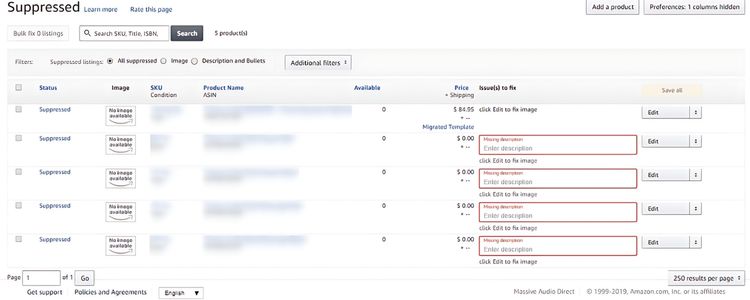
- How to find suppressed listings: Log into Seller Central, go to Inventory Management, check Manage Inventory for “Suppressed” labels or Fix Stranded Inventory, and download reports for comprehensive tracking.
- Steps to restore listings: Access Fix Your Products page, fix issues in the editable grid or Edit product info page, address image problems per Amazon’s requirements, and contact Seller Support if needed.
- Prevention practices: Run monthly listing audits, track Account Health Score weekly, build customer reviews through timely follow-ups, and use Amazon tools plus third-party software for compliance monitoring.
What Does Search Suppressed Mean On Amazon?
When Amazon suppresses your listing, it means your product becomes invisible in search results, even though the listing still exists. Customers can no longer find your item by searching for relevant keywords or browsing through categories. However, if someone has the direct product URL, they can still access and purchase from that specific page.
This happens when Amazon’s system detects issues with your listing that violate their standards or policies. The suppression acts as a temporary removal from public search visibility while you address the underlying problems. During this time, your product essentially loses all organic traffic from Amazon’s massive customer base, which directly impacts your sales potential and revenue stream.
Why Is My Amazon Listing Suppressed?
Amazon suppresses listings for several reasons, from quality issues and policy violations to intellectual property concerns and poor performance metrics. Understanding these causes helps you identify and resolve problems quickly.
Product Information Quality Issues
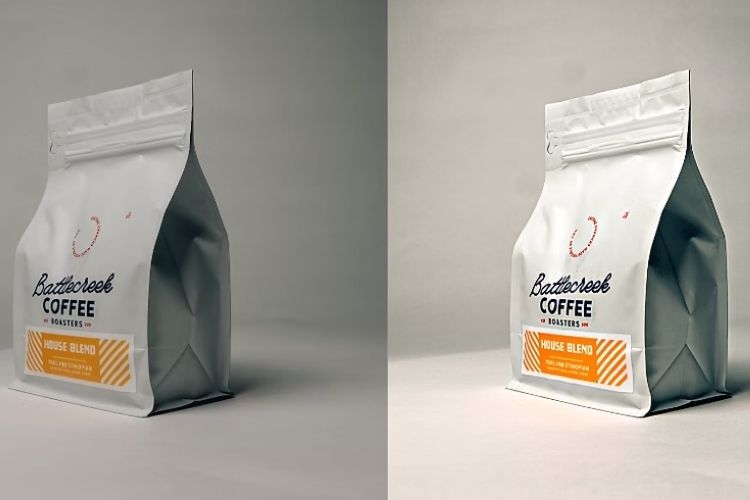
Amazon suppresses listings with poor-quality images that are blurry, have distracting backgrounds, or fail to accurately show the product. Product photos must clearly represent what customers will receive, and any misrepresentation triggers automatic flags in Amazon’s system.
Incomplete or poorly written product descriptions also cause suppression. When your listing lacks essential details like dimensions, materials, or specifications, or contains grammatical errors, Amazon views it as low-quality content. Additionally, placing your product in the wrong category prevents customers from finding it and signals that your listing needs review.
Breaking Amazon Seller Rules
Keyword stuffing is one of the most common violations that leads to suppression. When you pack titles or descriptions with repetitive or irrelevant keywords to manipulate rankings, Amazon’s algorithms quickly detect and penalize this abuse.
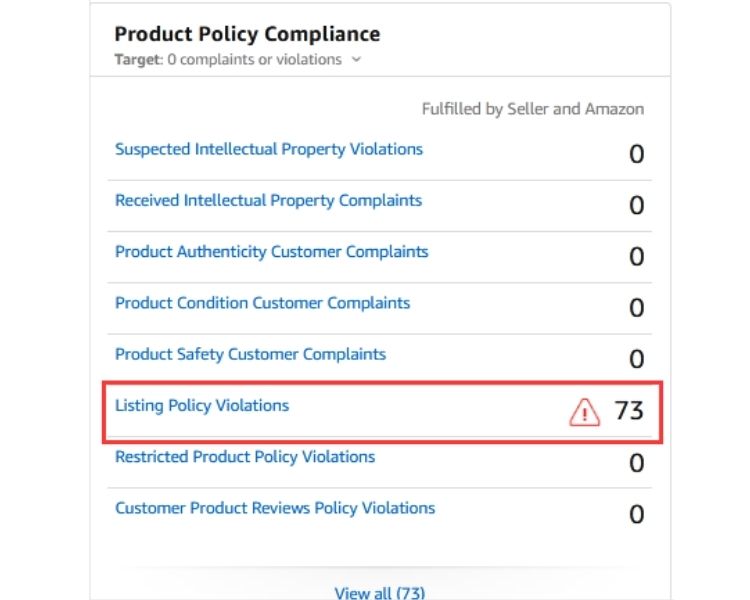
Beyond keyword issues, listing prohibited products or providing inaccurate information also violates Amazon’s rules. Wrong dimensions, misleading features, or false claims damage customer trust and trigger immediate suppression. Additionally, price manipulation between platforms or repeatedly marking items as unavailable further breaks marketplace policies.
Copyright And Trademark Problems
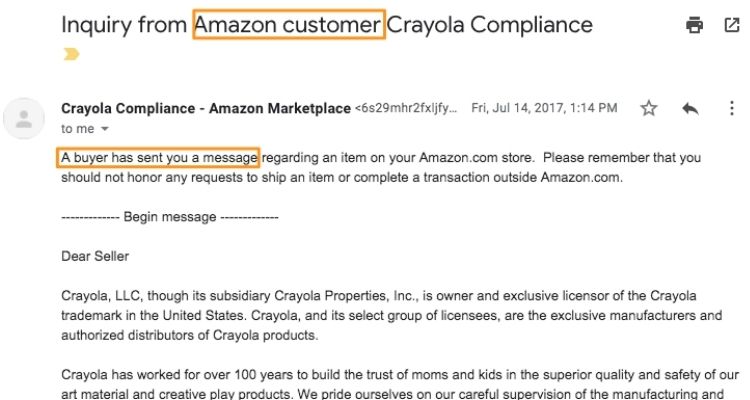
Using trademarked brand names, logos, or copyrighted images without authorization leads to instant suppression. If you’re not the brand owner or authorized reseller, you cannot use protected brand assets, and even referencing competitor brands inappropriately can trigger complaints.
More seriously, selling counterfeit products or items accused of being fake carries severe consequences. Rightsholders can file complaints that immediately suppress your listing and potentially suspend your account. Similarly, copying product images, descriptions, or content from other sources without proper licenses also violates copyright rules.
Poor Sales And Customer Metrics
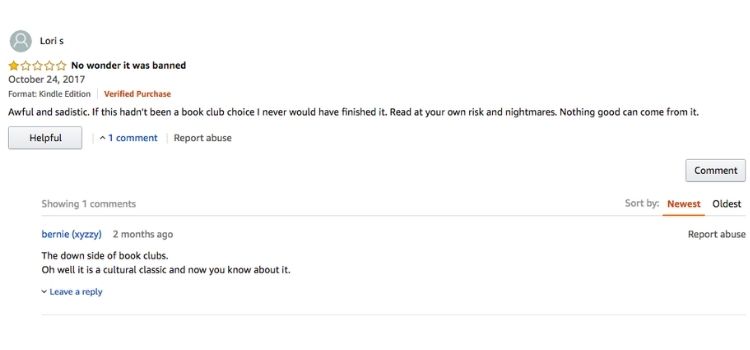
A pattern of negative reviews and low ratings signals that your product fails to meet customer expectations. When your listing accumulates multiple one-star or two-star reviews citing quality problems, Amazon’s algorithms reduce your search visibility or remove the listing entirely.
High return rates and order defects also trigger suppression. Late shipments, order cancellations, and invalid tracking information accumulate as black marks. When your Order Defect Rate exceeds 1% or customer service metrics like slow response times pile up, your listings lose visibility to protect marketplace quality.
What If Amazon Wrongly Suppressed Your Listing?
Amazon’s automated systems sometimes make mistakes and incorrectly flag listings that actually comply with their policies. This happens when the algorithm misinterprets certain keywords or product claims as violations, even though your listing meets all marketplace standards.
When Amazon wrongly suppresses your listing, the following situations will occur:
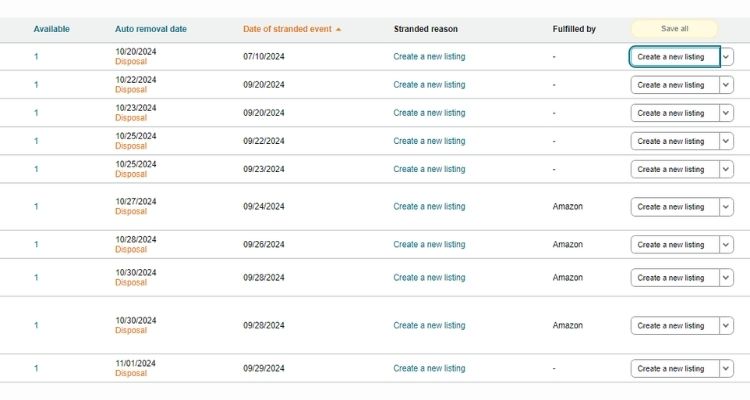
- Your ASIN gets removed from active listings and appears under “Stranded Inventory,” or you receive Performance Notifications
- The listing remains in your inventory, but customers cannot find it through search
- Your product detail page may be temporarily removed, or you can still sell, but receive error notices
- Sales stop completely or drop significantly until the issue is resolved
Note: In both cases, you have the right to appeal if you believe Amazon has incorrectly flagged your listing.
How To Find Suppressed Listings In Your Account
Identifying suppressed listings early helps you take quick action to restore visibility and recover lost sales. Follow these steps to check your listing status in Seller Central.
Follow these steps to find suppressed listings in your Seller Central account:
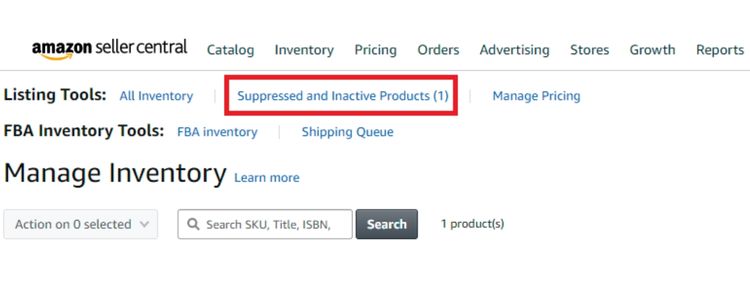
- Step 1: Log into Seller Central: Access your Amazon Seller Central account using your credentials
- Step 2: Navigate to Inventory Management: Click on the “Inventory” menu at the top of the page
- Step 3: Check for suppressed listings using one of these options:
- Select “Manage Inventory” and look for listings with a “Suppressed” status label
- Select “Fix Stranded Inventory” to see a dedicated page for problematic listings that cannot be found in search
- Step 4: Review detailed suppression information: Click on any suppressed listing to view specific reasons why Amazon flagged it
- Step 5: Download inventory reports for comprehensive tracking:
- Go to “Reports” > “Inventory Reports” in Seller Central
- Generate reports showing the status of all your listings, including suppression reasons and affected ASINs
Steps To Fix A Suppressed Amazon Listing
Once you’ve identified which listings are suppressed and understand the reasons, follow these steps to restore them:
- 1. In your seller account, click the Inventory tab and select Manage All Inventory.
- 2. Select Suppressed from the horizontal menu.
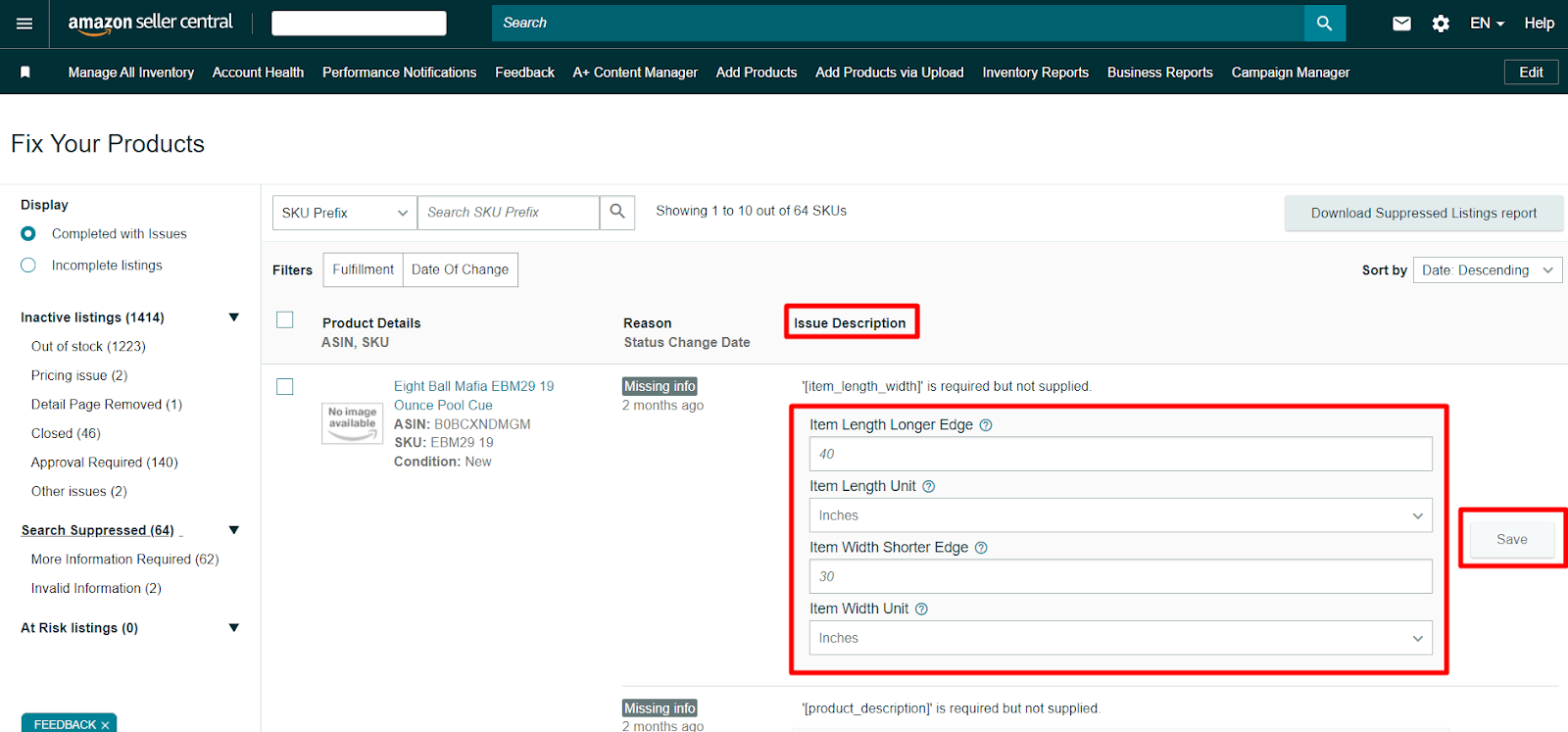
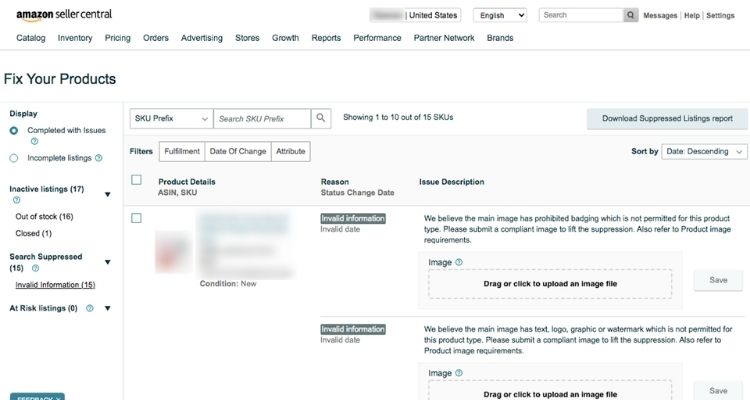
- 3. View all suppressed listings on the Fix Your Products page, or click Attribute to filter by a specific type of issue.
Depending on the type of issue causing suppression, there are 2 ways to fix a suppressed listing:
Option A: Fix suppressed listings in the Issue(s) to fix column by entering the missing values in the editable cells or selecting missing values from the drop-down list and clicking Save.
Option B: Fix suppressed listings that are not fixable in the editable grid (Option A) by clicking Edit and going to the Edit product info page. In Edit product info, the missing product details will be highlighted, and you will see an informational message that further details the issue.
- For non-image issues, enter the missing value and click Save and Finish.
- For image issues, follow the guidelines on the Product Image Requirements page and then upload valid product images.
If your listing is still suppressed after taking these steps, you can appeal the decision by contacting Seller Support and providing additional information to Amazon.
Best Practices To Prevent Listing Suppression
Prevention is always better than cure when it comes to listing suppression. By following these best practices, you can minimize the risk of your products disappearing from Amazon search and maintain consistent sales performance.
Keep Your Product Details Accurate And Complete
Schedule monthly audits to verify your product titles contain all required attributes without keyword stuffing, bullet points describe features clearly, and descriptions include complete details about materials, dimensions, and usage instructions.
Additionally, you need to ensure all technical specifications like weight, measurements, and package contents match your actual product exactly.
Product images must meet Amazon’s strict standards to avoid suppression:
- Main image requires pure white background (RGB 255, 255, 255) at minimum 1000 pixels on the longest side
- Additional images show different angles, scale references, and key features in high resolution
- Verify your product is listed in the most specific relevant category with all required variation attributes filled in
- Set up quarterly reviews to update seasonal information and correct pricing discrepancies
Track Your Account Health Score Regularly
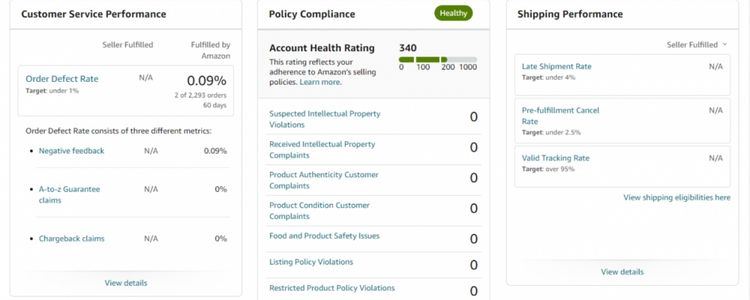
Amazon’s Account Health Score directly impacts your listing visibility, and low scores trigger automatic suppression. Log into Seller Central weekly to monitor critical metrics: Order Defect Rate (below 1%), Pre-fulfillment Cancel Rate (below 2.5%), Late Shipment Rate (below 4%), and customer service performance like 24-hour response time.
To maintain healthy scores, sellers need to set up alerts and take immediate action when issues arise:
- Enable email notifications for policy warnings, A-to-Z claims, and negative feedback to respond quickly
- Address customer complaints within 48 hours to prevent escalation into account health violations
- Review your performance metrics against category benchmarks to identify declining trends early
- Document all corrective actions taken to resolve issues in case Amazon requests proof of improvement
Build Strong Customer Reviews
Positive customer reviews signal to Amazon that your product meets quality standards, reducing suppression risk. To build a strong review base, encourage reviews by using Amazon’s Request a Review button within 5-30 days after delivery and ensure your product quality exceeds expectations to naturally generate positive feedback.
You should respond professionally to all reviews to show active customer engagement:
- Reply to negative reviews within 24-48 hours, acknowledge the issue, and offer solutions to demonstrate your commitment to customer satisfaction
- Thank customers for positive reviews to build relationships and encourage repeat purchases
- Use feedback from critical reviews to improve product descriptions, images, or the product itself to address common complaints
- Never incentivize reviews with discounts or free products, as this violates Amazon’s policies and can lead to account suspension
Use Amazon Seller Tools For Compliance
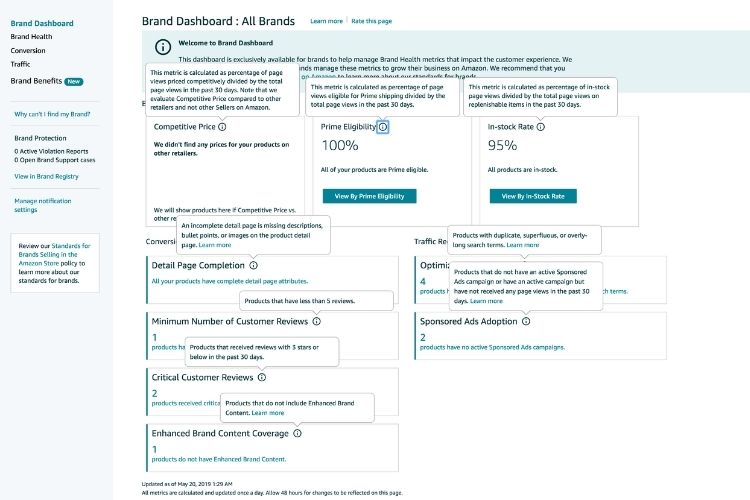
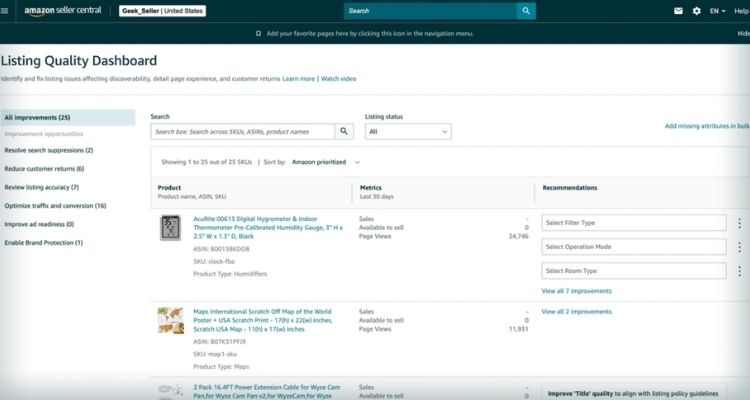
Amazon provides built-in tools within Seller Central that help you monitor listing compliance and catch issues before they lead to suppression. To leverage these resources effectively, use the Listing Quality Dashboard to identify missing or incorrect product information, the Inventory Health Report to track stranded inventory and excess stock, and the Account Health page to monitor policy compliance and performance metrics in real time.
Third-party software can automate compliance monitoring and provide advanced alerts:
- Install tools like Helium 10, Jungle Scout, or SellerApp that scan your listings daily for policy violations and quality issues
- Set up automated alerts that notify you immediately when listings show signs of suppression risk or performance decline
- Use repricing tools that ensure your prices stay competitive while complying with Amazon’s pricing policies
- Leverage keyword tracking software to monitor search ranking changes that might indicate listing problems before official suppression occurs
FAQs About Amazon Search Suppressed Listings
Listing suppression lasts until you fix the issue and Amazon reviews your changes. Simple fixes like missing details typically resolve within 24-48 hours, while complex issues involving policy violations may take 5-10 business days.
No, suppressed products are hidden from Amazon’s search results and cannot receive organic traffic. However, customers with the direct product URL can still access and purchase from your listing.
Yes, listing suppression negatively impacts your account health. While a single suppression typically won’t suspend your account, repeated suppressions signal quality problems and can lead to account-level penalties.
Suppressed listings can be fixed by making corrections in Seller Central. Suspended listings require formal appeals with a Plan of Action before Amazon reinstates selling privileges.
Get Professional Help from Megaficus
Understanding Amazon search-suppressed listings and fixing it quickly protects your sales and product visibility. By identifying causes early and implementing prevention strategies, you avoid revenue losses and keep your listings discoverable to customers.
Success on Amazon requires ongoing compliance monitoring and proactive account health management. When you prevent suppression through systematic audits and proper tools, your business stays protected from sudden visibility drops.
If you need expert support to resolve suppressed listings or protect your business from future issues, Megaficus provides proven solutions and guidance to help sellers maintain healthy listings and maximize sales performance.