Imagine you enrolled 30 units into Vine two months ago, and when you check the dashboard today, it shows 12 reviews submitted, but your listing only displays 4, with no alerts and no explanation from Amazon. An Amazon Vine review not approved is one of the most frustrating situations sellers run into, and in most cases, the problem has nothing to do with the reviewer’s content. This guide breaks down every reason Vine reviews get blocked or go missing and what sellers can do to recover lost review credit.
Quick Summary
- “Not approved” almost always points to a listing-level issue, either suspicious review patterns or an ASIN merge exceeding the review cap, not the reviewer’s content.
- Common reasons: The five main causes are content filter violations, variant merging, suspicious listing activity, exceeding the review cap, and too many media files in the review.
- Timeline: Submitted reviews go live within 1 to 3 days on average, but sellers should expect the first review to appear 2 to 4 weeks after the item is claimed.
- How to check: Sellers manually cross-check the Amazon Vine Reviews column in Seller Central against the number of reviews actually showing on the product detail page.
- What to do: Diagnose the situation first, then work through five actions: wait 30 days, check catalog changes, verify enrollment status, contact Seller Support, and never reach out to reviewers directly.
What Does Amazon Vine Review Not Approved Mean?
When Amazon marks a Vine review as “not approved”, the problem almost always sits at the listing level, not the review itself. Two scenarios account for most cases: Amazon flags the product for suspicious review patterns (such as an unusual spike in 5-star ratings within a short period), or the seller has merged product variants, pushing the listing past its maximum allowed Vine review count.
Either way, the review gets hidden from the product page, but in most cases, it still counts toward the seller’s enrollment tier. So if your Vine reviews aren’t showing up, check your listing status before assuming the reviewer’s content was the issue.
How Amazon Vine Review Approval Works?
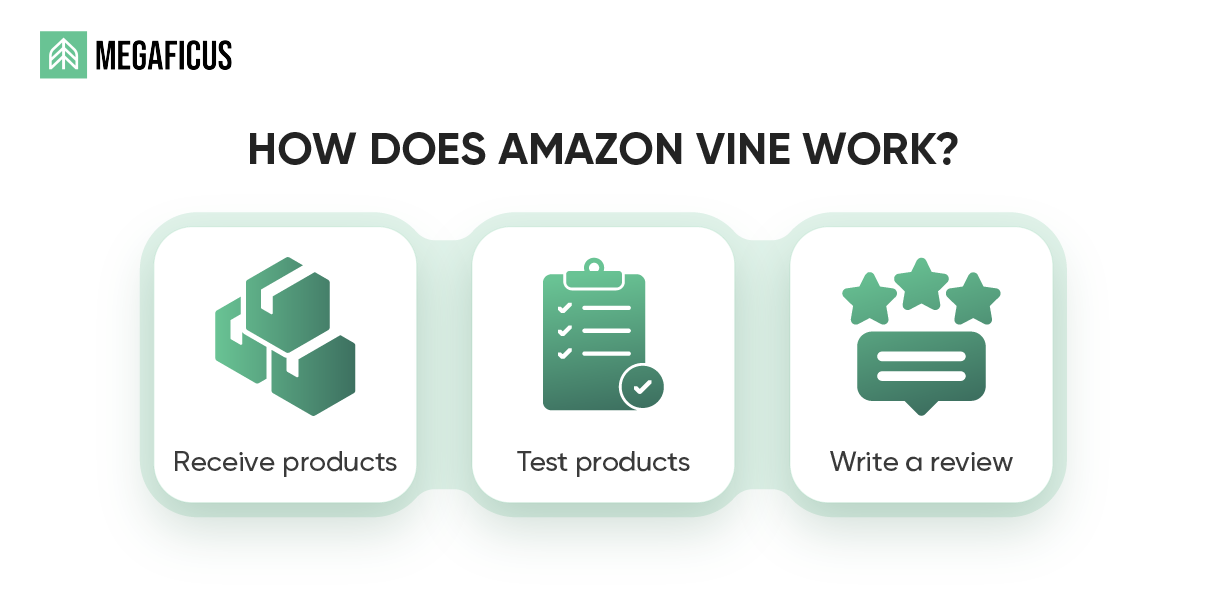
Amazon Vine is an invite-only program where sellers provide free products, and Amazon takes full control of the review process from start to finish.
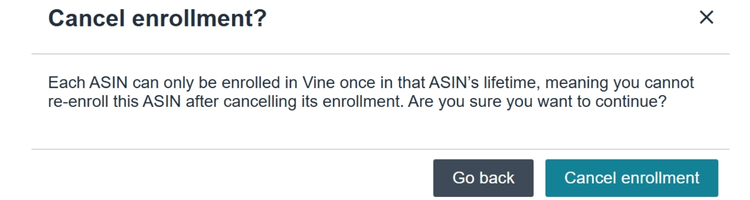
- Step 1. Enroll Your ASIN: Go to the Vine dashboard in Seller Central and select an eligible ASIN from your active inventory. Once submitted, Amazon reviews the product for program eligibility before making it visible to Vine Voices inside their reviewer portal.
- Step 2. Amazon handles shipping: Amazon ships each unit directly to the assigned Vine Voice via FBA. Sellers cover product cost and fulfillment fees but have no involvement in the actual shipment. Amazon manages timing and logistics entirely to keep the process neutral.
- Step 3. Reviewers are assigned automatically: Sellers do not choose who reviews their product. Amazon selects Vine Voices based on review history, engagement level, and product relevance. Any direct contact between sellers and reviewers is strictly prohibited.
- Step 4. Product is tested in real conditions: The Vine Voice uses the product the same way a regular buyer would, then writes a detailed public review based on their actual experience. Amazon does not influence, pre-screen, or approve review content before it goes live.
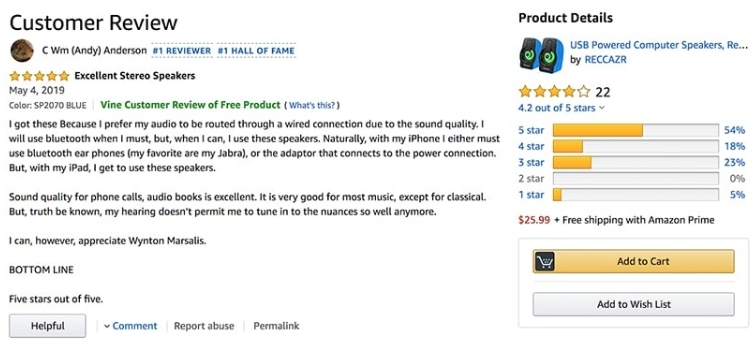
- Step 5. Published reviews carry a Vine Badge: Every Vine review displays a green label stating “Vine Customer Review of Free Product.” This badge signals transparency to shoppers without affecting how the review ranks on the listing.
- Step 6. Sellers have zero control after publication: Once a review is live, sellers cannot edit, flag, or request its removal. Amazon enforces this rule strictly to keep all Vine feedback unbiased and consistent across the board.
Common Reasons Vine Reviews Are Not Approved / Not Showing
Amazon’s review moderation runs on an automated system, meaning no human reviews each case individually. If a review gets flagged or a listing hits a restriction, it happens instantly and silently. These are the most common reasons sellers run into this problem:
- Content violations flagged by Amazon’s AI filter: The system automatically scans every submitted review for prohibited content. Phrases related to shipping speed, packaging condition, seller communication, or any external URLs are enough to trigger rejection. For example, a reviewer writing “arrived in a damaged box” or “took longer than expected to ship” will likely get flagged even if the rest of the review is legitimate.
- Listing manipulation and variant merging: If a seller merges multiple parent ASINs or combines product variants after Vine units have already been claimed, the consolidated listing often exceeds its maximum allowed review count. Amazon responds by hiding excess reviews automatically, with no notification sent to the seller.
- Suspicious activity on the listing: Listings that accumulate too many 5-star reviews in a short period can trigger Amazon’s fake review detection system. When that happens, all incoming reviews, including Vine submissions, get blocked or hidden until the investigation is resolved.
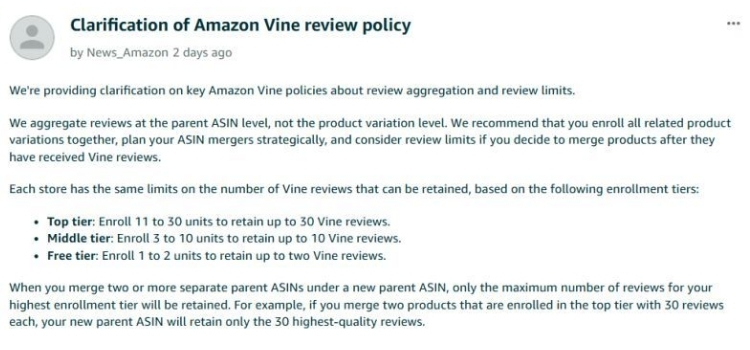
- Exceeding the Vine review cap for your enrollment tier: Each tier has a hard limit: 2 reviews for the free tier, 10 for the middle tier, and 30 for the top tier. Once a listing hits its cap, any additional Vine reviews will not appear on the product page, regardless of review quality.
- Too many photos or videos attached to the review: Reviews with an unusually high number of media files can trigger Amazon’s content filter. The exact threshold is not disclosed, but oversized media submissions are a known cause of review suppression among Vine Voices.
Does Amazon Notify Sellers When A Vine Review Is Suppressed?
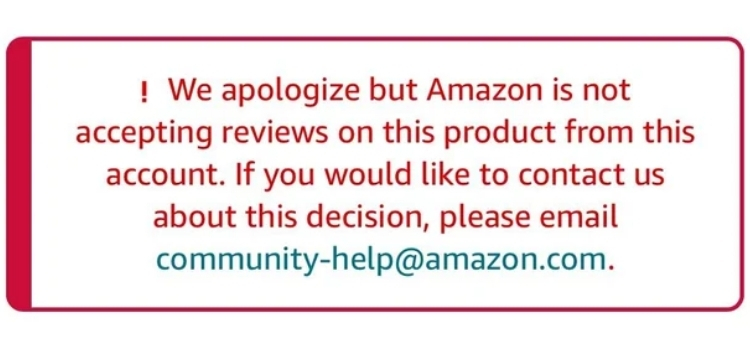
Amazon does not send direct notifications to sellers when a Vine review is suppressed or removed. Suppressions happen silently in most cases, and sellers typically find out only after noticing a drop in their review count.
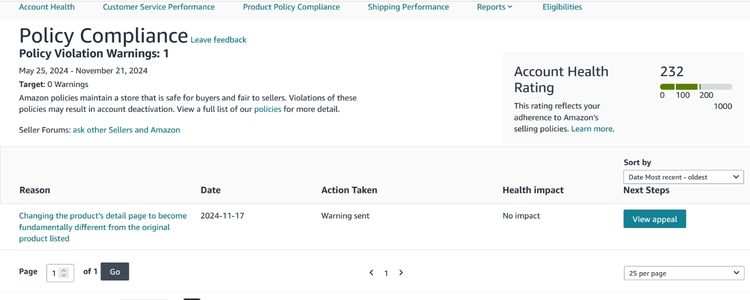
The only exception is when the suppression is tied to a broader account-level issue, such as review manipulation or a policy violation, in which case Amazon may send a general performance alert rather than a specific explanation.
To catch suppressions early, sellers should routinely cross-check two numbers inside Seller Central: the total reviews showing on the product listing versus the number of Vine units that were originally claimed. Specifically, a gap between the two is usually the clearest sign that one or more reviews have been hidden.
On the reviewer side, Vine Voices are also not notified when their submitted review gets suppressed. The review simply disappears from the listing without any explanation, which means sellers cannot rely on reviewers to flag the issue either.
How Long Do Vine Reviews Take To Appear?
Once a Vine Voice submits a review, it typically goes live within 1 to 3 days, with 36 to 48 hours being the average. Some reviews clear moderation in under 30 minutes, while others can take over a week during high-traffic periods like Prime Day. Reviews that include photos or videos tend to take slightly longer due to additional content checks.
For the overall enrollment timeline, sellers should expect the first Vine review to appear roughly 2 to 4 weeks after the item is claimed, since reviewers need time to receive, test, and write about the product. If no reviews have shown up after 30 days, sellers should check the Vine dashboard and compare submission numbers against what is visible on the listing.
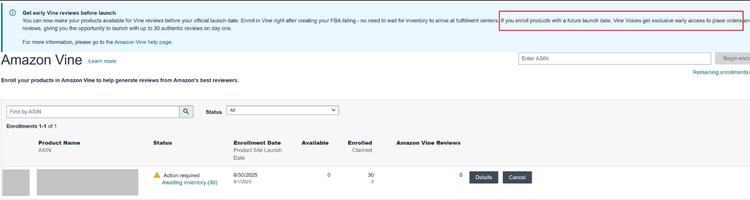
How To Check The Status Of Your Vine Reviews?
Amazon does not provide a dedicated suppression alert, so sellers need to check review status manually. The process has two parts: tracking submissions inside the Vine dashboard and comparing that number against what actually appears on the listing.
To track Vine review submissions, sellers can follow these steps:
- Sellers go to Seller Central, select Advertising from the drop-down menu, then select Vine
- They search for a SKU or ASIN inside the Amazon Vine dashboard
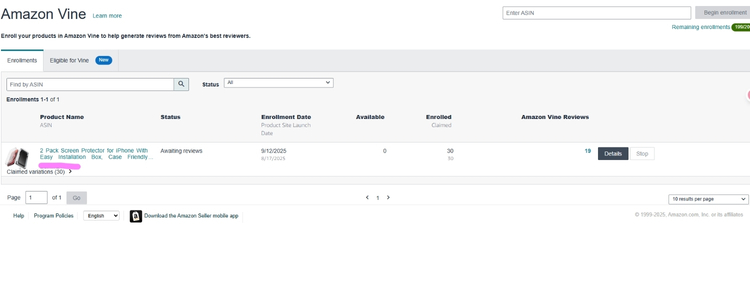
- They locate the Amazon Vine Reviews column to see the total number of reviews submitted by Vine Voices
- They click the product title to go to the product detail page, where published Vine reviews are identified by the tag “Vine Customer Review of Free Product.”
Once sellers have that number, the second step is to count how many Vine reviews are actually visible on the product listing. If the number on the detail page is lower than what the dashboard shows, the difference represents reviews that were submitted but never published, either because they are still pending moderation or because they were suppressed.
Note that Amazon Vine does not guarantee all submitted reviews will be published. Even after a review passes through the standard Community Guidelines process, it can still be hidden without any notification to the seller.
If sellers suspect a published review is violating policies, they can report it through the Community Guidelines page under the “How to Report Violations” section.
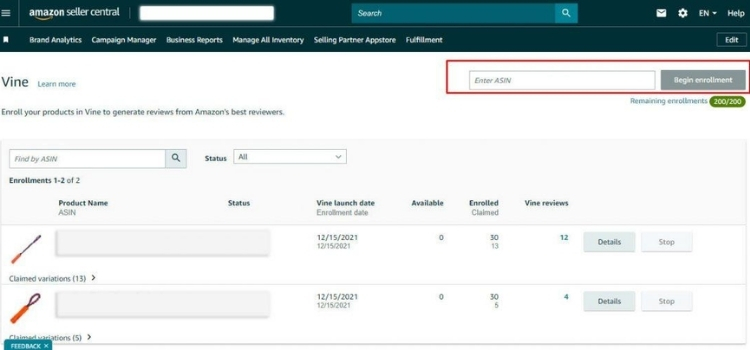
What Sellers Can Do When Vine Reviews Don’t Show Up?
Before taking any action, sellers need to identify which situation they are dealing with. If the dashboard shows reviews as submitted but the listing displays fewer, the issue is likely suppression. If the dashboard shows no submissions at all, the reviewer may simply not have written anything yet.
Wait Before Doing Anything Else
Vine reviews can take several weeks to appear after a reviewer receives the product. Sellers should allow at least 30 days from the claimed date before treating the absence of reviews as a problem. Acting too early, such as opening a support case prematurely, rarely produces useful results.
Check For Catalog Changes
If sellers have recently merged or separated product variants, or made changes to parent-child relationships, Vine reviews attached to the original listing may have been removed or hidden automatically. Sellers should verify that no catalog edits were made around the time the reviews disappeared.
Verify Enrollment Status
Sellers should confirm that the product is still active inside the Vine program and that the 90-day review submission window has not expired. If the product was removed from the program early, pending reviews may never be published.
Contact Amazon Seller Support
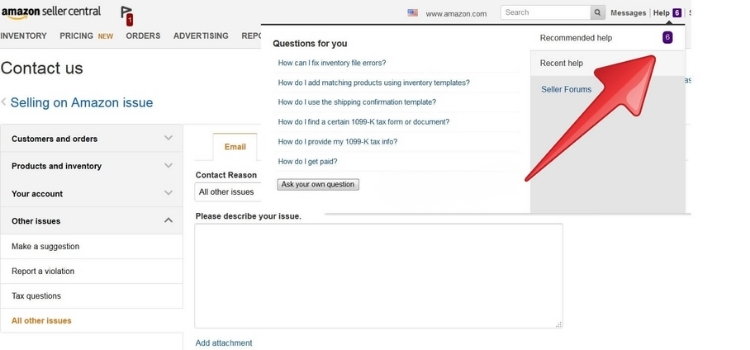
If a review is confirmed as submitted in the dashboard but not visible on the listing, sellers should open a support case and provide the ASIN along with the submission date. Amazon support can investigate whether the review was suppressed and explain the reason, though they cannot override a suppression tied to a policy violation.
Do Not Contact Vine Reviewers
Sellers are strictly prohibited from reaching out to Vine Voices to request, follow up on, or prompt a review. Any attempt to contact reviewers directly violates Amazon’s program terms and can result in enrollment suspension or account-level penalties.
How To Prevent Vine Reviews From Being Rejected In The Future?
Sellers cannot control what Vine Voices write, but they can set up their listing and product in a way that reduces the risk of reviews getting flagged. These are the most actionable steps based on how Amazon’s content filter actually works.
Focus Feedback On The Product Itself
Reviewers who mention delivery time, shipping condition, or seller communication are flagged regardless of how positive the rest of the review is. Sellers should include a product insert that directs reviewers toward features, performance, and usability only.
For example, when sellers include a product insert with a kitchen knife, the wording could read: “How does the blade handle daily chopping? We’d love to hear about your experience in the kitchen.” This keeps the reviewer’s attention on the product rather than the order experience.
Avoid Packaging Language in Product Inserts
Words like “wrapper,” “box,” “package,” “unboxing,” or “arrived” are known to trigger Amazon’s content filter even when used innocently. If a seller’s product insert or listing copy uses any of these terms, reviewers may naturally echo them in their review and get flagged as a result. Sellers should audit their inserts and remove any language that could lead reviewers toward packaging-related commentary.
Keep Photos and Videos Clean
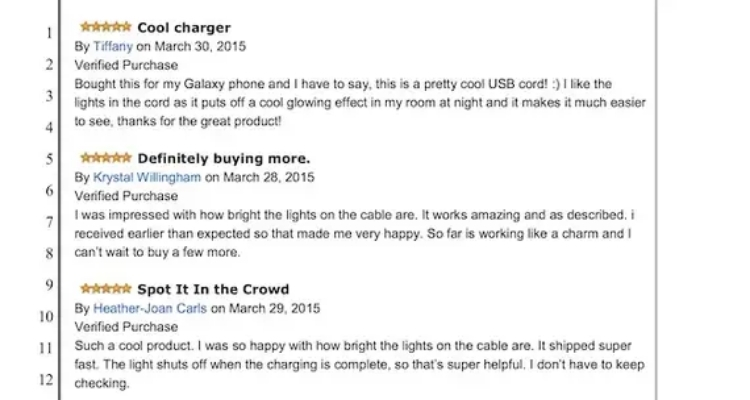
Vine Voices who include media in their reviews should ideally submit between 1 and 3 images focused solely on the product. Reviews with too many media files, images containing visible price tags, timestamps, other products in the background, or personal information are at higher risk of suppression.
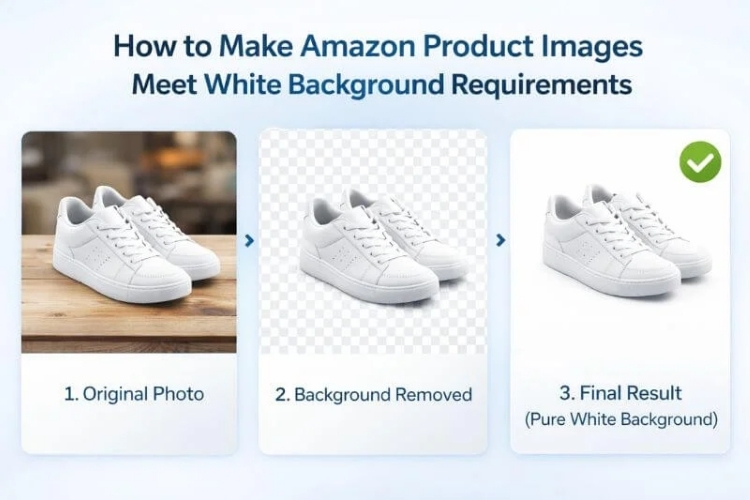
While sellers cannot instruct reviewers directly, listing images that show the product in a clean, simple setting can indirectly influence how reviewers frame their own photos.
Remove Health and Medical Claims from the Listing
For supplements, health devices, or wellness products, any claim in the listing that is not FDA-approved creates a ripple effect. Reviewers often echo listing language, and if that language includes terms like “cures”, “treats”, or “clinically proven” the review gets flagged automatically. Sellers should audit the listing before enrolling in Vine and replace any unsubstantiated health claims with neutral, feature-based descriptions.
Ensure The Listing Is Stable Before Enrollment
Sellers should avoid making any changes to parent-child relationships, variant structures, or ASIN merges for at least 60 days after enrolling in Vine. Even minor catalog edits during this window can cause the listing to exceed its review cap or lose reviews that have already been submitted. If changes are necessary, sellers should complete them before submitting the ASIN to the Vine program.
FAQs About Amazon Vine Review Not Approved
Most likely due to a content violation flagged by Amazon’s filter, an exceeded review cap, or an ASIN merge. If none of these apply, the review may still be in moderation.
Yes. Vine Voices must review 90% of claimed products within 6 months, but the remaining 10% is entirely their choice. Sellers have no recourse if a reviewer decides not to submit.
No. Suppressions happen silently. Sellers can only detect the issue by comparing submitted reviews in the Vine dashboard against what is actually visible on the listing.
The cap is 2 reviews for the free tier, 10 for the middle tier, and 30 for the top tier. After a merge, Amazon keeps only the cap of the highest enrolled tier, and any excess reviews will not appear.
Get Professional Help from Megaficus
Amazon Vine reviews not appearing on your listing is rarely a one-size-fits-all problem, and the fix depends entirely on which stage of the process broke down, whether that is content moderation, listing structure, enrollment limits, or reviewer behavior. Every case of an Amazon Vine review not approved traces back to one of the factors covered in this guide, and sellers who understand each one are far better positioned to catch suppression early and get the most out of every enrollment.
If you need expert guidance to optimize your Vine strategy, recover missing reviews, or improve your overall Amazon listing performance, the team at Megaficus is ready to help.