Ever wondered how to sell on Amazon as an individual without setting up a full business? Sellers like Megaficus can start small, pay a simple per-item fee, and reach millions of customers. By choosing the right products, creating detailed listings, and managing orders efficiently, even solo sellers can grow their Amazon store. In this guide, Megaficus will walk you through the steps to get started and make your first sales successfully.
Quick Summary
- Why Choose an Individual Account: Ideal for new or small-scale sellers. Pay $0.99 per item, no monthly fee, flexible selling, and easy upgrade to the Professional plan.
- Step-by-step account setup: Sign up on Seller Central, verify email, select business type, enter personal info, verify contact, add payment, complete tax info, submit ID for approval.
- How to pick the right products: Research trends, check competition, read reviews, differentiate items, and perform keyword research for better visibility.
- How to sell on Amazon: List products with complete details (name, brand, category, description, images, keywords, SKU, price, condition, quantity), start selling via FBM or FBA, track inventory, respond to customers, monitor reviews, adjust listings to optimize sales.
- Managing order fulfillment: Use FBA for Amazon-handled shipping, FBM for self-fulfillment, or a hybrid approach; monitor performance and adjust methods.
When to Choose an Amazon Individual Seller Account?
If you’re new to selling on Amazon or plan to sell on a small scale, an Amazon Individual Seller Account offers a simple and low-cost way to get started:
- Ideal for small-scale or new sellers: This account works well if you’re just getting started or experimenting with selling on Amazon. It allows you to enter the marketplace without committing to fixed monthly costs.
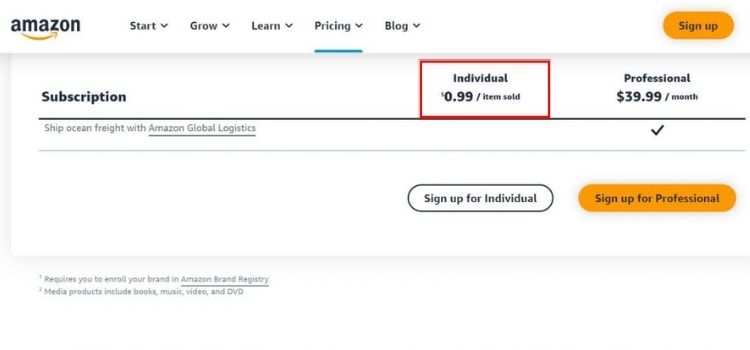
- Budget-friendly pricing structure: There’s no subscription fee. Instead, you pay a $0.99 fee only when an item sells. This makes it easier to control expenses while sales volume is still low.
- Lower financial risk at the beginning: Since costs are tied directly to successful transactions, you avoid ongoing charges during slow periods or while testing new products.
- Quick and simple setup process: Creating an Individual Seller account requires only basic information, such as your name, contact details, and payment method. Most sellers can start listing products shortly after registration.
- Flexible selling model: You can sell occasionally or list a limited number of products without restrictions on commitment or duration.
- Easy upgrade path as you grow: When your sales increase, or you need advanced tools, you can switch to a Professional plan at any time without losing existing listings or account history.
How to Set Up an Amazon Individual Seller Account
Get started on Amazon smoothly by following this simple step-by-step guide to setting up your Individual Seller Account:
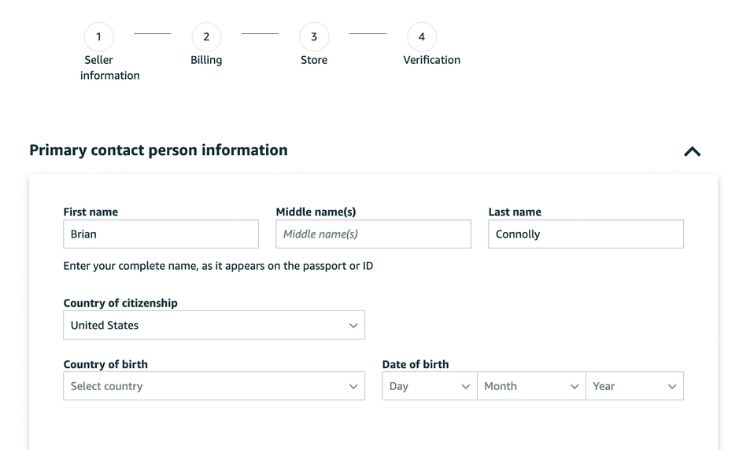
- Step 1. Start Your Amazon Seller Registration: Go to Amazon’s Selling on Amazon page and click Sign up to become an individual seller to create your account.
- Step 2. Provide Your Email and Set a Password: Enter your email and create a password. Amazon will send a one-time verification code (OTP) to confirm your email. Enter the code to continue.
- Step 3. Provide Business Location and Type: Select your country and your type of business. Choose Individual if you do not have a registered business.
- Step 4. Enter Personal and Business Details: Fill in your full name and business information. Provide any additional details Amazon requests for verification.
- Step 5. Verify Contact Information: Enter your mobile number and request an SMS verification code. Submit the code to complete phone verification.
- Step 6. Add Payment Method and Complete Tax Information: Provide your credit or debit card details for account verification and fees. Complete the tax interview with your country’s tax information.
- Step 7. Identity Verification and Account Approval: Upload a government-issued ID (passport or driver’s license) and a recent bank or credit card statement. Amazon may request a short video call. Once approved, you can start listing and selling products.
How to Choose The Right Products To Sell As An Individual Seller
Picking the right products is the key to success on Amazon. Here’s how individual sellers can find items with high demand and good profit potential.
Research Popular Products
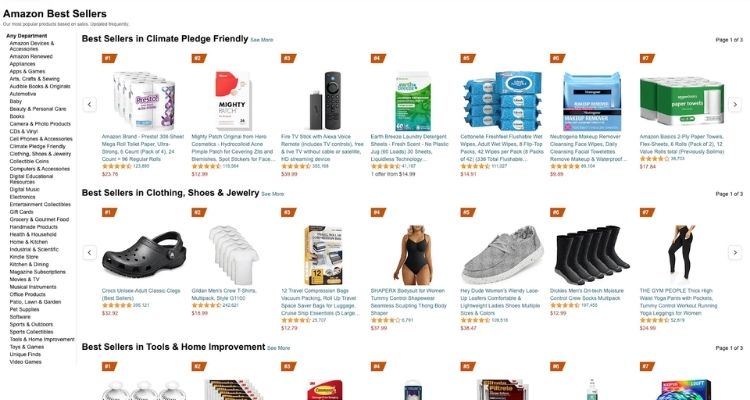
You should start by checking trending items because customers are actively searching for them. For example, look at categories like kitchen gadgets, fitness accessories, or phone accessories. Moreover, products such as a compact smoothie blender or reusable water bottles can have high demand with few sellers. Therefore, this research helps you choose products that are more likely to sell consistently.
Analyze Competition
You need to examine how many sellers offer similar products and how they set their prices. Additionally, read customer reviews to understand what buyers like or dislike. Then, you can differentiate your product by offering better quality, unique features, or improved packaging.
For instance, a yoga mat with eco-friendly material or a custom design can stand out. Consequently, analyzing competitors allows you to position your product effectively.
Conduct Keyword Research
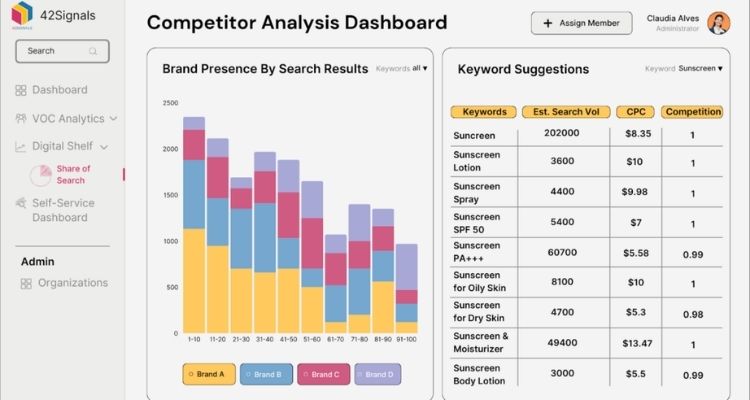
It is important to find the search terms buyers use for products like yours, so you can optimize visibility. You can use tools such as Helium 10, Jungle Scout, or Amazon suggestions to gather insights.
After that, include these keywords in your product title, description, and bullet points. For example, a coffee grinder listing could feature “manual coffee grinder”, “portable coffee mill”, or “hand crank coffee grinder”. As a result, targeting the right keywords increases your chances of being found and purchased.
How To Sell On Amazon As An Individual
Learn how to sell on Amazon as an individual, from listing your first product to managing orders efficiently and growing your sales.
List Your Products
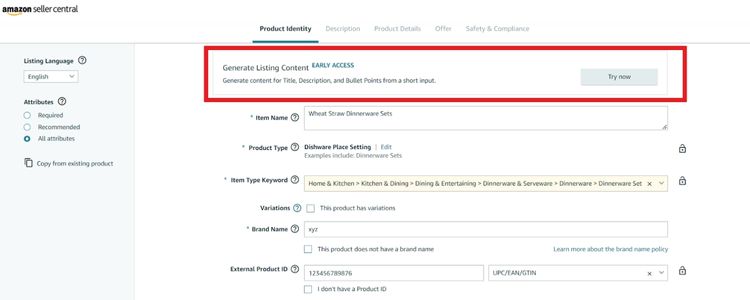
Before you start selling, make sure your product listing is complete and detailed. Here’s how to list your products step by step in Amazon Seller Central:
- Go to Inventory > Add a Product: Search for an existing product on Amazon. If your product is unique and not yet listed, select “Create a new product listing”.
- Enter Product Details:
- Product Name: Up to 200 characters, clear and descriptive, including main keywords.
- Brand: Enter your brand (e.g., “Megaficus”).
- Category: Choose the correct category (e.g., Electronics > Headphones).
- Write Description: Around 150-300 words, highlight key features, benefits, and usage instructions.
- Upload Images: Minimum 1 main image + 3 additional images, resolution ≥1000×1000 px, white background.
- Add Keywords: Include 5-10 relevant keywords (e.g., “wireless earbuds,” “Bluetooth headphones”).
- Create SKU: Generate a unique SKU for your product (e.g., MEG-EB-001).
- Set Pricing & Quantity:
- Price: For example, $29.99, based on cost and desired profit.
- Condition: Select New.
- Quantity: Enter available stock, e.g., 50 units.
- Review Listing: Double-check all information is accurate and complete before saving and publishing your product.
>>> Read more: Amazon Listing Optimization: 7 Strategies to Boost Sales
Start Selling
If you are fulfilling orders yourself through FBM, make sure to pack and ship items on time using reliable carriers and provide tracking information to customers. If you use FBA, Amazon will handle shipping and returns automatically, but you still need to monitor inventory levels regularly to avoid stockouts.
You should respond quickly to customer questions and messages to maintain good seller performance. Additionally, keep an eye on product reviews and feedback so you can improve your listings, adjust prices, or update product details as needed. By tracking your sales and analyzing trends, you can optimize inventory and pricing strategies to grow your business efficiently.
How Individual Sellers Can Manage Order Fulfillment Efficiently
Choosing the right way to fulfill orders is essential for running an Amazon business smoothly. There are several methods available, and each comes with its own advantages. Understanding these options helps sellers make sure products reach customers efficiently and reliably.
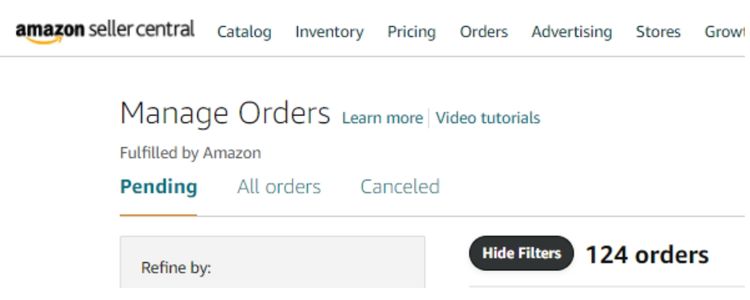
Fulfillment By Amazon (FBA)
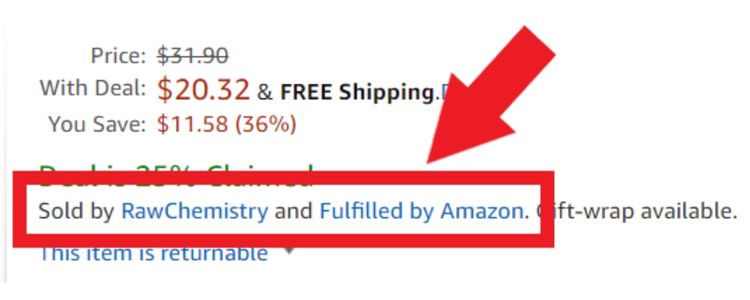
With Fulfillment By Amazon, Amazon handles most of the work for you. You send your inventory to an Amazon fulfillment center, and Amazon takes care of picking, packing, shipping, and even customer service and returns.
FBA also gives your products the Prime badge, which can attract more buyers because of faster delivery. However, the service comes with fees based on item size and weight, so it is important to check whether the costs fit your budget.
Fulfillment By Merchant (FBM)
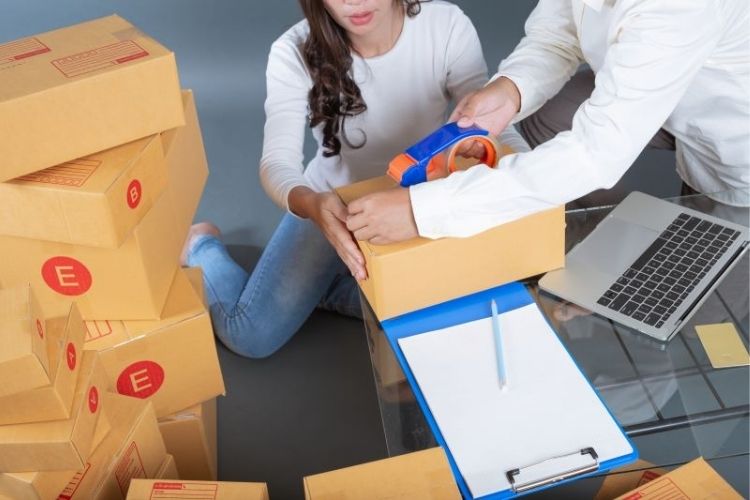
Fulfillment by Merchant gives sellers complete control over storing, packing, and shipping orders themselves. While this approach requires more effort, it offers greater flexibility to manage inventory in the way that works best for your products.
FBM is often preferred for items that are large, heavy, or difficult to send through Amazon’s network, and it can help avoid FBA fees. Sellers must ensure timely delivery and maintain high customer service standards. Using tools like the Amazon Seller App can make inventory tracking and order management easier.
Hybrid Approach
A hybrid approach combines both FBA and FBM, letting sellers use each method where it makes the most sense. For example, you can use FBA for fast-selling or time-sensitive products, while using FBM for slower-moving or special items that require unique handling.
This strategy allows sellers to optimize costs, improve customer satisfaction, and maintain flexibility. Regularly monitoring the account health dashboard and adjusting fulfillment methods based on performance is key to making this approach successful.
FAQs About How To Sell On Amazon As An Individual
Yes, Individual sellers can sell internationally, but they must register on each Amazon marketplace they want to sell in. You also need to comply with local laws, tax requirements, and shipping regulations for each country.
If you don’t make any sales, you don’t pay any monthly subscription because Individual accounts have no fixed fee. You only pay $0.99 per item sold plus any applicable closing fees, so the financial risk is minimal.
Yes, you can sell as a private individual without a registered business. Amazon allows you to select “I am an individual” during registration, which is ideal for hobby sellers or those testing the marketplace.
No, an Employer Identification Number (EIN) is not required. You can use your personal tax information, such as a Social Security Number (SSN) in the U.S., to complete Amazon’s tax interview and comply with tax reporting.
No, Individual accounts cannot access advertising features like Sponsored Products, Sponsored Brands, or coupons. These tools are only available to Professional Seller accounts, which allow you to run campaigns and boost product visibility.
Get Professional Help from Megaficus
Selling on Amazon as an individual allows you to start small, test the market, and grow at your own pace. By choosing the right products, creating detailed listings, and managing orders efficiently, anyone can learn how to sell on Amazon as an individual and build a profitable store without high upfront costs.
For expert guidance and personalized support on how to sell on Amazon as an individual, contact Megaficus. Their team can help optimize your listings, select the best products, and scale your sales faster.