
Most sellers focus on acquiring new customers while ignoring shoppers who have already shown interest in their products. Converting a return visitor is far easier than convincing a stranger, and Amazon retargeting ads are built to make that happen. Let Megaficus walk you through how in the guide below.
What Are Amazon Retargeting Ads?
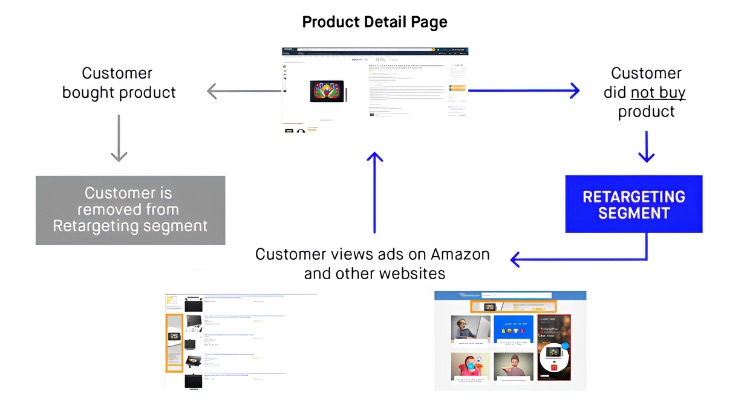
Amazon retargeting ads are a form of online advertising that re-engages shoppers who have previously viewed or interacted with your products. Instead of targeting new audiences, this model focuses on people who already know your brand but have not yet made a purchase, making them more likely to convert.
Currently, Amazon offers this feature within Sponsored Products campaigns in Seller Central and is actively testing off-Amazon retargeting through automatic campaigns as part of its Sponsored Products expansion. These ads can appear on third-party websites and apps outside of Amazon, bringing potential customers back into the buying journey.
How Amazon Retargeting Ads Work?
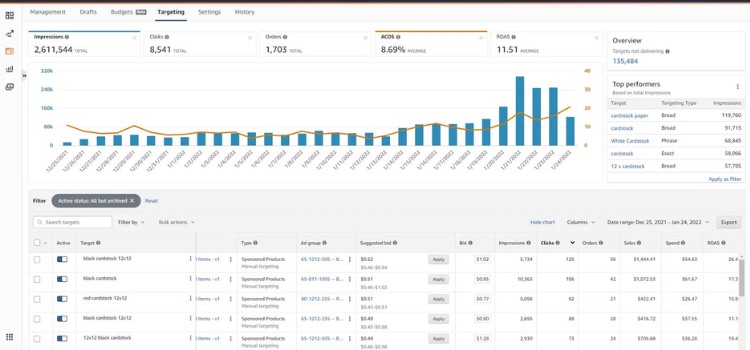
Setting up Amazon retargeting ads is more straightforward than most sellers expect. Once activated, the process follows a consistent structure across campaigns:
- Enabling retargeting automatically applies to your existing automatic Sponsored Products campaigns, allowing ads to appear on both Amazon and external third-party sites and apps.
- The ad format stays the same, and every click still redirects shoppers directly to your Amazon product listing page.
- The Pay-per-click auction system, CPC bids, and sales attribution all remain unchanged, meaning you are charged the same bid rate whether the click happens on Amazon or an off-Amazon platform.
- Campaign reporting and optimization tools are still limited for this feature, and it is currently not available for manual campaigns.
- You have no control over which specific third-party sites or apps your ads will be displayed on.
Amazon Ad Formats You Can Use For Retargeting
Amazon offers multiple ad formats for retargeting, from self-service tools in Seller Central to advanced programmatic platforms, each suited to different budgets and campaign goals.
Sponsored Display Ads
Sponsored Display Ads are the most widely used self-service format for retargeting, reaching shoppers both on and off Amazon:
- Views Remarketing: Targets shoppers who visited your product detail page but left without purchasing.
- Ad Placements: Ads appear on high-traffic sites within Amazon’s network, including IMDb, Dailymotion, and various mobile apps.
- Optimization Options: You can optimize for impressions (vCPM), page visits (CPC), or conversions (CPC), depending on your goal.
Sponsored Products Ads
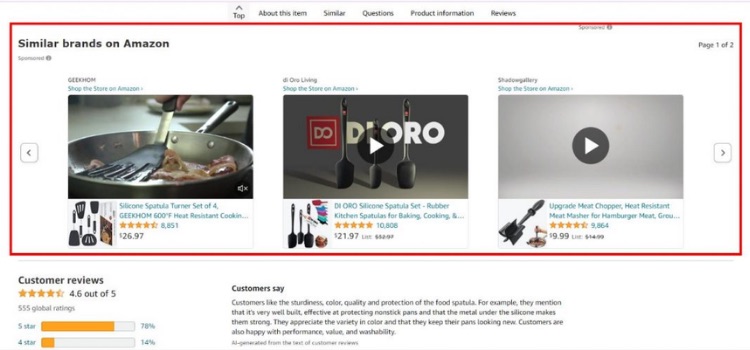
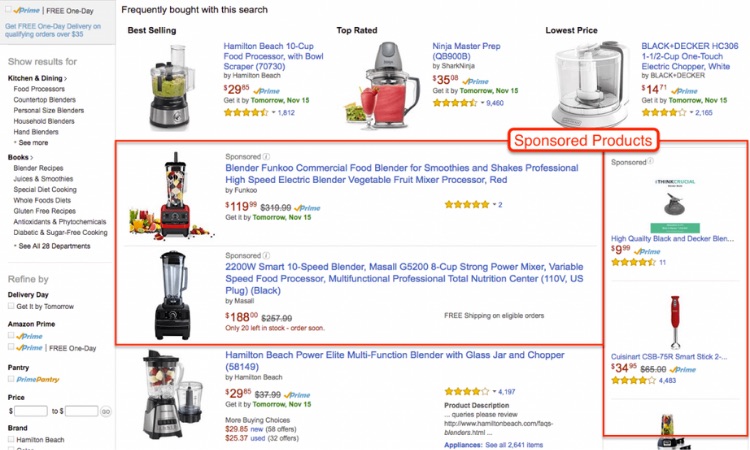
While traditionally used for keyword targeting, Amazon has introduced a retargeting feature for this format:
- Automatic Campaigns Only: This retargeting feature is currently limited to automatic campaigns.
- How It Works: Once enabled via the “Remarketing” toggle in Seller Central, your ads can appear on both Amazon and third-party sites and apps.
- Key Benefit: It helps you re-engage shoppers who are still actively searching using relevant keywords.
Sponsored Brands Ads
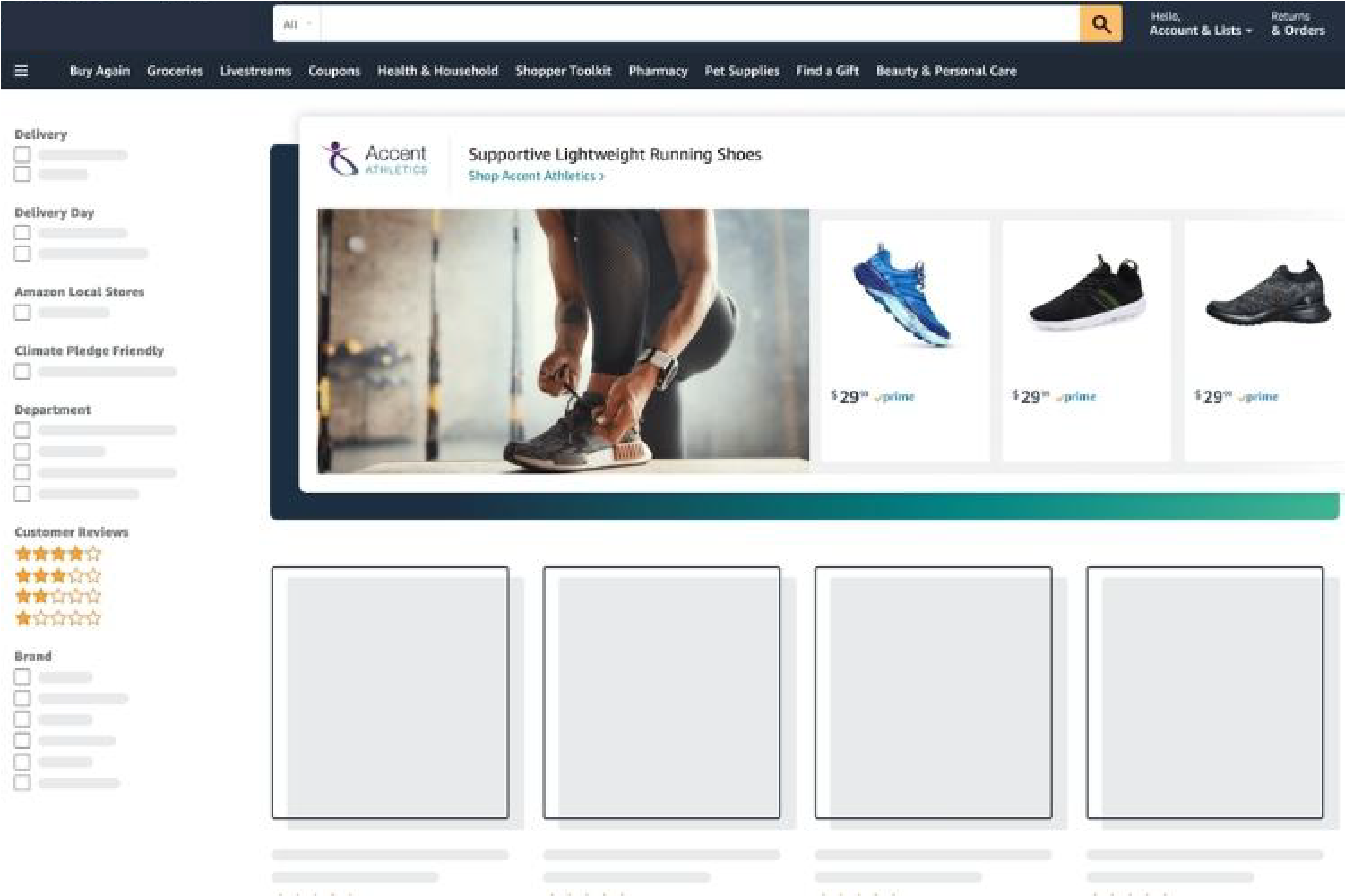
Previously known as Headline Search Ads, Sponsored Brands Ads let you retarget shoppers based on keyword behavior:
- Primary Goal: Increase brand visibility and drive traffic to your Amazon Storefront or a custom landing page.
- Best For: Sellers with strong creative assets who want to highlight product differentiators. CPC for this format tends to be lower than Sponsored Products in retargeting campaigns.
Amazon DSP (Demand-Side Platform)
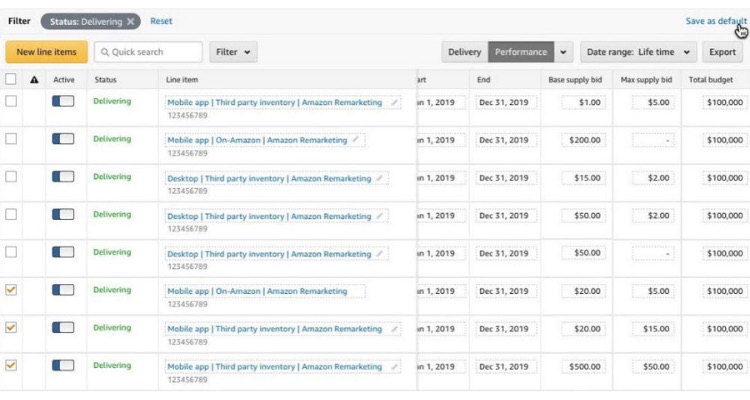
Amazon DSP is an advanced platform for running programmatic display and video ads, offering more granular retargeting segments:
- Pixel-Based Remarketing: Re-engages users who visited your website when they are browsing on Amazon.
- ASIN Remarketing: Targets shoppers who viewed a specific product but did not complete a purchase.
- Purchased ASIN Remarketing: Reaches past buyers to encourage repeat purchases or build loyalty.
- Brand Halo Remarketing: Targets shoppers who viewed other products within your brand catalog.
Video Ads: Twitch and OTT
Through Amazon DSP, sellers can leverage video formats to retarget audiences at scale:
- Twitch Ads: Uses non-skippable video ads within live streams or homepage placements to reach a younger, highly engaged audience.
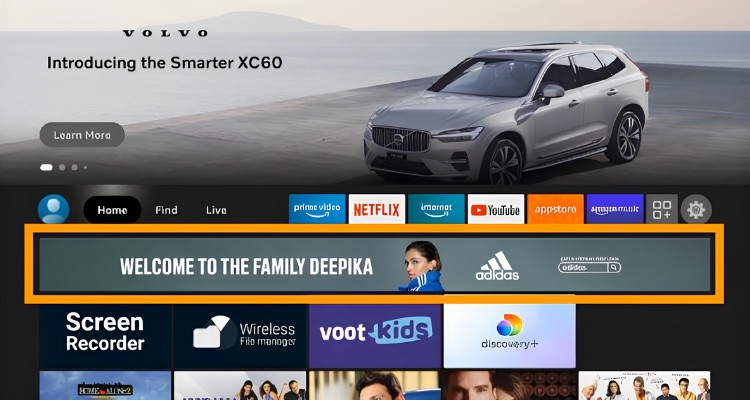
- OTT (Streaming TV Ads): Delivers ads on platforms such as Fire TV, Roku, Apple TV, and other streaming apps. DSP’s Audience Builder tool allows you to create custom segments from OTT viewers and retarget them with display ads afterward.
Amazon Advertising Platform (AAP)
AAP is an alternative option for running ads across third-party websites and apps.
- Key Difference: AAP typically requires a higher minimum budget commitment and operates on a CPM (cost per thousand impressions) model rather than CPC, making it more suitable for brand awareness goals than direct conversions.
- Best For: Brands looking to expand their retargeting reach beyond Amazon’s own network while leveraging Amazon’s audience data to serve ads on external sites and apps.
How To Set Up Amazon Retargeting Campaigns?
Amazon offers three main ways to run retargeting campaigns, each with a different setup process depending on your goals and budget.
Sponsored Display
Sponsored Display is the most accessible self-service retargeting format, and the steps below will walk you through the full setup process:
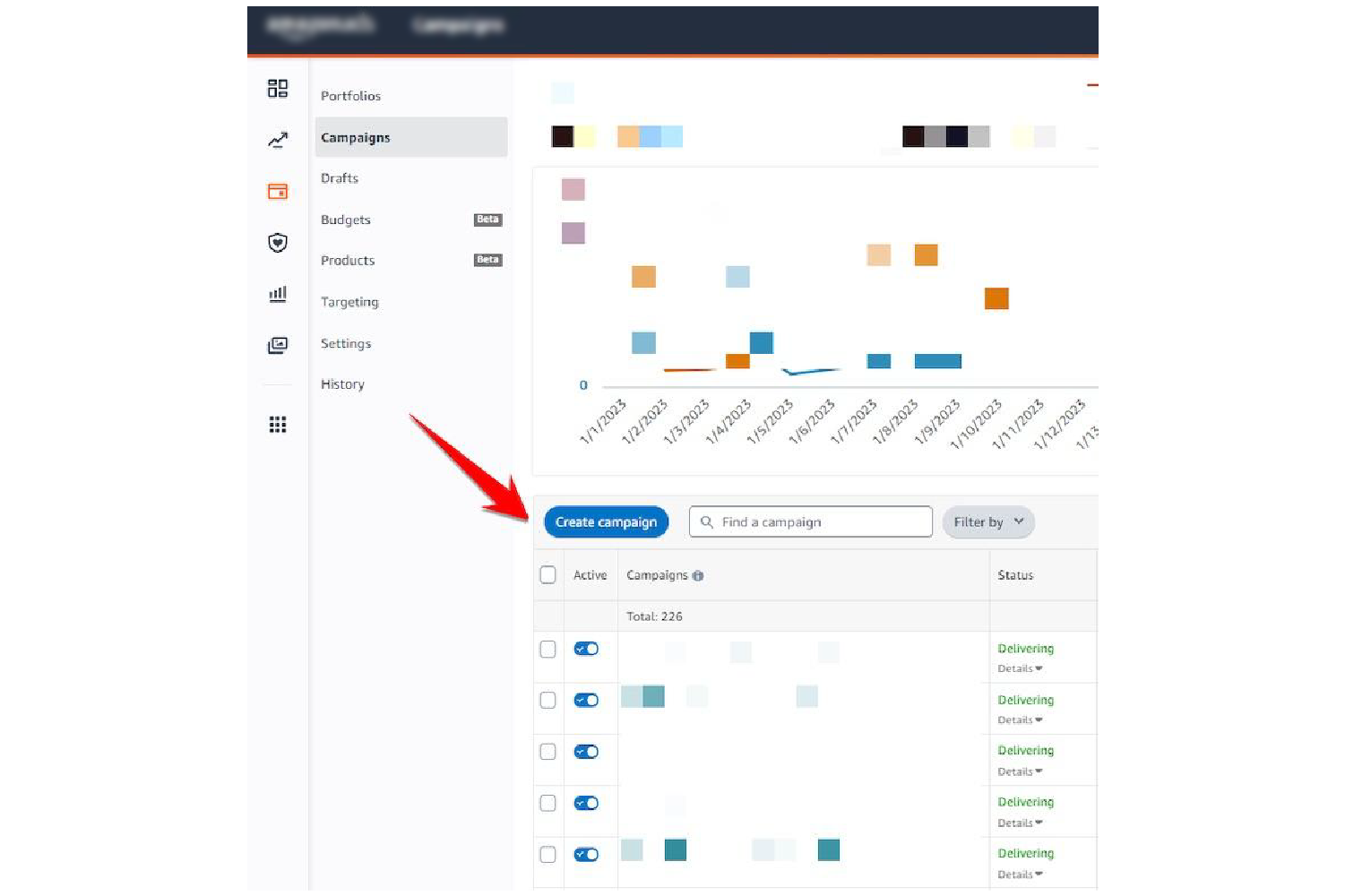
- Step 1: Log in to Seller Central, go to the Advertising tab, and open Campaign Manager.
- Step 2: Click “Create Campaign” and select Sponsored Display as your campaign type.
- Step 3: Fill in your campaign name, daily budget, and start/end dates.
- Step 4: Under Targeting, select Views Remarketing to reach shoppers who viewed your product page but did not purchase, or choose Product Targeting to place ads on competing or complementary listings.
- Step 5: Set your lookback window from 7 to 90 days. Use 7 to 14 days for low-priced items and 30 to 90 days for higher-priced, considered purchases.
- Step 6: Set your optimization goal to “Optimize for Conversions.”
- Step 7: Choose your products, set bids, upload creatives with a clear call-to-action, then launch.
Sponsored Products
Retargeting for Sponsored Products runs through automatic campaigns, and the setup process is straightforward once your account is eligible:
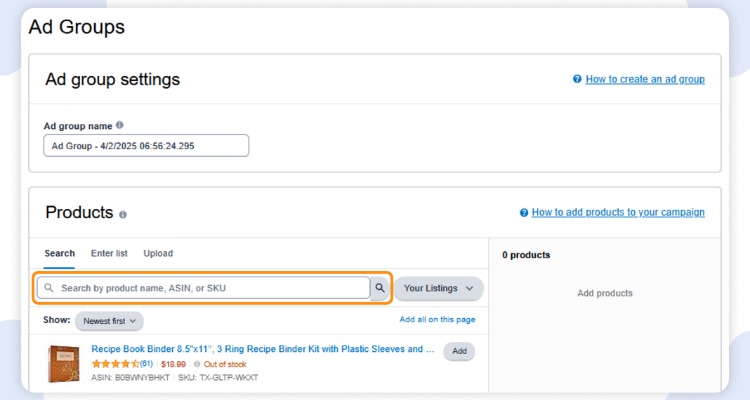
- Step 1: In Seller Central, go to Campaign Manager and create a new Sponsored Products campaign.
- Step 2: Under targeting type, select Automatic Targeting.
- Step 3: If your account is eligible (currently in beta for the US marketplace), check the “Remarketing” box that appears under Automatic Targeting.
- Step 4: Set your daily budget and bids, then launch. Amazon will automatically handle the retargeting process across both Amazon and third-party platforms.
Amazon DSP
Amazon DSP is designed for brands that need greater reach and more granular audience control, though it typically requires a minimum budget commitment to access:
- Step 1: Access Amazon DSP through your Amazon Ads account or contact an Amazon Ads representative to get started, as DSP typically requires a minimum budget commitment.
- Step 2: In the DSP dashboard, click “Create Order” and set your campaign objectives, flight dates, and total budget.
- Step 3: Create a Line Item and select your audience segment. Choose from ASIN Remarketing (shoppers who viewed but did not buy), Brand Halo Remarketing (shoppers who browsed other products from your brand), or Purchased ASIN Remarketing (past buyers for repeat purchases).
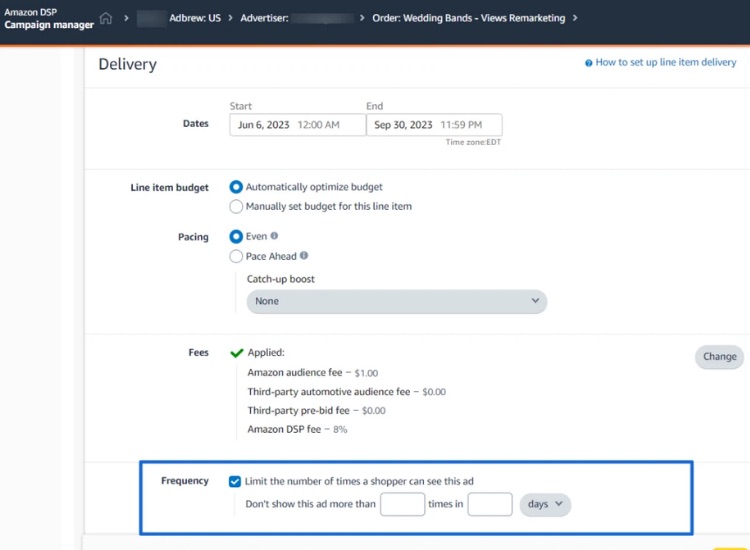
- Step 4: Set your targeting parameters, including geography, device type, and frequency caps.
- Step 5: Upload your display or video creatives, review all settings, then activate your campaign.
Budgeting And Bidding Strategy For Retargeting
A strong retargeting strategy requires careful budget allocation and smart bidding to maximize conversions while keeping your ACoS at a profitable level.
Budget Allocation
Start by dedicating 10 to 20% of your total Amazon advertising budget to retargeting campaigns. Once performance metrics such as ROAS and ACoS show consistent improvement over acquisition campaigns, gradually scale that percentage up to 30% or more. However, avoid shifting your entire focus to retargeting, as top-of-funnel acquisition campaigns still need consistent funding to keep new shoppers entering your pipeline.
Bidding Strategy
Rather than relying on Amazon’s Suggested Bids, set your own bids manually to avoid inefficient spending. If you are unsure where to start, a conservative bid of around $0.50 is a reasonable entry point, then adjust upward based on impression volume.
Bidding models vary by format: Sponsored Display supports CPC and vCPM, Amazon DSP offers CPM and CPA, while Amazon AAP primarily uses a CPM model and typically requires a higher minimum budget than standard Seller Central options. For most retargeting campaigns, optimizing for conversions delivers the best results.
However, if your brand is new or your product has multiple variations, optimizing for Page Visits can drive traffic at a lower CPC until sufficient sales data is available.
How To Measure Amazon Retargeting Campaign Performance?
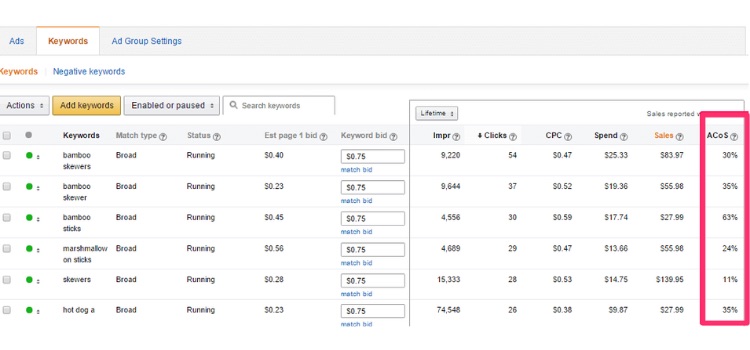
Measuring retargeting performance goes beyond tracking metrics. You need to compare your numbers against industry benchmarks to determine whether your campaigns are truly delivering results.
Conversion Rate (CVR)
A well-performing retargeting campaign should achieve a conversion rate 2 to 3 times higher than cold traffic campaigns, with top performers reaching up to 5 times higher. If your retargeting CVR is not at least 2.8 times that of your prospecting campaigns, your targeting or creatives likely need refinement.
ACoS and ROAS
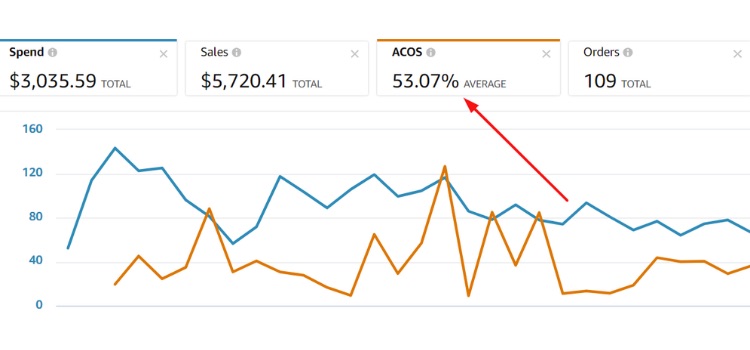
Successful retargeting campaigns typically achieve an ACoS at least 40% lower than standard acquisition campaigns, reflecting the higher purchase intent of retargeted audiences.
On the ROAS side, if your retargeting ROAS is not meaningfully outperforming your prospecting campaigns, reallocate budget or reassess your audience segments. As a broader context, increasing customer retention by just 5% through retargeting can lift overall profit by 25 to 95%.
Budget Allocation as a Performance Signal
Start with 10 to 20% of your total ad budget allocated to retargeting. If your retargeting ROAS consistently outperforms acquisition campaigns, scale that allocation above 30%. Staying below this threshold despite strong performance means you are likely leaving profitable conversions on the table.
Revenue Contribution From Returning Customers
Businesses typically derive 60 to 70% of total revenue from existing customers. If returning customers contribute significantly below this threshold despite active retargeting campaigns, your ads are likely not reaching or converting past visitors effectively enough.
Data Threshold Before Making Decisions
Do not pause or adjust a retargeting ad until it has accumulated at least 50 to 100 clicks without a conversion. Decisions made before reaching this threshold are statistically unreliable and can result in cutting campaigns that simply needed more time to optimize.
Ad Fatigue Monitoring
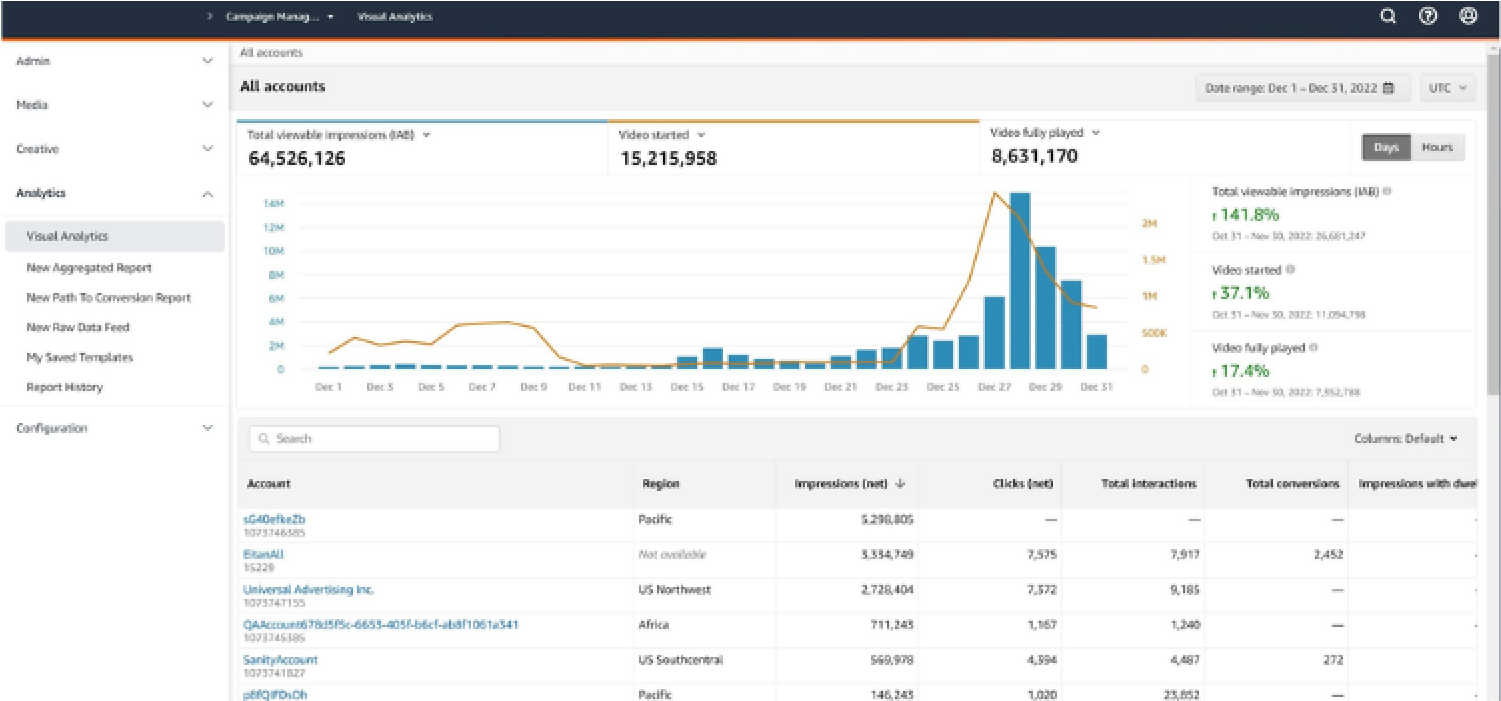
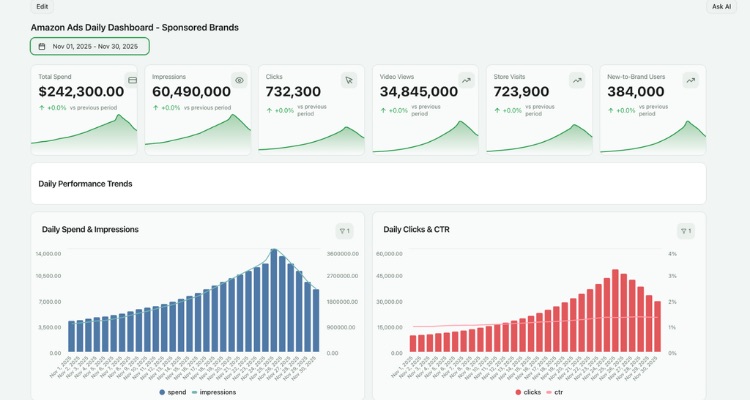
When CTR begins to drop consistently, refresh your creatives every few weeks to maintain engagement. Monitoring frequency alongside CTR will help you identify when audiences are being overexposed before performance degrades significantly.
Amazon Retargeting Ad Creative Guide For Higher Conversions
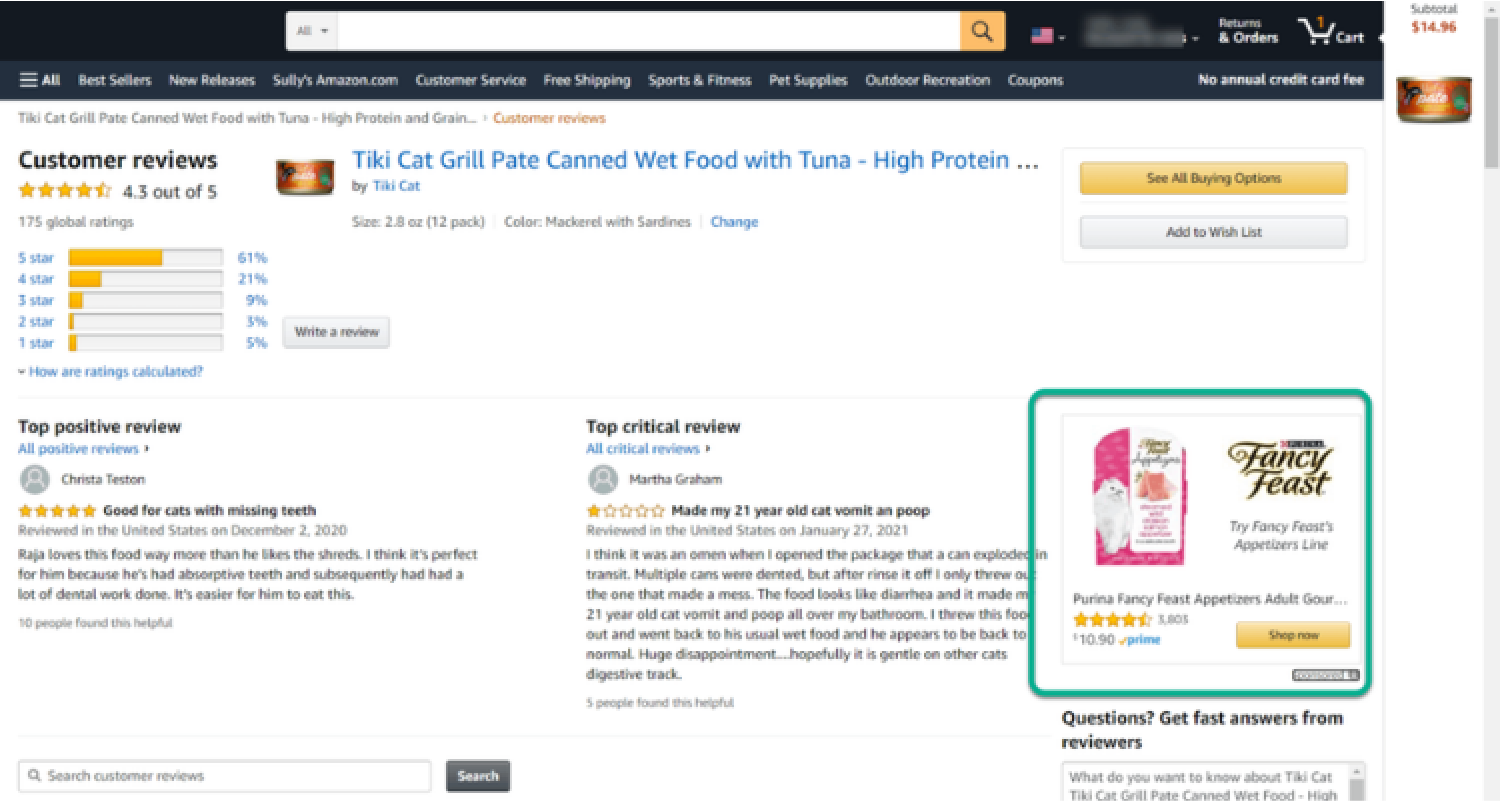
Since retargeting audiences already know your brand, your creatives need to focus on persuading rather than just attracting attention.
Prioritize Visual Quality and Brand Differentiation
For Sponsored Brands ads, ensure your visuals clearly communicate your product’s unique selling points rather than just showcasing the product itself. If your product has a benefit that can be demonstrated quickly, short video ads tend to outperform static images. On Twitch, unskippable Premium Video ads are particularly effective for reaching younger audiences during live streams.
Use Clear and Action-Oriented CTAs
Every retargeting ad needs a CTA that tells the shopper exactly what to do next. When writing your CTA, consider three things:
- Does it stand out visually within the ad?
- Does it align with your campaign objective, such as “Shop Now” or a specific discount offer?
- Does it create a sense of urgency or provide a compelling reason to click immediately?
Design for Mobile First
Make sure your ads use appropriately sized images, legible text at smaller screen sizes, and a layout that allows easy navigation without pinching or zooming. For Streaming TV (OTT) placements, full-screen non-skippable video is the standard format, taking advantage of a high-attention viewing environment.
Personalize Your Creatives
Use Amazon’s dynamic ads feature to automatically update creatives based on each shopper’s browsing history and interests. Pair this with ad copy that speaks directly to someone who has already visited your page or left items in their cart, acknowledging their intent rather than treating them as a cold prospect.
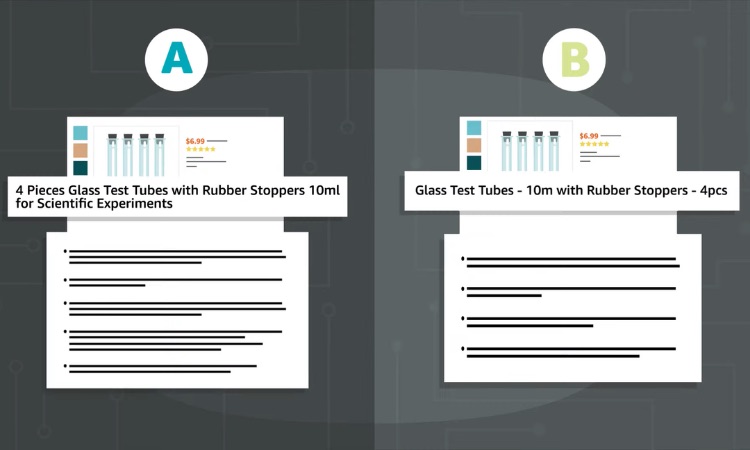
Test Regularly and Rotate to Prevent Fatigue
Run A/B tests across different formats, headlines, images, and CTAs on an ongoing basis to identify what resonates most with your audience. As creatives lose effectiveness over time, rotate them every few weeks by swapping in fresh headlines, new imagery, or updated offers. Combining static, video, and lifestyle formats further helps sustain engagement across different shopper segments.
Optimization Tips To Improve Retargeting Performance
Retargeting conversion rates run 2 to 3 times higher than cold traffic, meaning small optimizations can translate into significant revenue gains.
- Lookback window: Use 7 to 14 days for impulse items, 30 to 90 days for high-price products, and match the interval to your repurchase cycle for consumables.
- Audience targeting: Only target shoppers who have specifically viewed your products. Avoid “similar” audiences early on as they function more like prospecting and convert at a lower rate.
- Ad group structure: Avoid grouping too many products into a single ad group, as Amazon’s algorithm tends to concentrate spend on high-traffic ASINs and leave lower-traffic products with little to no exposure.
- Buyer exclusion: Exclude recent buyers from your retargeting audiences to prevent your campaigns from competing against each other and inflating your own bids.
- Manual bidding: Set your own bids starting around $0.50 and scale upward based on impression volume, rather than relying on Amazon’s Suggested Bids.
- Impression share monitoring: Use the Search Term Impression Share Report to identify whether competitors are capturing the majority of impressions on your most profitable queries.
- ASIN selection: Prioritize retargeting on ASINs with strong reviews. Running retargeting on listings with poor or no reviews simply reminds shoppers of a product they already hesitated to buy.
- Funnel maturity: If your product is new and lacks sufficient sales data, optimize for Page Visits first before switching to conversion optimization.
FAQs About Amazon Retargeting Ads
Yes. Sponsored Display and Sponsored Products retargeting have no minimum budget requirement. Start with 10 to 20% of your ad budget, focus on your best-performing ASINs, and set manual bids as low as $0.50 to keep spending under control.
Amazon retargeting reaches shoppers who have already shown purchase intent on a buying-focused platform, resulting in higher conversion rates. Facebook and Google cast a wider net across general browsing behavior, which means a broader reach but lower purchase intent.
Most campaigns show meaningful data within 2 to 4 weeks. Avoid making adjustments before accumulating at least 50 to 100 clicks, as earlier decisions are statistically unreliable.
Get Professional Help from Megaficus
Amazon retargeting ads are one of the most cost-effective ways to recover lost sales and maximize the return on every dollar you already spent driving traffic. From choosing the right ad format to optimizing bids and creatives, every detail covered in this guide brings you one step closer to turning hesitant shoppers into loyal buyers.
If you need expert guidance to build and scale a retargeting strategy that delivers real results, the team at Megaficus is ready to help.