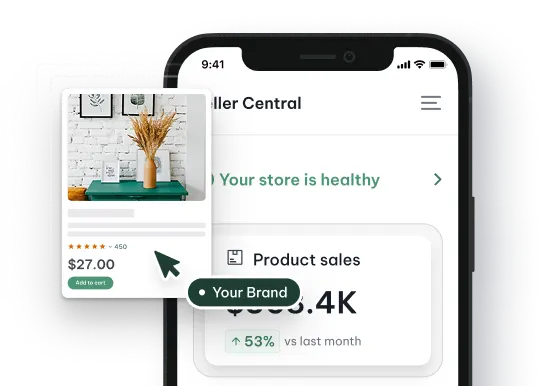

When sales stall on Amazon, most sellers adjust pricing or increase ad spend, but the real gap is often not knowing what customers are actually searching for and why they buy. Amazon Consumer Insights fills that gap, and this guide breaks down how sellers can use it to sharpen listings and grow revenue.
Quick Summary
- Amazon Consumer Insights is a paid survey tool starting at $500 that helps sellers understand purchase behavior, product awareness, and customer opinion.
- Customer Behavior: The search patterns, buying triggers, and seasonal trends that drive Amazon purchase decisions.
- Search Trends Report: A free monthly resource from Amazon that tracks top search terms and high-growth niches across product categories.
- Maximize Sales: How to use consumer data to optimize listings, analyze reviews, build smarter ad campaigns, and monitor competitors.
What Are Amazon Consumer Insights?
Amazon Consumer Insights is a paid tool that helps sellers learn more about their customers through a single survey question. Sellers can choose from pre-built questions across three categories: purchase behavior, product awareness, and product opinion, or create a custom question to fit their specific needs.
Before running a survey, sellers should weigh the cost against the data they’ll receive. Each response costs $5 with a minimum of 100 responses, putting the starting cost at $500 per survey. Note that data is only reported on up to 100 responses, regardless of how many customers are surveyed.
Key Aspects of Amazon Customer Behavior
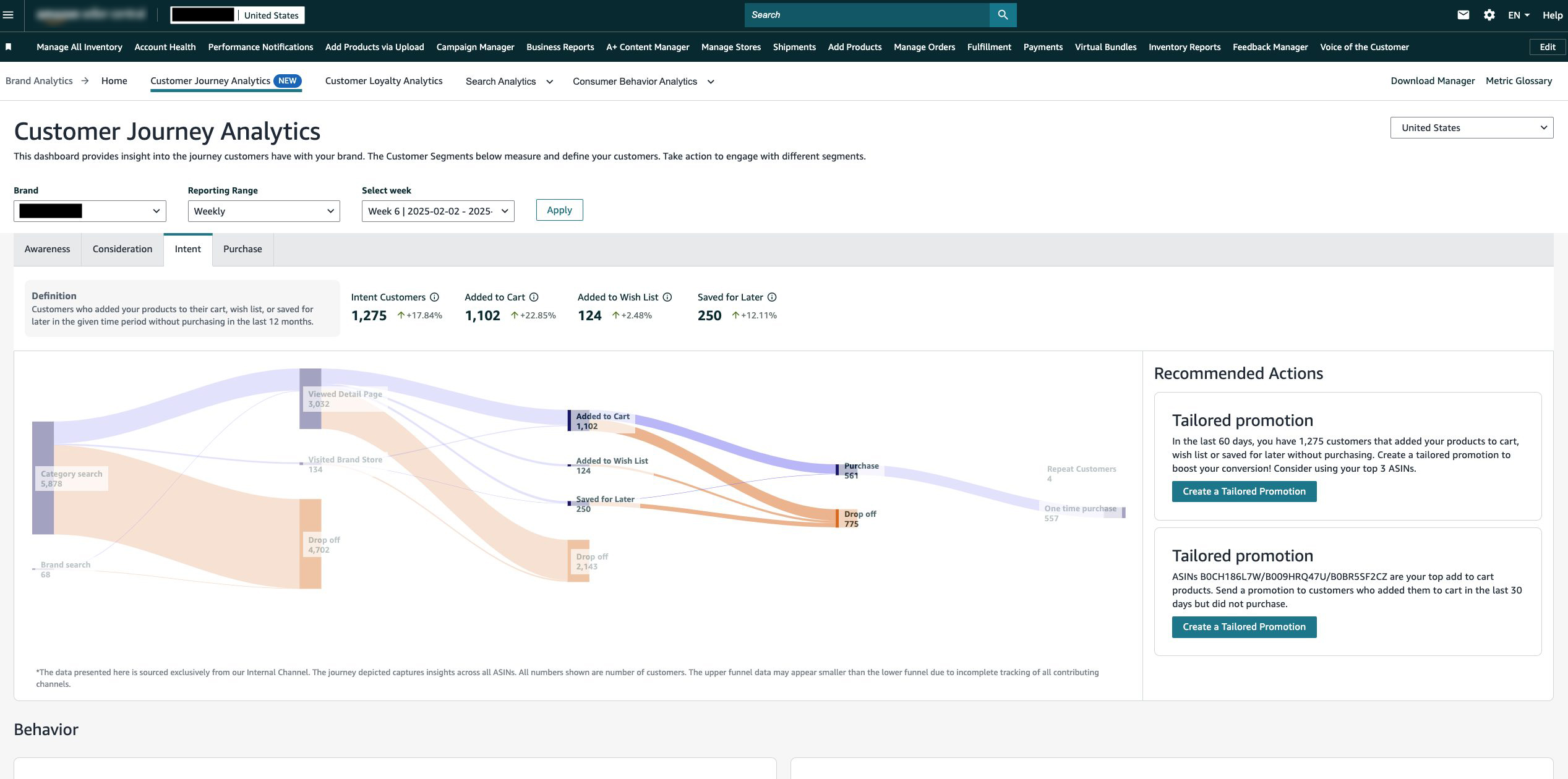
Understanding how Amazon customers think and behave is the foundation of any effective selling strategy. Below are the key aspects every seller should know.
Search Intent on Amazon
Unlike Google, Amazon operates as a purely transactional search engine, meaning customers come with one clear goal: to find and buy a product. However, their intent still varies by stage.
Shoppers in the early stage tend to use comparative queries like “thick yoga mat reviews,” while those ready to purchase shift to more specific terms like “buy eco-friendly yoga mat” or “yoga mat free shipping”.
Understanding this distinction directly impacts how sellers should build their listings. When a listing includes the right keywords that match what customers are actively searching for, Amazon’s algorithm is more likely to surface that product in organic results, increasing the chances of being discovered by high-intent shoppers.
Factors Influencing Purchasing Decisions
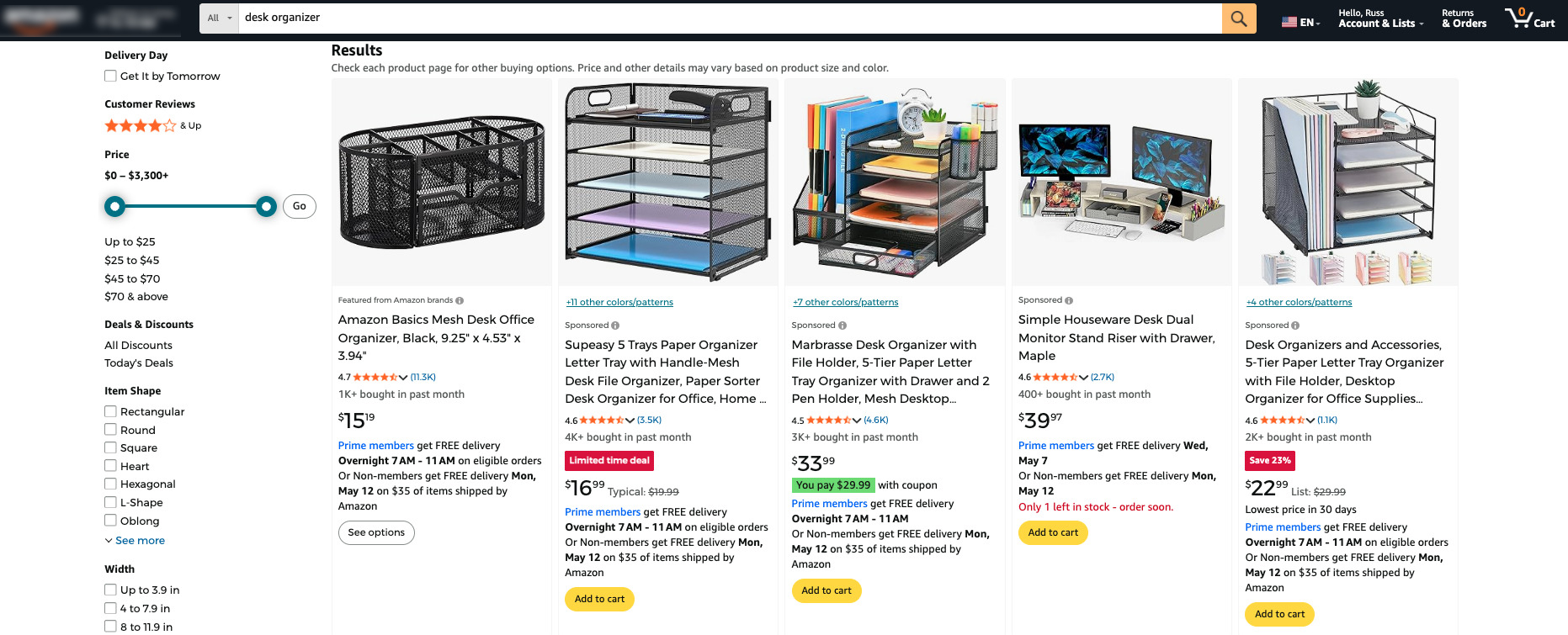
Several factors shape whether a customer clicks “Add to Cart” or moves on to a competitor, and understanding them gives sellers a clear starting point for listing optimization:
- Price: Customers on Amazon are highly price-conscious and often compare options before committing. Competitive pricing, or a clear justification for a higher price, can be the deciding factor between a sale and a lost click.
- Reviews & Ratings: Social proof carries significant weight on Amazon. Shoppers rely heavily on star ratings and review content to assess product quality, making it one of the first things they check before purchasing.
- Shipping & Delivery: Fast, free shipping is no longer a bonus; it is an expectation. Products eligible for Prime delivery have a clear advantage, as customers frequently filter or prioritize results based on shipping speed.
- Product Content Quality: Clear titles, accurate descriptions, and high-quality images help customers make confident buying decisions. Listings that lack detail or use poor visuals are more likely to be skipped, regardless of price.
- Brand Reputation: Returning customers tend to gravitate toward brands they already trust. A strong brand presence, backed by consistent reviews and professional presentation, builds the credibility needed to win both new and repeat buyers.
- Personalized Recommendations: Amazon’s algorithm surfaces products based on browsing and purchase history, meaning a well-optimized listing with strong sales performance is more likely to appear as a recommended product to high-intent shoppers.
Purchase Patterns
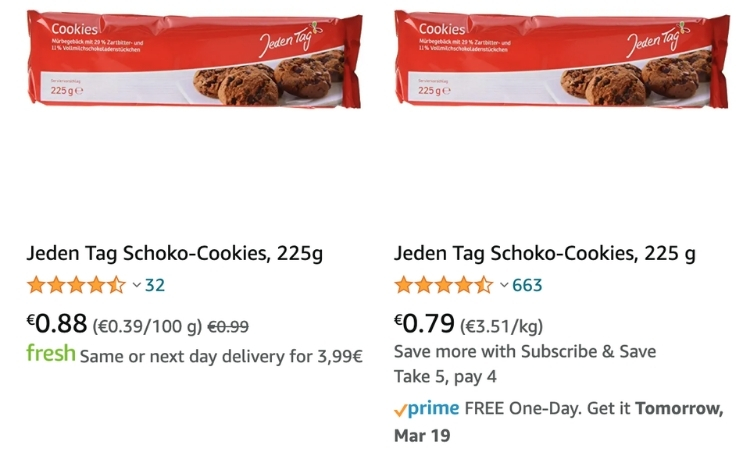
Amazon customers follow predictable buying patterns that sellers can use to time their strategies and prioritize the right categories:
- Seasonal demand: Demand stays relatively quiet in the first half of the year before rising sharply heading into Q4, making the holiday season the most competitive and high-value period for sellers.
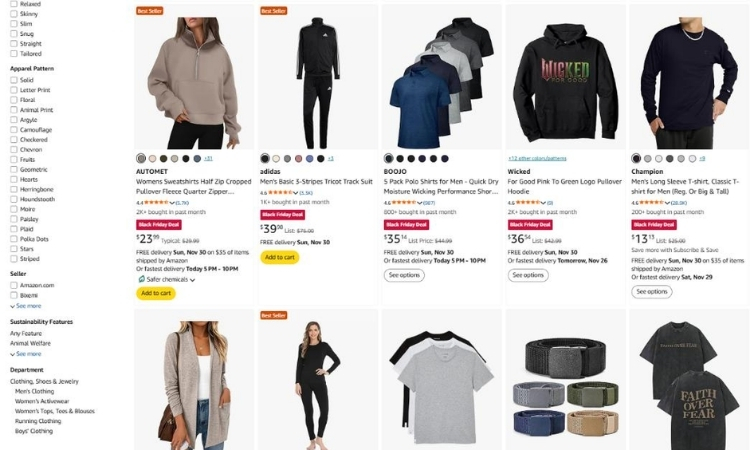
- Category preferences: Apparel, health and beauty, and electronics consistently rank as the top three purchased categories on Amazon.
- Mobile-first behavior: Customers now browse, compare, and complete purchases largely on their phones, meaning mobile-optimized listings are no longer optional.
What Is the Amazon Consumer Search Trends & Insights Report?
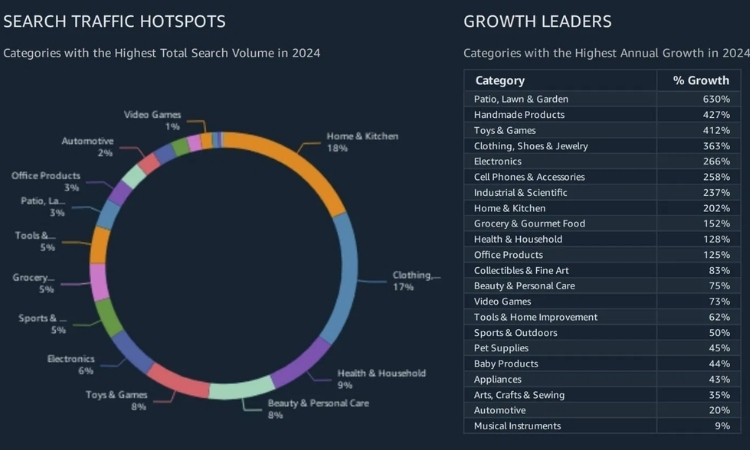
The Amazon Consumer Search Trends & Insights Report is a monthly resource that helps sellers understand what customers are actively searching for and where demand is growing. Each edition summarizes the previous month’s top search terms and purchase trends across product categories, giving sellers a timely view of shifting consumer interest.
The report organizes findings into three main product groups: Softlines (clothing and apparel), Hardlines (appliances and durable goods), and Consumables (food and household items). Beyond the summary data, it also connects sellers directly to the Product Opportunity Explorer for deeper analysis of specific trends and emerging opportunities.
For sellers, the practical value lies in how the report can inform decisions across multiple areas, from prioritizing SEO and PPC efforts to selecting which products to feature on a storefront or planning new product launches in the months ahead.
How to Use Amazon Consumer Insights to Maximize Sales
Raw data only creates value when sellers know how to act on it. The following strategies turn Amazon Consumer Insights into concrete actions that drive sales.
Optimize Listings Based on Search Trends
The Amazon Consumer Search Trends & Insights Report breaks search data down by product group each month, so sellers can pinpoint which keywords are gaining traction in their category and act before competitors do.
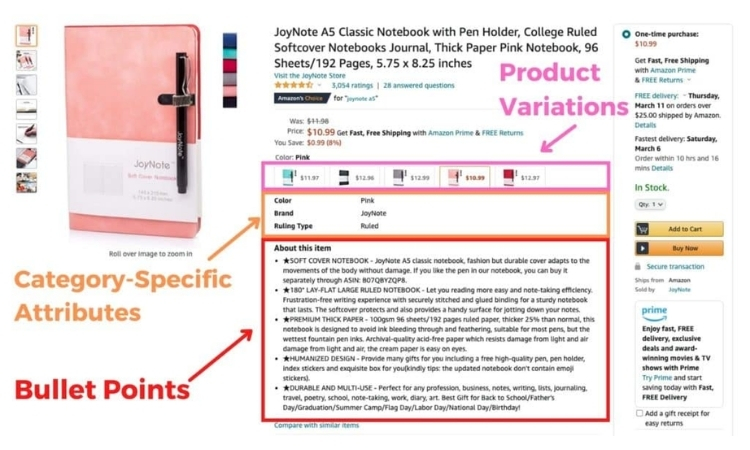
When the report flags high-growth search terms, those terms should appear across every indexable field in the listing:
- Title: Lead with the trending keyword where it fits naturally, e.g., “Fashion Hoodie for Women” instead of a generic “Women’s Sweatshirt”
- Bullet points: Weave in search terms while describing product benefits, not just features
- Product description and A+ content: Use crawlable text sections to reinforce keyword relevance
- Image alt text: Often overlooked, but Amazon indexes this field, and it contributes to search visibility
Beyond keywords, the report also surfaces subcategories with unusually high growth over the past 90 days. If “costume masks” is trending ahead of Halloween, sellers in adjacent categories have a narrow window to reposition their listings before demand peaks. Acting two to four weeks ahead of the trend is generally enough lead time to see a measurable lift in impressions.
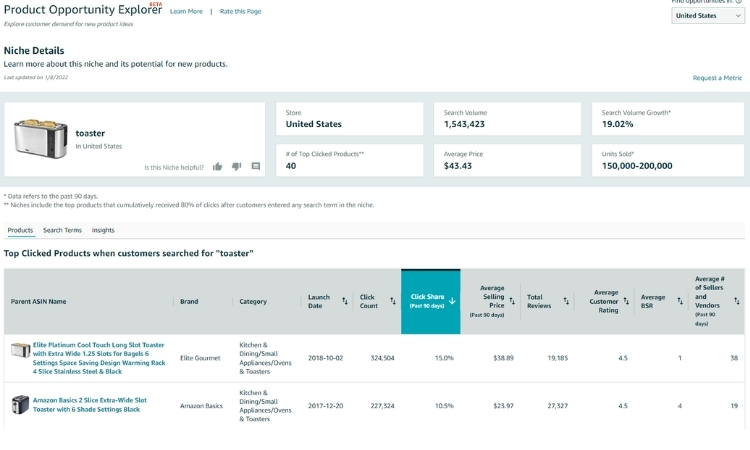
For sellers who want to go deeper, the report connects directly to the Product Opportunity Explorer in Seller Central, where niche-level data on click share and conversion trends can help prioritize which keywords drive actual purchases, not just traffic.
Analyze Customer Reviews and Feedback
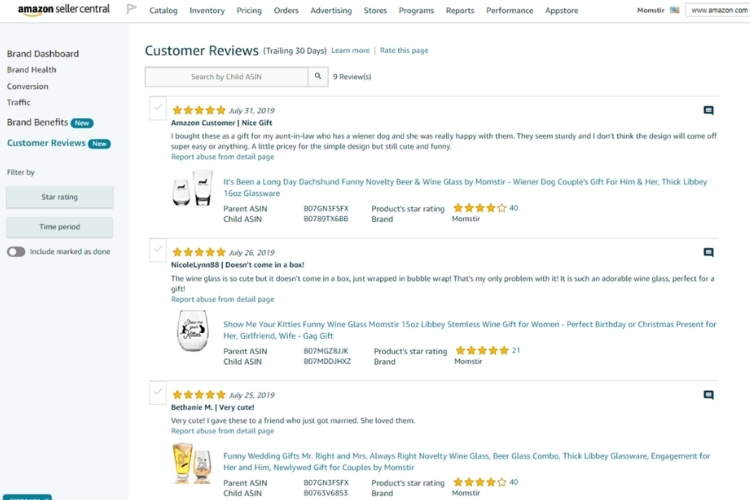
Customer reviews contain direct signals about what drives and blocks a purchase decision. Reading them systematically, rather than occasionally, turns raw feedback into a concrete optimization checklist for the listing.
A practical approach is to scan both your own and competitors’ reviews for recurring patterns, then act on them:
- Repeated complaints in your reviews: Treat these as product and listing fixes. If buyers say “smaller than expected,” add exact dimensions to the title or main image to set clearer expectations and reduce returns.
- Frequently praised features: If customers consistently highlight “easy to assemble,” that phrase should appear in bullet points and the title to reinforce the buying decision before purchase.
- Complaints in competitor reviews: These reveal unmet needs in the market. If buyers of a competing product complain about poor packaging, highlighting “damage-free packaging” in your listing directly captures that dissatisfied audience.
- Repeated questions in Q&A and reviews: These signal missing information in the listing. Each unanswered question is a conversion that did not happen.
Build Data-Driven Marketing Strategies
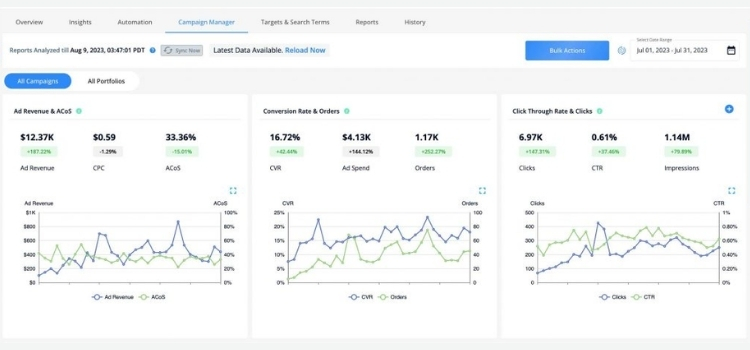
Instead of running ads based on assumptions, sellers can use the search trend data from the report to time and target campaigns around actual customer demand. Here are a few ways to put that data into action:
- Align PPC campaigns with trending search terms: If the report shows “fashion hoodies” spiking in September, launch a Sponsored Products campaign targeting that exact term two to three weeks before peak demand, not after it has already plateaued.
- Use high-growth niches to prioritize ad budget: Categories showing 90-day search volume growth signal where competition is heating up. Allocating more budget toward those niches early, before other sellers catch on, keeps cost-per-click lower and visibility higher.
- Retarget based on category behavior: If Consumables like supplements are trending, use Amazon DSP to retarget shoppers who viewed similar products but did not purchase, with creatives that speak directly to the benefit driving that search trend.
- Plan promotions around seasonal spikes: The report’s holiday trend data from the previous Q4 gives sellers a reference point to schedule Lightning Deals or coupons. For example, if “gift sets” surged in November last year, activating a promotion in late October captures early holiday shoppers before the window closes.
Monitor Competitor Activity Through Consumer Data
Consumer data goes beyond revealing customer demand. It also exposes where competitors are falling short, giving sellers a sharper edge when used the right way:
- Identify keywords competitors are missing: If the search trend report shows a niche term gaining significant volume but competitor listings are not optimized for it, that gap is an immediate opportunity to rank organically with lower competition.
- Analyze competitor review patterns: When a competing product consistently receives complaints about a specific flaw, such as poor durability or misleading sizing, addressing that flaw directly in your listing and imagery turns their weakness into your selling point.
- Track click share shifts in Product Opportunity Explorer: A sudden drop in a competitor’s click share within a niche signals that their listing is losing relevance. Entering or increasing ad spend in that niche at the right moment can capture the demand that they are no longer converting.
- Monitor new product launches in high-growth subcategories: The report flags categories with strong new product performance. If multiple new competitors are launching in a subcategory, it confirms growing demand but also signals that the window to establish an early ranking is narrowing.
Plan of Action for the Holiday Season and Beyond
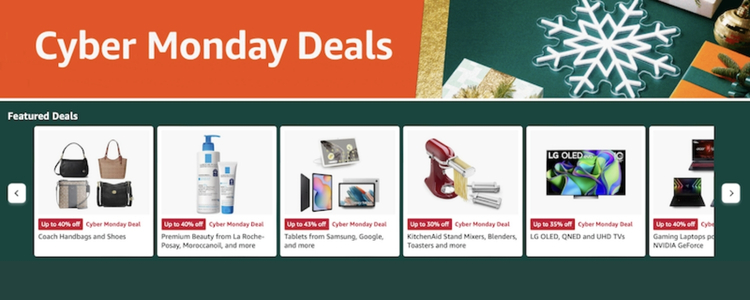
The holiday season is the highest-stakes period on Amazon, where search volume can double compared to mid-year. Preparing early and using the right data sources makes the difference between capturing that demand and watching competitors take it:
- Start keyword optimization in October: Add holiday-relevant terms like “gift sets” or “stocking stuffers” to titles and bullet points before November, so the listing is already indexed when demand peaks.
- Build a full-funnel ad strategy ahead of peak weeks: Run Sponsored Products for high-intent shoppers, and use video/display ads earlier in the season to build brand familiarity before Black Friday and Cyber Monday.
- Schedule promotions with lead time: Lightning Deals and coupons require approval time. Submit in mid-October to avoid the bottleneck that catches late planners off guard.
- Stock inventory based on 90-day trend signals: If a subcategory has been growing consistently, that trajectory will likely accelerate into Q4. Understocking a trending product during peak season is one of the most avoidable revenue losses.
- Use Q4 data to plan Q1: Post-holiday behavior shifts toward health, fitness, and home organization. Monitor January trends early to reposition listings while competitors are still recovering.
>> Read more: How to Create a High-Impact Plan of Action (POA) on Amazon?
FAQs About Amazon Consumer Insights
Through Seller Central, the Consumer Search Trends & Insights Report is available in the Seller Central forum, and the Product Opportunity Explorer is under the Growth tab.
The report updates monthly. The Product Opportunity Explorer reflects more frequent, near-real-time changes in search volume and click share.
Google captures research intent; users may still be browsing or comparing. Amazon data reflects pure purchase intent, making it more directly actionable for listing and ad optimization.
Get Professional Help from Megaficus
Amazon Consumer Insights is only as valuable as the actions sellers take on it. From tracking search trends to spotting seasonal demand and competitor gaps, the data points toward smarter listings, better-targeted ads, and stronger revenue. Growth on Amazon comes down to making better decisions with the right data, not spending more.
If you need expert guidance to put these insights into practice, the team at Megaficus is ready to help.